What is an AI-Native CRM & How Can You Build Your Own?

An AI-native CRM is a customer relationship management system designed around artificial intelligence from the ground up. Instead of adding AI features to an older CRM, it uses AI to capture activity, keep records up to date, and suggest or take the next steps as part of its core functionality.
In the Validity 2026 State of CRM Data Report, nearly 60% of C-suite respondents and 52% of SVP/VP respondents say they feel pressure to implement AI tools now. And of course, no system matters more to marketing and sales than the good old CRM. Teams looking to supercharge their CRM with AI usually have three choices: bolt AI onto existing workflows, migrate to an AI-native CRM, or build their own custom CRM software with AI.
That custom CRM sounds pretty good, right? But if the thought of building custom software sounds overwhelming, here's the good news: people are building their own apps, and they're seeing success. Our own 2026 State of Employee-Built Apps Report found that 1 in 4 employees built an app they use for work, and 83% of those apps were deemed essential by leadership. In this guide, we'll cover everything you need to know about AI-native CRMs.
Key Takeaways
- Reading the data is what sets it apart: Many CRMs can auto-log activity, but an AI-native CRM reads and interprets what was said and updates the record from it.
- Chat is the core interface, not an add-on: Users ask questions, make changes, and trigger next steps in plain language, and every action draws on the same live data the AI reads.
- Security and controls must determine how far AI can act: AI-native CRMs need permissions that limit what the AI can read, approval rules for changes that matter, and audit trails that record what the AI did, so the team stays in charge of its data.
- There are three ways to put AI to work in your CRM: buy an AI-native CRM built from the ground up, add AI on top of a traditional CRM, or use an AI app builder to build a CRM around your process.
Core Capabilities: What Makes a CRM AI-Native?
An AI-native CRM is designed around AI from the start. The AI runs the system, and the screens and menus sit on top of it. Almost every CRM now advertises AI features, but an AI-native CRM makes these capabilities the foundation rather than add-ons. An AI-native CRM typically lets you do the following.
Define the Workflow
Your team describes how its work moves: the stages a deal passes through, who owns each step, what needs approval, and when a renewal should trigger a reminder. The CRM turns that description into a working structure, and the team refines it in the same way as the process changes.
Work From Your Full Context
An AI-native CRM treats every email and call as an input to the record, which acts as a kind of "single source of truth" for the system. Fields like deal stage, next step, or decision maker are generated from it. You can add a new field at any time and the CRM fills it from past conversations.
Run the Whole System From Chat
In an AI-native CRM, the chat and the interface run on the same foundation. Anything you can do by clicking, you can ask in plain language. The assistant sees the full history of every account and can handle requests with several steps.
AI-Native CRMs vs Traditional CRMs with AI
Traditional CRMs with AI added on top are often called AI-assisted or AI-enabled CRMs. In these systems, people still drive the process while AI supports them. In AI-native CRMs, AI leads the process and people step in to review and approve.
| AI-Native CRM | AI-Enabled CRM |
Architecture | AI is built into the core data and workflow layer from the start | AI features are added to a CRM originally designed without them |
Data model | Flexible; objects and fields can often be created by chat | Fixed objects; custom fields need admin work |
Building workflows | Describe the workflow in plain language; the CRM drafts it for review | Rule builder, sometimes with AI steps added |
Getting answers | Ask in chat; answers draw on records and the full conversation history | AI assistant answers questions about record data |
Scale and complexity | Fits unusual processes and multi-team apps | Strong for standard sales processes, with custom needs adding configuration effort |
Setup and migration | Days or weeks | Weeks or months |
Best for | Business teams that want a production-ready app quickly with low admin work and fast updates | Companies with stable processes that rely on strict controls and established admin teams |
How Do AI-Native CRMs Work?
At its core, an AI-native CRM typically follows the same three steps for every interaction:
1. The CRM Picks Up the Activity and Reads It
It connects to the team's inbox, calendar, and call tools so emails, meetings ,and calls come in without anyone logging them. The difference between an AI CRM vs a traditional CRM comes down to interpretation: many CRMs can auto-log activity, but an AI-native system also reads the content. It pulls out next steps, dates, budget, objections, and competitors mentioned. Then it turns them into structured data instead of just attaching the email or recording to a record.
2. It Links the Activity to the Right Records
The CRM matches the people on the activity to existing contacts and companies. It then uses the thread, the deal being discussed, and earlier conversations to decide which open deal the activity belongs to. A new person on the thread becomes a proposed contact, with a role inferred from what was said. When the match is unclear, the CRM flags it for a person to check instead of guessing.
3. The CRM Acts Within Limits the Team Defines
The team decides which actions run automatically and which need approval. Typically, internal actions like updating a field, logging an activity or filling in a missing contact detail happen on their own. Customer-facing actions (like sending an email) and significant changes (like moving a deal to a new stage) wait for someone to approve them.
Agentic and Autonomous CRM, Explained
These terms overlap a lot, and vendors don't always use them the same way. A simple way to separate them is this: AI-native describes how the CRM is built, agentic describes what the AI can do, and autonomous describes how much it does without a person.
Agentic CRM is a CRM where AI agents carry out multi-step tasks towards a goal. It usually plans the steps, uses tools, and carries out actions within the scope and guardrails defined by a human. An agentic CRM doesn't have to be AI-native.
Autonomous CRM is a CRM that runs most of the sales process with minimal human input. It's sometimes called a "self-driving CRM." The idea is that the system decides what needs doing and does it. Though it's important to note that no CRM is fully autonomous today.
The Benefits of AI-Native CRMs for RevOps Teams
For revenue operations teams, AI-native CRMs shift the work from chasing data to designing the process. Instead of spending time asking reps to update records, reconciling reports, and cleaning up fields, RevOps applications can focus on defining how deals move and what the system should do at each step.
Better Data and More Complete Records
According to the 2026 State of CRM Data Report by Validity, only 26% of respondents said more than three-quarters of their CRM data is accurate and complete. The problem starts with how records get filled in. Most CRMs depend on reps to log activity and update fields, so records fall behind as soon as reps get busy.
An AI-native CRM reduces reliance on manual data entry to keep records accurate. It captures information, matches people to the right accounts and deals, and keeps doing so as new activity comes in. Because the record updates from real activity, data stays complete without anyone having to chase reps for updates.
Improved Forecasting and Decision-Making
In Default's survey of 300+ RevOps leaders, forecasting ranks among the top planned uses, alongside AI agents and market research. But AI forecasting is only as good as the data underneath it, and most teams know that data is weak (as shown by the Validity report cited earlier).
In AI-assisted CRMs, the forecast still runs on fields that reps typed and stages they picked. AI-native CRMs change the inputs: they capture and update data at the source, so the forecast reflects what's actually happening in each deal. For RevOps, that improves data accuracy and, as a result, forecast accuracy.
More Consistent Sales Qualification
Qualification frameworks like MEDDICC and BANT are only effective when reps apply them consistently across every deal. But even the best framework is only as reliable as the information used to complete it — and that information is often incomplete or inconsistently recorded.
According to Revenue Benchmark Report by Salesloft more than half (55.6%) report that the information entered into CRM is based mostly on subjective seller reporting. An AI-native CRM can keep the process on track by filling those criteria from the calls themselves. When the criteria are based on facts, the process becomes visible and easier to follow.
Less Admin and More Time for Selling
CRM upkeep takes up way too much time for sales teams: 37.6% say updating CRM records is their top administrative bottleneck, according to the Revenue Benchmark Report by Salesloft.
AI is taking over the world of RevOps just as much as every other industry, and it's clear why. Among the 9% of RevOps teams that call themselves fully AI-native, 63% report productivity gains of 20% or more, according to a joint survey by Everstage and UserEvidence. For RevOps, the time saved on upkeep is time to spend on optimizing how deals move through the pipeline.
Insight Into What Works and What Doesn't
Most teams can see their results but can't explain them. According to Salesloft's report, only about 32% can quickly pinpoint why a deal stalled, and 27% can see win and loss rates but can't explain what happened between stages.
Because an AI-native CRM keeps the full conversation history, RevOps can trace wins and losses back to what customers said, such as objections, competitors and pricing pushback. The context can then go to enablement, product, and marketing.
Better Performance and Revenue Growth
Time saved only matters if it's spent well. When AI-native capture cleans up the admin work, reps and RevOps get hours back. The CRM shows where those hours matter most: stalled deals, missing stakeholders, and accounts with no recent engagement.
Gartner reports that organizations with moderate to large AI time savings that reinvest them in high-impact activities are 2.2x more likely to exceed customer growth goals. Instead of spending recovered time updating records, teams can focus on advancing deals, engaging key stakeholders, and growing customer relationships.
Should You Build vs Buy Your AI-Native CRM?
Of the three approaches, two give you a CRM shaped around how your team works: buying a dedicated AI-native CRM or building one with an AI app builder. Both give you a say in how your workflow is built. Both paths aim for a system that matches your needs. They differ in who designs the system and how closely it can follow your process; the one you build gives you even more control over the workflow.
Another difference is how far the system can extend beyond the CRM itself. With an AI app builder, you can design a cross-functional process inside the app itself, with the stages, approvals, and handoffs that span sales, finance, and operations. You can also create workflows that reach other tools through connectors. A dedicated CRM covers the process it was built for and connects outward through the integrations it offers.
Use this table to compare buying an AI-native CRM vs building your own using an AI app builder.
| Buy a dedicated AI-native CRM | Build with an AI app builder |
Starting point | A product built around the sales process, ready to configure | A blank app, described and drafted around your requirements |
Process scope | Sales-focused workflows the CRM was built for | Cross-functional processes spanning sales, finance, operations, and more using workflows and connectors |
Reach beyond the CRM | Integrations the vendor provides | Connectors your team sets up, plus workflows that span tools |
Learning curve | Your team learns the product's model, options, and what it needs to work well | Your team describes its process, and the app is drafted to follow it, so there's little product to learn |
Role-based access | Predefined roles the vendor provides, adjusted through the product's options | Roles your team defines around its own structure |
Field and record-level access | Available where the product supports it | Defined by the team as part of the data model |
Approval rules | Set through the product's approval options | Designed as part of the team's own process |
Audit and governance | Vendor-provided audit trails and admin controls | Activity logs, role-based permissions, secure hosting, and admin consoles |
7 Steps: How to Build Your Own CRM with Pave
Pave, the AI app builder from Quickbase, turns plain-language descriptions into governed, production-ready business apps, including CRMs. Revenue teams use it to build pipeline trackers and account views with permissions, automation, and hosting already in place.
In fact, we built our own sales team's GTM console in Pave. It took a few iterations and a Snowflake connector, and now it gives us more product behavior context and is easier to use than a traditional CRM we used before. Here's how you can build one for yourself.
1. Describe Your Pipeline in Plain Language
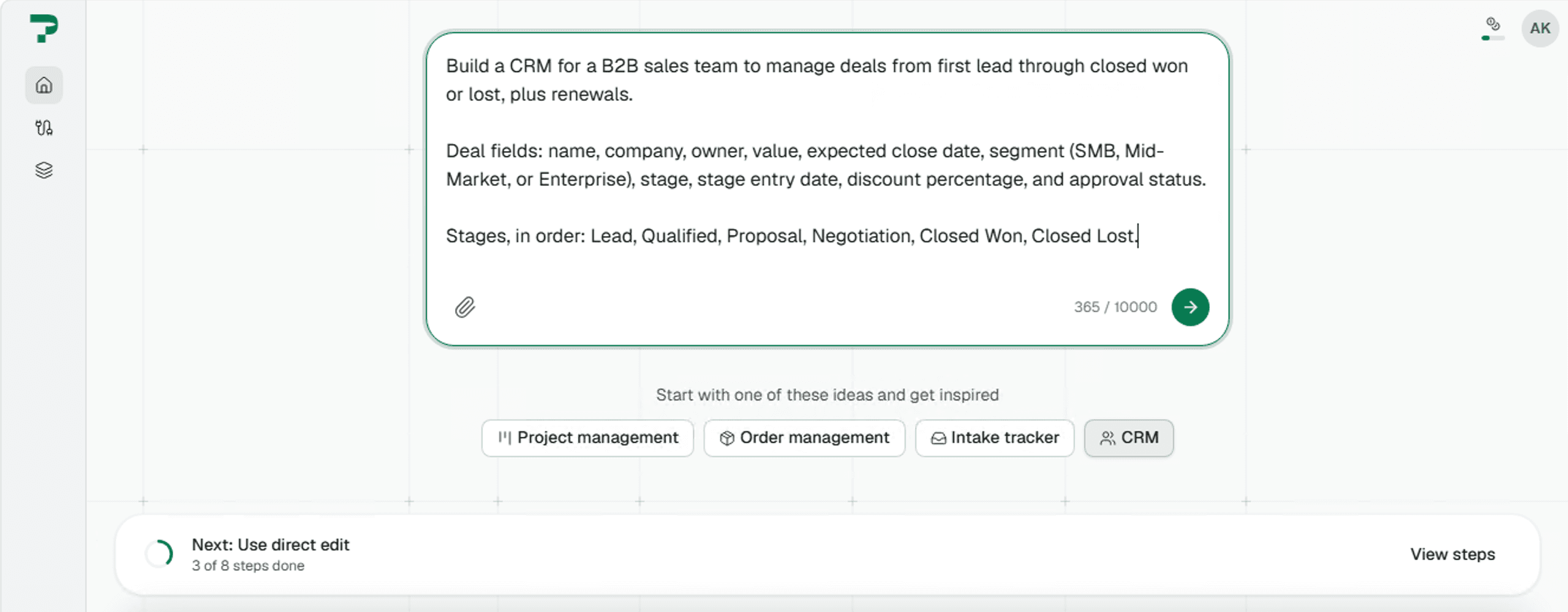
Explain your pipeline the way you would to a new colleague. The first prompt should capture the decisions your process depends on:
- Stages and exit criteria: Name each stage and what must be true to move past it, such as "budget confirmed" for Proposal.
- Owners per stage: Say who owns a deal at each step and when ownership passes to someone else, such as from sales to onboarding after close.
- Approval gates: Give the exact thresholds, like "discounts above 15% need manager approval," and say which stages or actions require sign-off.
- Qualification fields: If you use BANT, MEDDICC, or your own criteria, list the fields a rep must complete before a stage can advance.
- Definitions of key terms: Specify what counts as closed won, how renewals are dated, etc. Teams often disagree on these, and the app will enforce whatever you write.
- Segments and territories: Name the customer segments and who covers each, since segment rules drive routing, dashboards, and access.
- Cadence and triggers: Note the review rhythm, such as a Monday pipeline review, and the events that should trigger action, such as a stalled deal after 14 days.
Keep the prompt focused on the process itself. Pave can handle the layout and formulas once the rules are clear. If you already track the pipeline in a spreadsheet, import it or upload supporting material. Pave reads the columns and structure. Learn how to convert your spreadsheet into an app.
2. Watch Pave Build
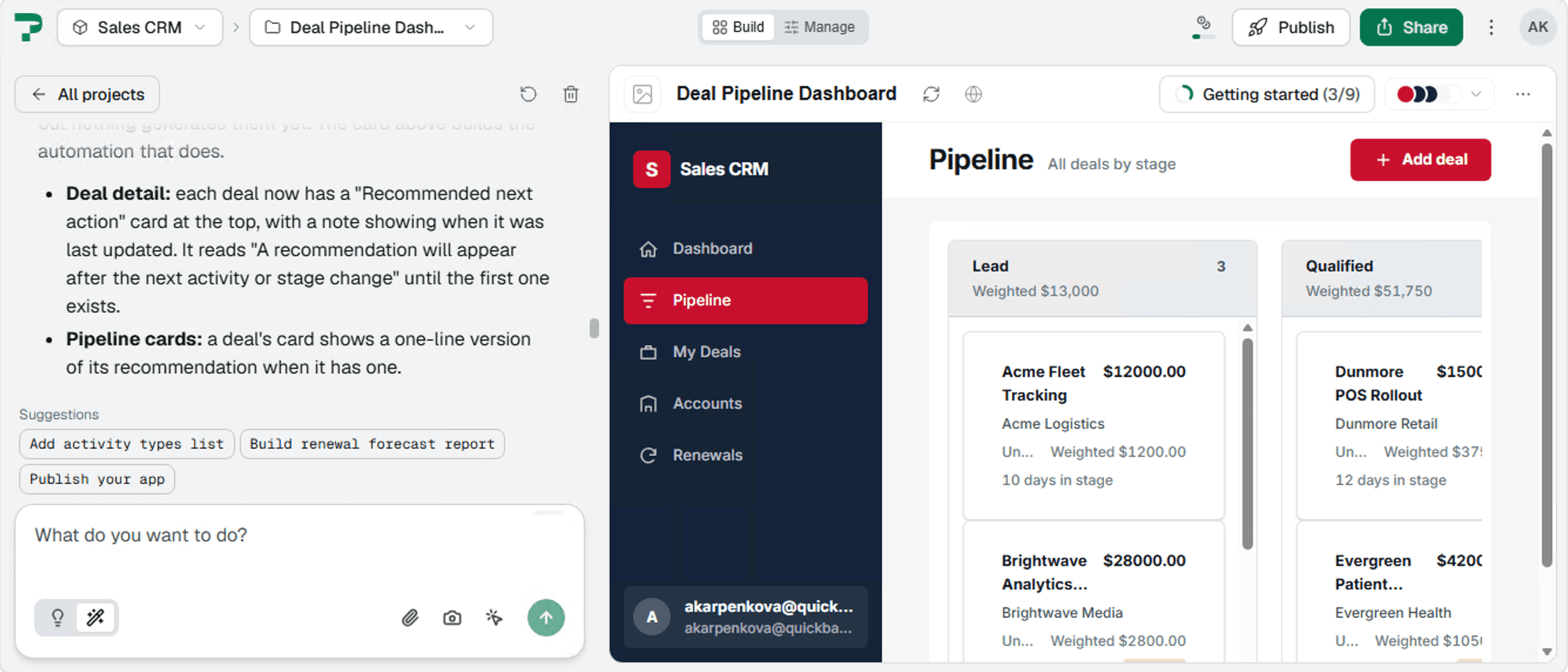
Before building your app, Pave asks clarifying questions. This is where you catch anything you missed, such as what's displayed on the main dashboard or who should see which records.
Once you answer, Pave proposes a plan that shows what it will touch. You can go back to add more details or approve the plan. Pave generates the records for contacts, companies, deals, and renewals, linked the way they are in your business, along with the views and dashboards your team will use.
3. Review and Refine Your App
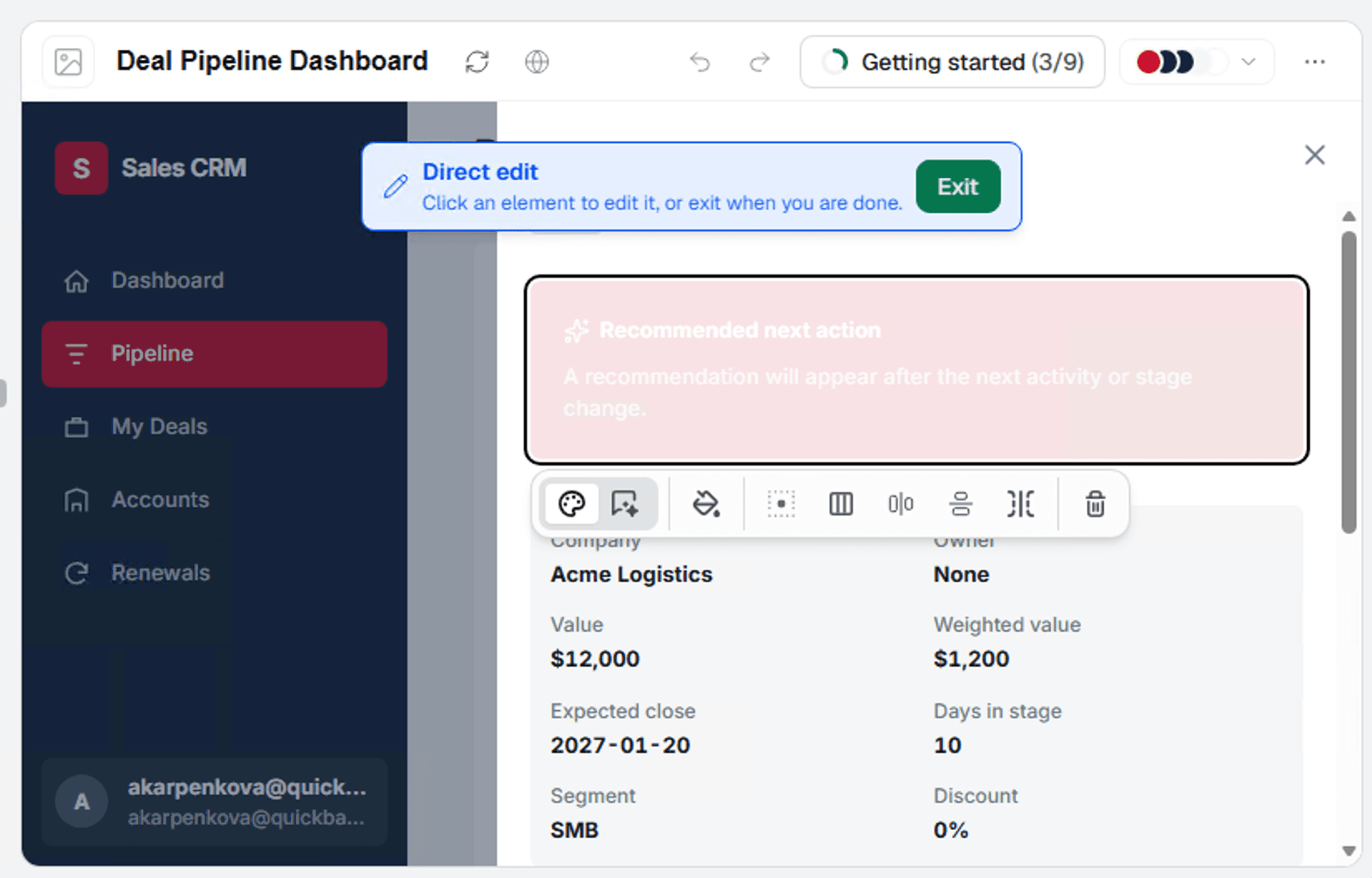
Pave is built to deliver a working version of your app quickly. When you want changes, you can ask for them in a prompt, such as having AI write formulas like weighted pipeline and days in stage. You can also use Direct Edit, which lets you select an element, such as a page, view, or field, and change it directly or describe the change in a chat. If a change doesn't work as intended, you can roll back to an earlier version, allowing you to experiment freely.
4. Connect to Your Existing Tools
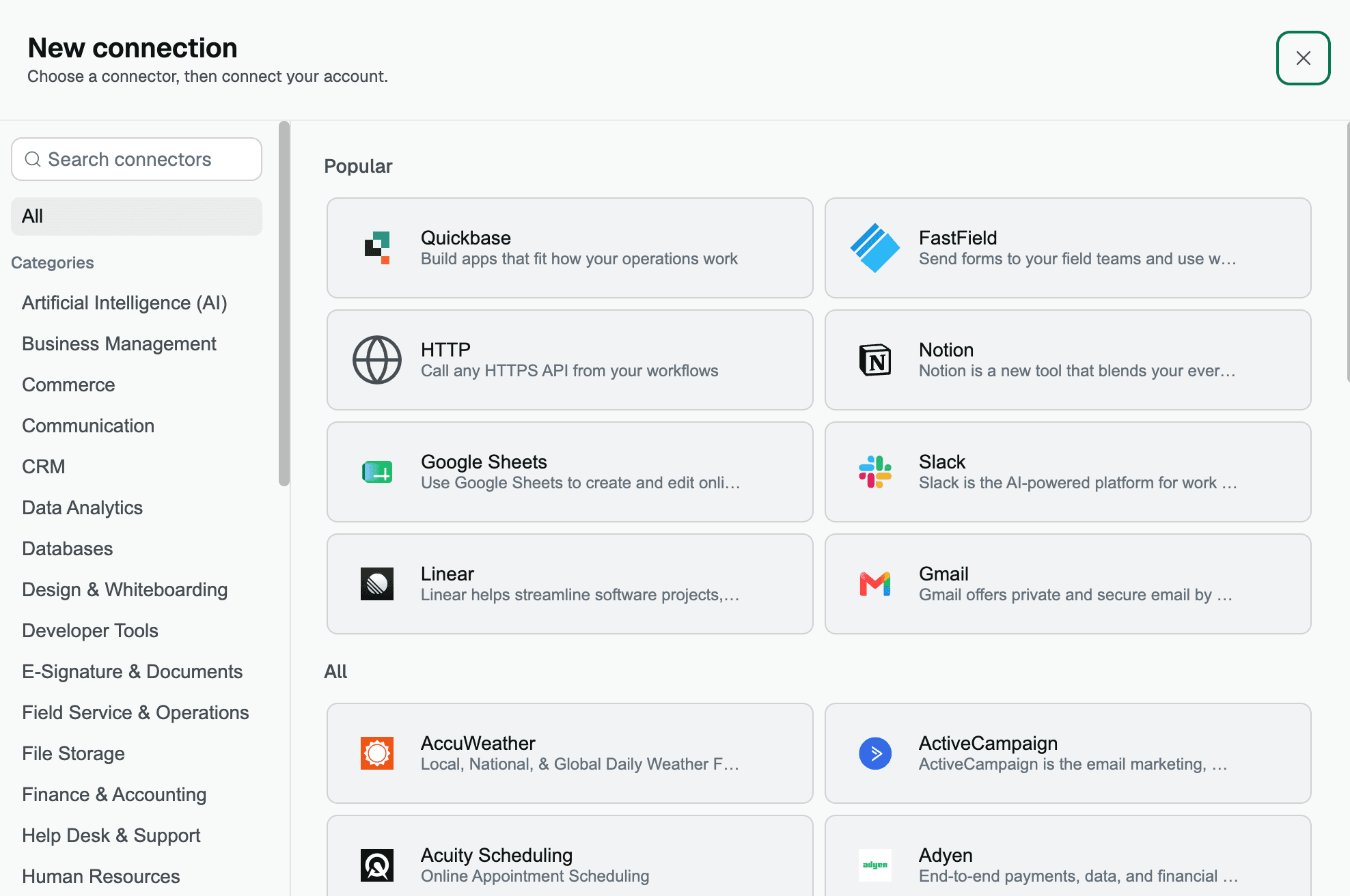
Connectors link Pave to the systems your team already uses, keeping the CRM in step with them. For example, a Pave-built CRM can connect to Clay for enrichment, so new accounts and contacts can arrive with company details already filled in. You set up each connection once, and workflows can use it from then on. Administrators control which connectors are available and who in the team can access them.
5. Add Workflows for Handoffs and Updates
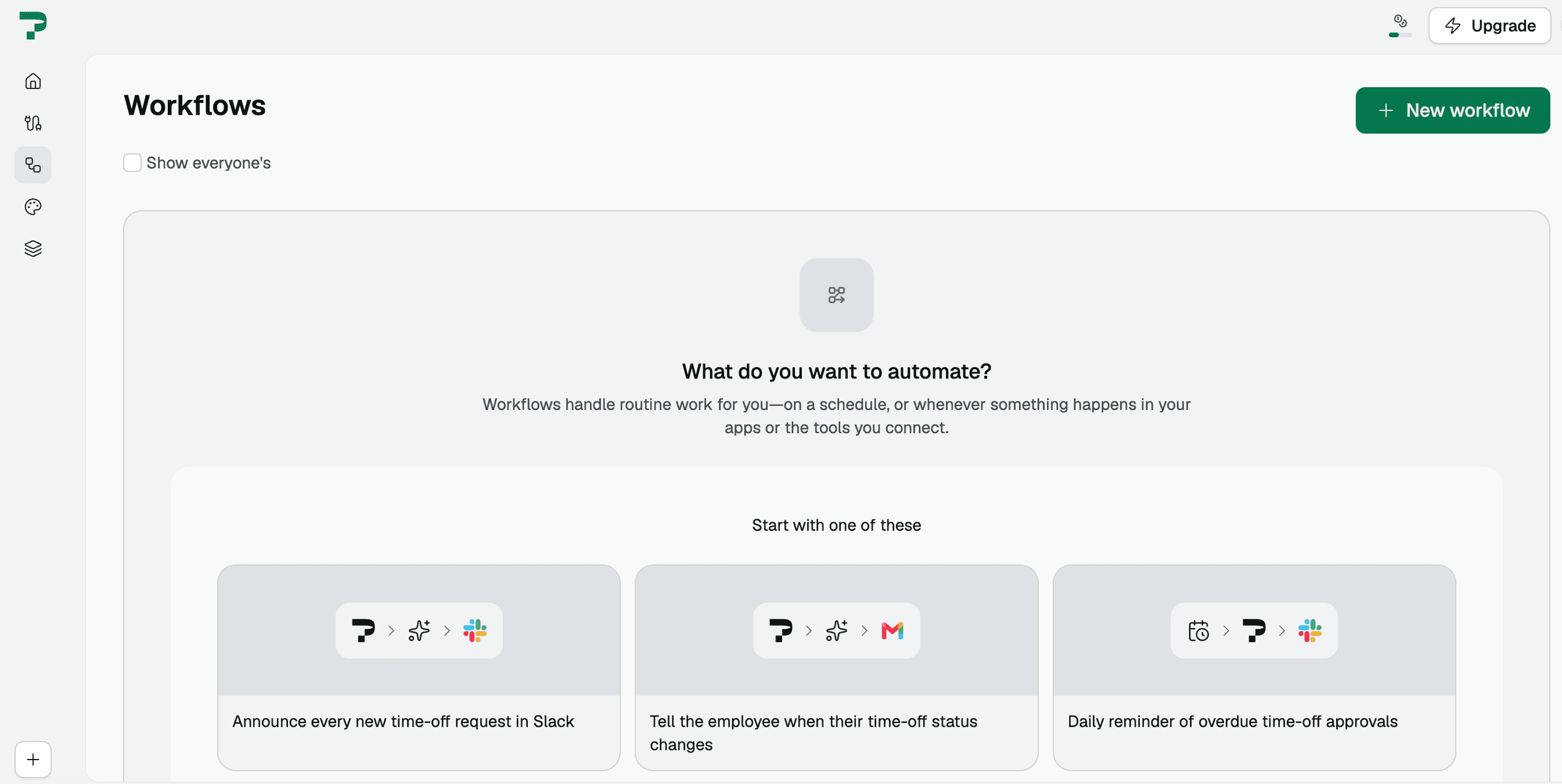
Workflows automate the work between stages. Describe a process the way you would explain it out loud, and Pave turns that description into a workflow you can review on a canvas before it runs.
Here are a few ideas for the CRM workflows you can set up in Pave:
- Handoffs: When a deal closes, create the kickoff record and notify the account owner.
- Stage-based updates: When a deal moves to Proposal, set the next follow-up date and assign a reviewer.
- Renewal reminders: When a renewal is 60 days out, notify the account owner and the operations team.
- Stall alerts: When a deal sits in the same stage for 14 days, notify the rep and their manager.
- Forecast alerts: When a manager's open pipeline falls below target, send an alert to the manager.
Pave will also suggest workflows for you based on your app or the connections you've installed, so you can create customized automations with a single click.
6. Set Roles and Permissions
Pave's permission model is one of its strongest features. You can set granular access, down to specific tables and fields, without writing code or configuring a separate security system.
You can set roles and permissions up in a few steps:
- Start with default roles or build custom ones: Your app starts with default roles. You can ask AI to create custom roles that match your team's jobs, such as sales rep, sales manager, and operations.
- Add people to a role: Select Users and roles in the left sidebar, select Add user, enter their email, choose a role, and select Share. You can also ask AI to do it, such as "Add [email protected] as a Viewer."
- Set permissions by table: A role can see every table but edit records in only one. Permissions can be set differently for each table.
- Set permissions by field: Field-level permissions show or lock specific fields for some roles but not others. This keeps sensitive information, such as margins, limited to the right people.
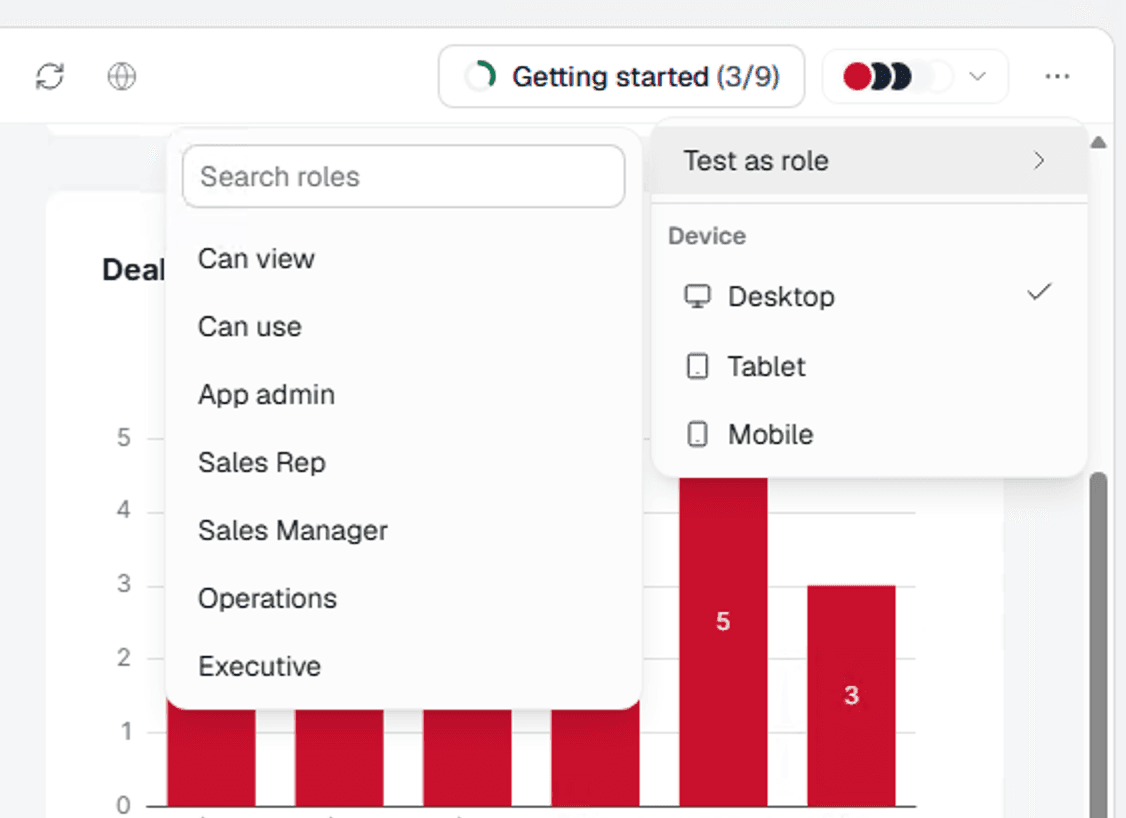
Test your rules with actual user accounts before publishing. You can view the app as a specific role or user to see what each person sees.
7. Publish and Share with Your Team
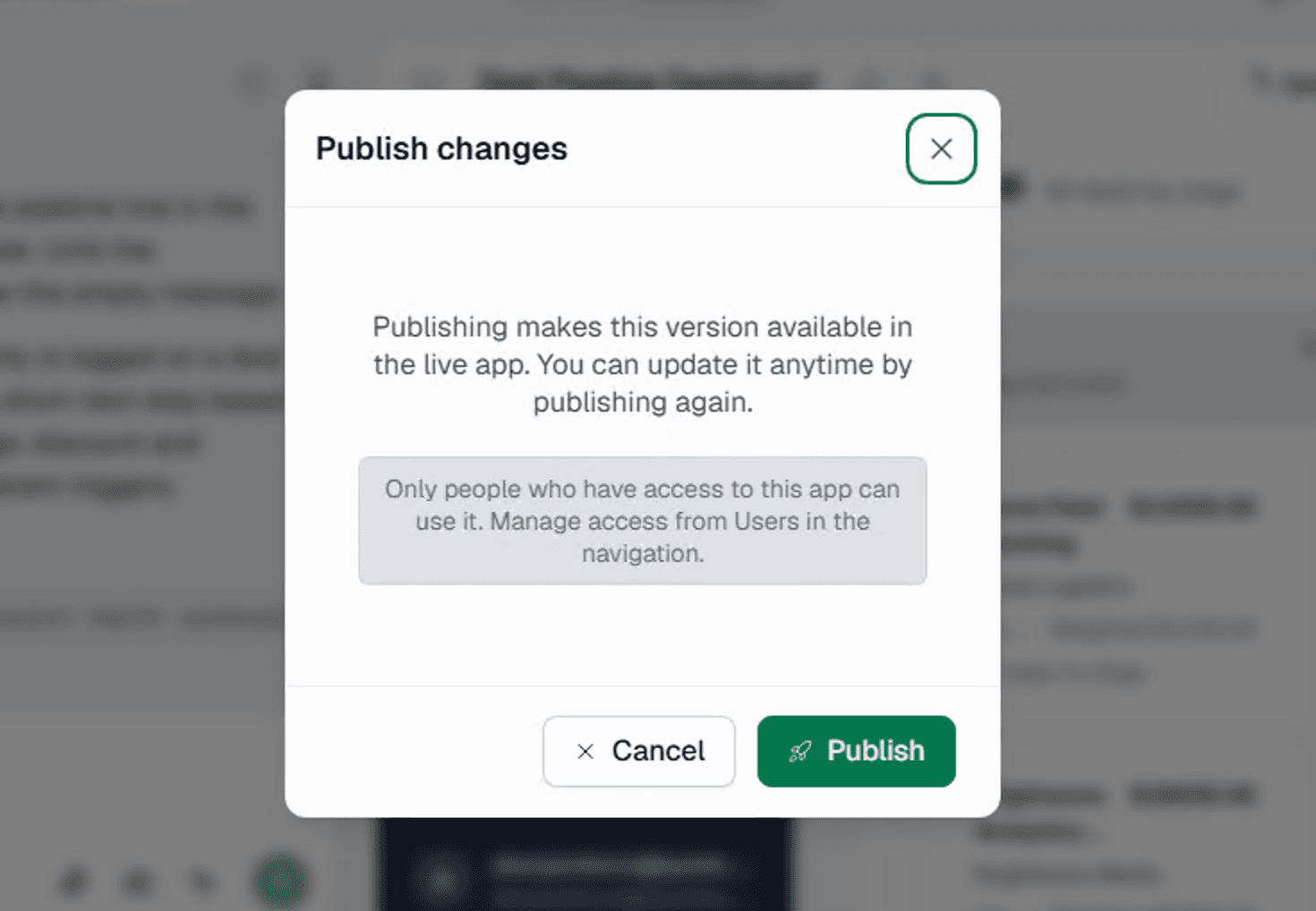
Pave hosts the app for you, so there's no separate deployment to set up. When the app is ready, you can publish it in one click. Hosting and deployment are included on every Pave plan, and the team signs in as users you've added with a role. After publishing, governance continues through the controls already in place: role-based permissions, version rollback if a change causes problems, and IT oversight of the apps your organization builds.
Start Building Free with Pave
Pave, the AI app builder from Quickbase, turns plain-language descriptions into production-ready business apps. Describe how your team sells and let Pave build a custom CRM around your process.
FAQs
What are the top features of an AI-native CRM?
The most important features for an AI-native CRM are a chat interface for working with the CRM, automatic capture of emails, calls, and meetings, records that update from that activity, and the system's ability to act on every piece of data. Users can ask questions and make requests in chat, and dashboards draw on the same live data.
Will CRM be replaced by AI?
No. AI changes how CRMs are used, with less manual entry and more suggested actions, but teams still need one place for customer records and pipeline. The CRM remains the system of record.
How can I use AI to improve the CRM I already have?
With Pave, it's easy to learn h w to use AI to optimize your CRM. Just connect your existing CRM to a custom app, then build a workflow between them. Describe the handoff you want in plain language, and Pave builds the app and workflow. Learn more about how Pave works or check out our beginner's guide to vibe coding.
What's the best way to use AI in a CRM?
If you're not sure how to use AI in CRMs, start with the basics. Use AI in your CRM through chat, dashboards, and automated workflows. Ask an assistant plain-language questions about your pipeline, such as which deals have stalled or which accounts have gone quiet. Let workflows handle routine handoffs and reminders, and review AI-drafted follow-ups and field updates before they go out.
Can I migrate from a traditional CRM to an AI-native one?
Yes. The approach depends on how much of your existing data, workflow, and history you need to keep, and on how quickly you need to switch. If you're a large business and interested in using Pave, don't miss our guide to enterprise vibe coding.
Should I build my own AI CRM?
Build your own AI CRM if your sales process is distinctive, and you want it connected to the rest of your workflows. Pave lets you describe your process and builds an app with roles and permissions in place, and you can add workflows and connectors to tools your team already uses. If you also need an AI assistant inside a running app, you can build your custom CRM software with Quickbase. Its AI takes plain-language requests, respects each user's permissions, and logs AI changes in the audit trail.
How much does an AI-native CRM cost?
It depends. AI-native CRMs usually charge per seat or per workspace, so costs can vary anywhere between $30 to several hundred dollars a month or more. Many also charge extra for AI usage or enterprise controls whileiImplementation and migration can add costs, especially for larger teams. Read our guide to lean about the cost to build an app, or check Pave pricing for current plans.

Written by:Adelina Karpenkova