Enterprise Vibe Coding: How Teams Can Build Custom Apps Safely
.jpg&w=1920&q=75)
Enterprise vibe coding lets employees use AI builders to create and update applications through plain-language instructions, within rules established by IT. It gives business teams a way to solve everyday workflow problems without relying on developers for every new tool or change.
Giving people permission to build doesn't have to mean losing your grip on company data or loosening restrictions on user access. Here's how to handle the real risks, set the right boundaries, and introduce the tools without the chaos.
Key Takeaways
- Banning vibe coding can drive it underground: Outright bans may push employees toward unapproved AI tools, leaving IT unaware of applications that could expose sensitive data or create security risks.
- Guardrails let IT say yes with conditions: Clear rules for approved data, role-based permissions, and reviews before publishing let employees build apps while IT maintains oversight.
- Start with a single low-risk pilot: Begin with a familiar spreadsheet-based workflow and an assigned IT reviewer. Refine the building and approval process before expanding to other departments.
Why Vibe Coding Is Great for Enterprise
It's not surprising that this approach to app development is taking off in the enterprise world. Vibe coding lets enterprise teams create custom software as needs arise, without waiting on IT for every build. Frontline employees already know where the friction is in their daily work. When they can describe those bottlenecks in plain language, they can quickly build crucial tools like approval trackers or intake forms. That takes pressure off the IT backlog and leaves engineers free to handle more complex technical projects.
Business teams are quickly adopting vibe coding as a practical fix for daily workflow bottlenecks. In a 2026 study by chiefmartec and UserEvidence, 89% of marketing leaders using AI development tools said they expect to increase their use of vibe coding over the next year.
Our own State of Employee-Built Apps in 2026 Report backs this up: in a survey of more than 5,500 US employees and leaders, 38% had used AI to build an app or working prototype in the past year, and 24% were running part of their job on one they built. Additionally, 83% of leaders call employee-built apps important or essential to the work, and fewer than 2% shut them down.
But with employee-built apps, security risk is an important factor to consider. Let's take a closer look at the risks of ungoverned vibe coding for enterprise, and how to mitigate your risk.
When Ungoverned Vibe Coding Becomes a Risk
Without boundaries, enterprise vibe coding for business poses security risks because employees build and publish apps outside IT's normal guidelines and review process. The potential problems range from applications IT can't monitor or secure to sensitive company information exposed through unapproved tools.
Apps IT Can't See
Employees can publish apps through AI builders or personal cloud accounts without involving IT, so a tool can become essential to a department's daily work before IT even learns about it. IT doesn't know where the app runs or who's responsible for maintaining it, so the team can't monitor its security or respond quickly when something goes wrong.
Sensitive Data in Unapproved Tools
An employee building a reporting app might connect it to customer records or financial data through an unapproved service, increasing the risk of inappropriate data usage or leakage. IBM's 2025 Cost of a Data Breach Report found that 20% of organizations studied reported a breach involving shadow AI (employees using AI tools without IT approval or oversight). Organizations with high levels of shadow AI also faced breach costs averaging $670,000 more than those with little or none.
Missing Access Controls
Without proper access controls, employees may be able to view or change information they aren't authorized to use. A marketing dashboard, for example, might connect to a customer database using credentials that give it access to far more information than it needs, potentially exposing sensitive records.
No Record of Changes
Without version history and activity logs, teams may struggle to identify what caused an app to stop working when an update breaks it. Plus, if its original creator leaves the company, IT may also lack the information needed to troubleshoot or maintain an application the business now depends on.
Enterprise Vibe Coding Best Practices & Security Guardrails
It's crucial for enterprises that their apps are secure and governed. IT can make vibe coding safe by setting clear rules for how employees build, access, review, and publish applications.
Keep App Data in Approved Systems
Establish clear rules about where teams can store application data and which information they can use. An internal approval workflow app may need employee names and request details, for example, but shouldn't have unrestricted access to HR records.
Control Who Can Access and Change Apps
Permissions should strictly match an employee's job. IT needs to control who can edit an application, and also limit what end users can see once it goes live. For instance, an employee submitting a help desk request only needs to view their own ticket, but a department manager needs permission to review and approve the entire queue.
Review Apps Before Publishing
Treat vibe-coded apps like any other software release: each should require an explicit review before launch. IT should record each app and its owner, then test whether it works as expected and restricts access to authorized users.
Maintain Version History and Rollback
IT should have access to a detailed version history and a way to restore previous versions of every app. Prompt updates can alter fields or break logic, so teams need to be able to identify what changed and roll back when an update causes problems.
Connect Only to Approved Systems
Limit app connections to business systems that IT has approved, and restrict each connection to the information it needs. For example, a project management app might need to read and write details from another system, but it shouldn't have access to unrelated customer or financial records.
TLDR; Match Each Risk to the Right Guardrail
The table below shows which guardrails address each of the four enterprise vibe coding risks.
Risk | Guardrail |
Apps IT can't see | Require IT review before publishing, including a record of each app and its owner. |
Sensitive data in unapproved tools | Define approved data sources and connections before teams begin building. |
Missing access controls | Assign role-based permissions and review access before publishing. |
No record of changes | Maintain version history and rollback options to track updates and restore earlier versions. |
How to Implement Vibe Coding Across Your Enterprise
Roll out vibe coding in stages, starting with one small project before expanding to other departments. Have IT set the guardrails upfront and walk the first app creators through the building and publishing process.
1. Choose Your App Builder
Select an AI app builder that supports enterprise vibe coding within your organization's security and governance requirements. Before making a final decision, have IT review and approve the platform to ensure it can manage application permissions, data access, publishing, and changes.
2. Pick One Low-Risk Workflow
Select a simple process that employees already manage manually through spreadsheets or email. Something like a work order management app is a good option because the person handling those requests knows how they come in, who approves them, and what needs improving.
Define what your app should accomplish and how you'll evaluate its success. Avoid processes involving sensitive customer data or essential business operations during the initial trial.
3. Set Who Can Build and Publish
Choose someone on your team who knows the process inside and out to build the pilot app. Give them access to the builder and explain what you need. Assign an IT reviewer to approve the application before launch and determine who will maintain it after it's published.
4. Define What Data Is Allowed
Before the app creator begins building, IT should approve the data sources and connections the app needs. Use sample or non-sensitive records for initial testing, and restrict access to unrelated company information. Some platforms allow you to upload a spreadsheet directly to the platform to build an app from the data you already have.
5. Build the App
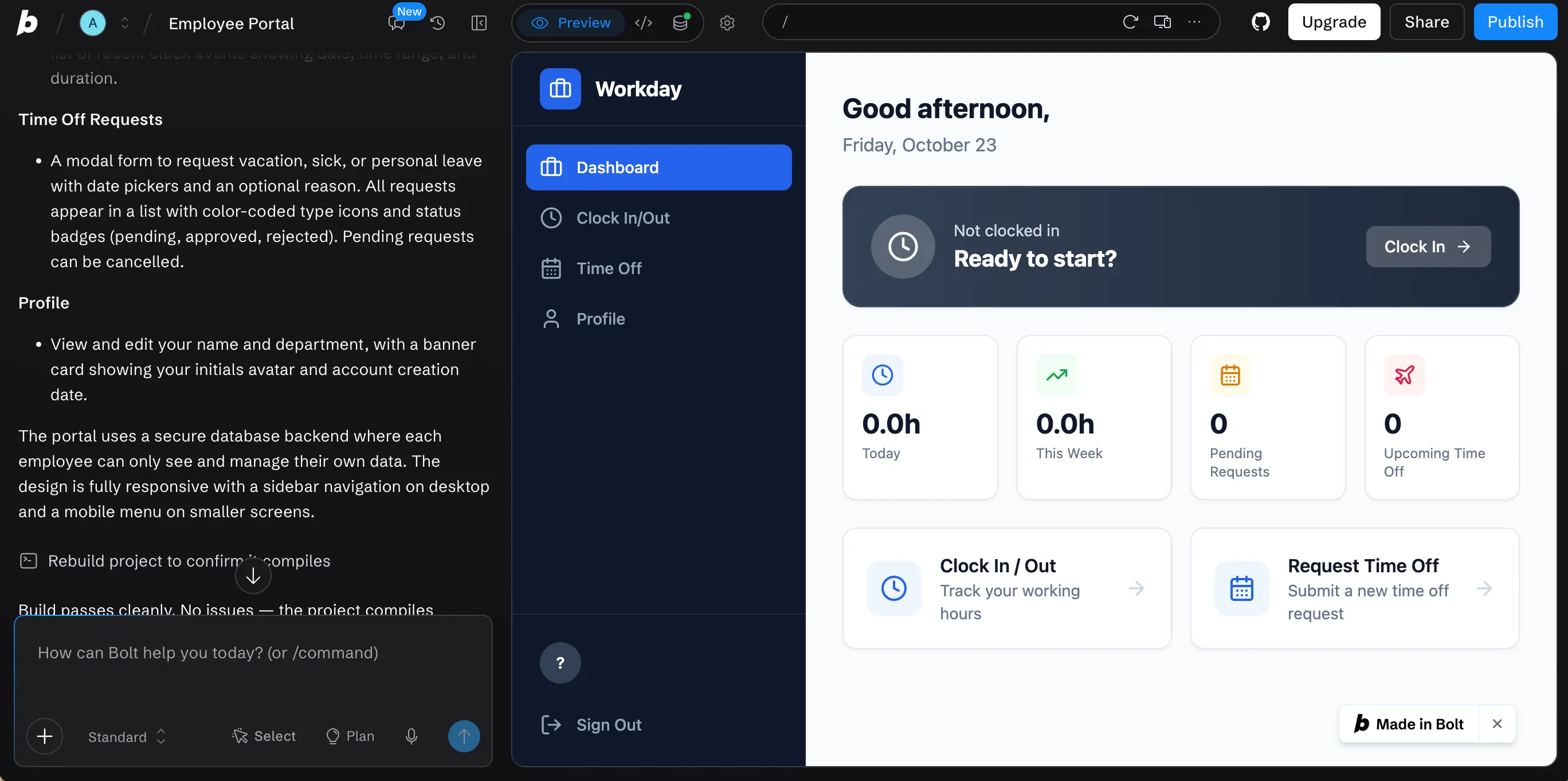
With those boundaries established, the employee leading the build can describe the process in plain language. They don't need to have any coding experience or technical know-how — all they need to do is tell the platform how they work. After they create the first version, make updates as needed and test whether it handles workflows as intended.
6. Review the First Apps Together
Have the app creator demonstrate the pilot application to IT and the people who will use it. The creator can explain how the process should work, while IT reviews security and permissions. Test the app with realistic scenarios, including missing information or requests that need correction. Once it passes review, approve publication and invite the approved users to try it out and share feedback.
7. Expand Gradually
Review what worked during the pilot and adjust the approval process where needed. Then introduce vibe coding to another department or choose a new low-risk process, applying the same rules. Companies already using low-code development platforms can adapt their existing development and approval policies rather than creating an entirely separate process.
How Pave Supports Governed Vibe Coding for Enterprise
Pave, the AI app builder from Quickbase, helps enterprises govern AI app development by allowing employees to quickly and easily build applications while providing IT with control and visibility. Your team can simply describe a business process in plain language, connect to your existing tools, and Pave builds a customized app around your workflows — all within IT's set guardrails.
Looking for more resources? See how we serve IT teams across industries or read more about Pave's security and compliance.
FAQs
What's the difference between low-code, no-code, and vibe coding?
Low-code platforms use visual, drag-and-drop interfaces built from pre-made components, which still requires some setup and an understanding of the platform's own logic. No-code platforms remove most of that setup, letting people configure templates and workflows through simple visual tools with no code and little technical knowledge required. Vibe coding skips the visual builder entirely: the person describes what they want in plain language, and AI generates the working application directly. See our guide to low-code vs. no-code vs. vibe coding for a full comparison.
What's the difference between consumer and enterprise vibe coding?
Consumer vibe coding lets anyone generate a working app from a prompt, with no review, open-ended permissions, and little to no audit trail. Enterprise vibe coding adds the controls IT, security, and compliance teams require before an app touches real business data: role-based permissions, a review step before publishing, visibility into what every app connects to, and clear ownership once it's live. The prompt-to-app experience looks the same either way. What happens after the app is built is where they split.
Does enterprise vibe coding replace professional software developers?
No. Enterprise vibe coding lets employees build routine internal applications without relying on developers for every change. Professional developers remain essential for complex systems, custom integrations, and engineering work that requires specialized expertise.
How does enterprise vibe coding differ from shadow IT?
Enterprise vibe coding operates under IT-approved rules for building and publishing applications. Shadow IT involves software adopted or created without IT approval or oversight. Governed vibe coding can mitigate the risks posed by shadow IT by giving IT a way to manage permissions, review applications, and control data access before employees depend on those tools.
What skills do employees need to start vibe coding?
Employees don't need any coding experience — all they need is to understand the business process they want to improve. They need to describe how the workflow should operate, recognize when the AI-generated application gets something wrong, and test whether it works as intended. They also need to be able to collaborate with IT to publish and maintain the app. Learn more about how Pave works.
Can vibe-coded applications scale across multiple departments?
Yes, when they're built safely, under IT's guidelines. Before expanding an application beyond its original team, IT should review whether existing permissions and system connections are appropriate for additional users. The company should also establish who will maintain the application as more departments begin relying on it.
What types of apps can I build with enterprise vibe coding?
Enterprise vibe coding is usually best for internal, process-driven apps like approval workflows, reporting dashboards, employee onboarding, vendor management and inventory tracking, help desk apps, and more. However, you can also build external systems like client portals. If you can describe it, you can build it with Pave.

Written by:Mikala Holmgreen