Connect your systems. Watch the work run.
Today, you are the glue holding it all together. That was never the job. Pave connects the tools you use and automates the processes between them, so the work moves without you in the middle.
Own the outcome, not the upkeep.
You move work between systems, chase approvals, and catch what changes. Spreadsheets show you the work. App builders give you a screen. Neither one runs it.
Now Pave runs it: requests captured, handoffs moving, status nobody has to ask you for. You lead the operation instead of carrying it.
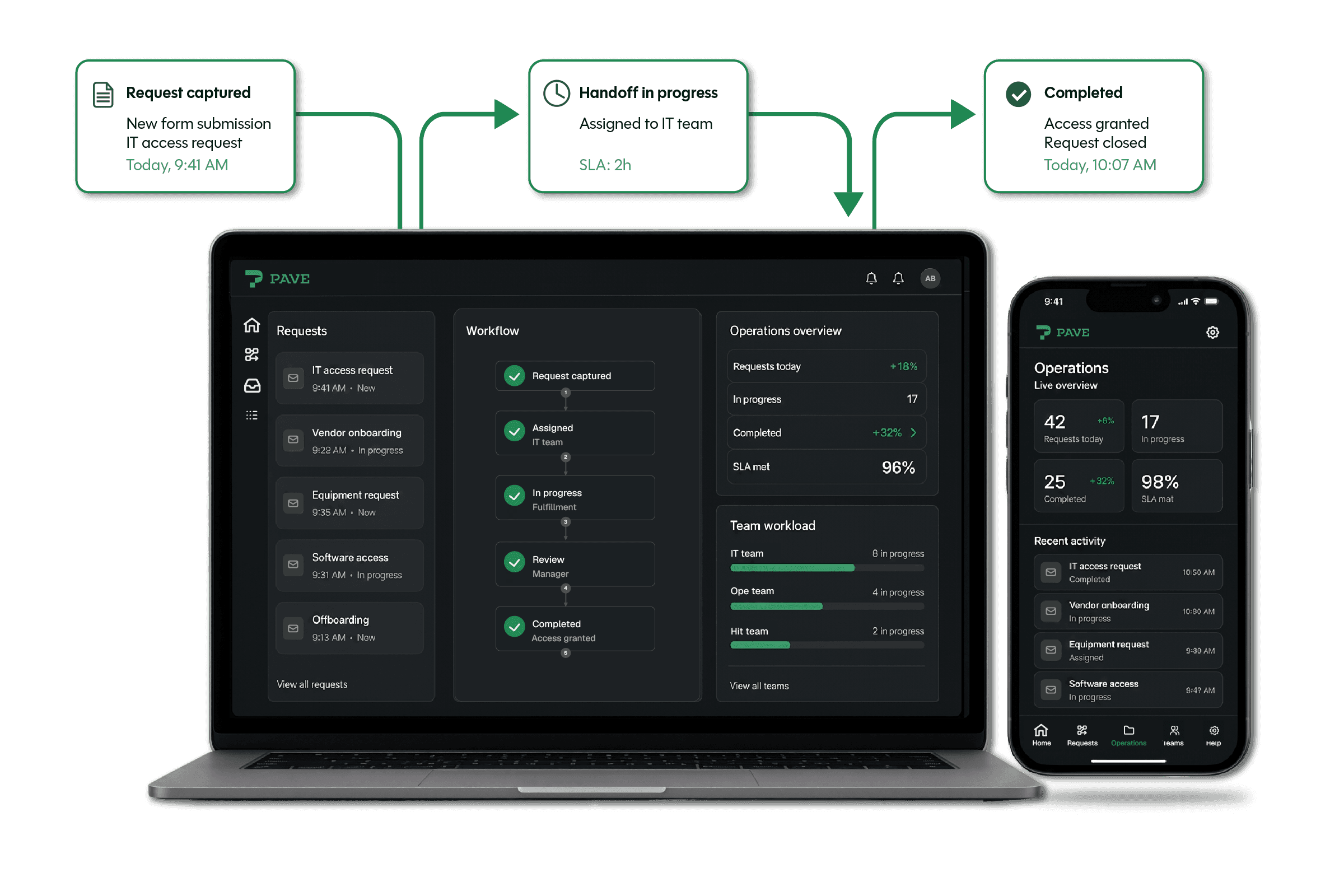
Describe the process. It runs itself.
Explain a process you want to automate, the way you'd say it out loud, and Pave turns it into a workflow that runs on its own. Pave draws the work out on a canvas, so you can see exactly what it does, no black box, no guesswork.
After you set up a process, the routing, follow-ups, and data entry you've been doing by hand start happening on their own, every time.

Now the process reaches past your app.
Plug into the tools your team already knows: Salesforce, QuickBooks, Slack, Workday, and hundreds more.
Setup a connection once and every workflow can use it, both ways. When a login or key changes, update it in one place and the system keeps working, with no separate integration tool to monitor.

You're not the bridge anymore
The connection brings the data in, the workflow does the rest.
You describe
"When a deal closes in our CRM, create the kickoff project, assign the owner, and contact finance."
Pave connects the dots
A connection reads the closed deal from your CRM, then a workflow creates the project, assigns the owner, and sends the notification, with no one re-keying anything.
You describe
"Every Monday, pull new invoices from our accounting system and create a record for each."
Pave connects the dots
A scheduled workflow reads each new invoice through your accounting connection and creates the matching record, before the week starts.
You describe
"When an inspection fails, open a ticket in our service desk and alert the safety lead."
Pave connects the dots
A workflow catches the failed inspection, opens the ticket through your service desk connection, and sends the alert, all on its own.
Fast for you, safe for your business
One admin console shows all the processes at work and the systems they reach, so nothing operates out of sight. Nothing goes live until you publish it.
Every workflow and connection stays inside each user's existing permissions. It can't touch an app or data they couldn't open themselves.

Explore Pave

See how Pave turns plain language into operational apps: the data, the screens, the automation, and the connections, all in one place.
Learn how it works
Plans that scale from a first workflow to an operation your whole team runs on. See what's included at each tier.
See pricing
Encrypted credentials, granular permissions, and an activity log for every run. See how Pave keeps IT in control.
See the guardrails