Build a custom inspection management app where every finding gets an owner and a next step
Describe how your team inspects and what should happen when a check fails. Pave gives you a working app where every failed item becomes an issue with an owner and a due date.
Your team owns how inspections run, from checklist to sign-off.

You describe it, Pave builds it
Tell Pave the inspections you run, the checklists behind them, and what you inspect, whether that is sites, equipment, or units. You get back an app with those inspection records, forms, and issue tracking ready to use.

Yours to shape
Want a stricter checklist for safety, a separate form for equipment, or a new severity level on issues? Ask for it, and the app adjusts. Every team inspects a little differently, and yours can too.
.svg)
Governed from day one
Inspectors complete their own checks, managers watch completion across sites, and safety or quality leads own the standards and exceptions. You decide who can view, edit, and sign off, and that structure holds from the first inspection on.
One builder, every kind of inspection.
Fully customizable. Build the whole thing or the one piece you need most. The same app also handles:
Safety inspections
Site walkthroughs, hazard checks, and audits with pass/fail items and issues captured against each one.

Quality inspections
Product or process checks against a standard, with each finding logged on the inspection.
Equipment and asset inspections
Recurring checks tied to the specific unit, vehicle, or machine being inspected.

Facility, site, and property inspections
Building, workplace, and property condition checks across every location you cover.
Compliance and audit checks
Structured checklists with a required sign-off recorded on each inspection.
Field and operational inspections
Jobsite, install, and service checks kept consistent no matter who runs them.
Your data, hosting, and access, already set up.
Every inspection app you build on Pave comes with a managed database, hosting, and role-based access already in place. There is no database to design, no servers to run, and no separate login tool to add. As you add inspectors, sites, and inspection types, the app holds up, because it runs on Quickbase.

Everything an inspection app needs, built in.
.svg)
Inspection checklist and forms
Build a reusable template for each inspection type, with the questions, pass/fail items, and notes that one needs.

Inspection records
Every inspection is its own record: what was checked, when, by whom, and the result, tied to the right site or asset.

Issue and corrective-action tracking
Turn a failed item into an issue, assign an owner, set a severity, and track it from open to resolved.
.svg)
Sign-off and review status
Mark an inspection reviewed, approved, or sent back for rework, with the reviewer and the reason on the record.
.svg)
Dashboards and reporting
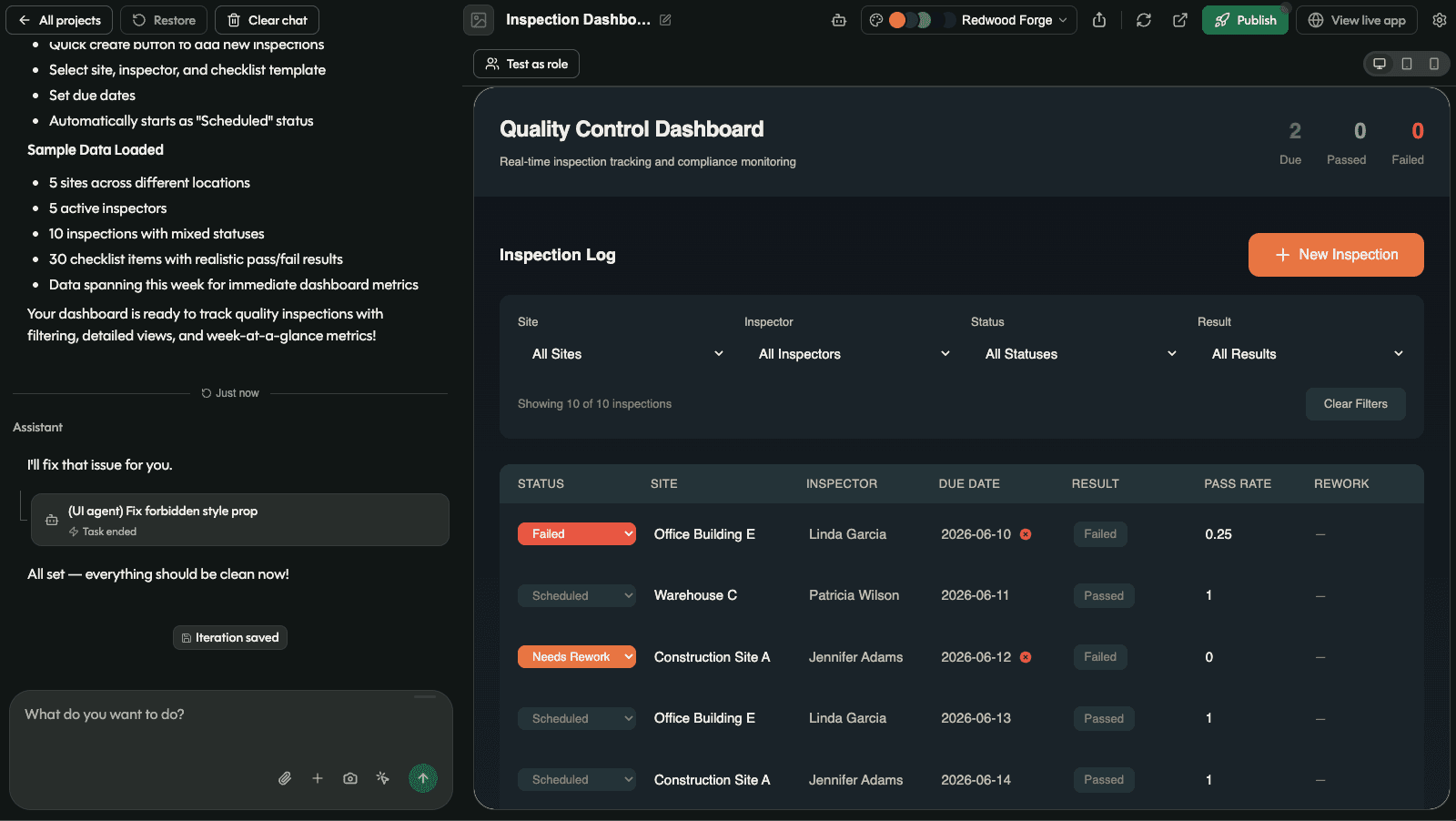
See completion rates, overdue issues, and repeat findings across sites and teams in one view.

Email notifications
Send an email when an inspection or issue changes, so the right owner knows without checking manually.
From a description to a working inspection app.

Describe your inspections
Tell Pave the inspections you run and what each one checks. Start from a written description, a spreadsheet of past inspections, or an existing checklist or policy document.

Connect to your tools
Link your inspection management app to the systems you already use with 350+ native connectors. Set up a connection one time and use it across every workflow.

Put it to work
Invite your inspectors and managers, set who sees and signs off on what, and start logging inspections. Hosting, data, and access are already handled.
Related use cases


FAQs
Frequently asked questions
What is an inspection management app?
An inspection management app holds the whole cycle in one place: what gets inspected, on what schedule, who does it, what they found, and what the actions resulted from the inspection.
Can I build my own inspection management app?
Yes. Describe the inspections you run, the checklists behind them, and what you inspect. Pave builds the inspection records, the forms, the issue tracking, and the permissions. No code, no dev team. Read more about how Pave works.
What should an inspection checklist app include?
It depends on the type of field inspection software you need. Common examples include reusable checklist for each inspection type, with the questions and pass/fail items that one needs. A record per inspection showing what was checked, when, by whom, and the result, tied to the right site or asset. Failed items that become issues with an owner, a severity, and a status. Sign-off that records the reviewer and the reason. And dashboards showing completion rates, overdue issues, and repeat findings.
Can it create a work order?
Yes, two ways. Inside the app, a failed item becomes an issue with an owner, a severity, and a due date. If your team calls that a work order, describe it that way and Pave builds it with the fields you use. Or connect your existing work order system, and a failed check creates the work order there.
How does an inspection management app connect to existing systems?
Through 350+ native connectors, across document, communication, asset, project, and calendar systems. Set up a connection once and every workflow reuses it. You can build a safety inspection app where a new issue notifies the owner, the completed inspection files itself in your document system, and the next scheduled check lands on the inspector's calendar.
Is the data in my inspection management software secure?
Yes. Role-based access comes with the app, so inspectors complete their own checks, managers watch completion across sites, and safety leads own the standards and exceptions. Credentials stay encrypted, connections run server-side, and every change waits behind a draft-to-publish gate. Your IT team sees all of it in one place, on a foundation trusted by enterprises for over 25 years. Learn more about Pave's security and compliance.