Run your revenue on apps that match how you sell.
Every deal, account, and renewal in plain sight. Build what your revenue team needs and run the number — no code required.
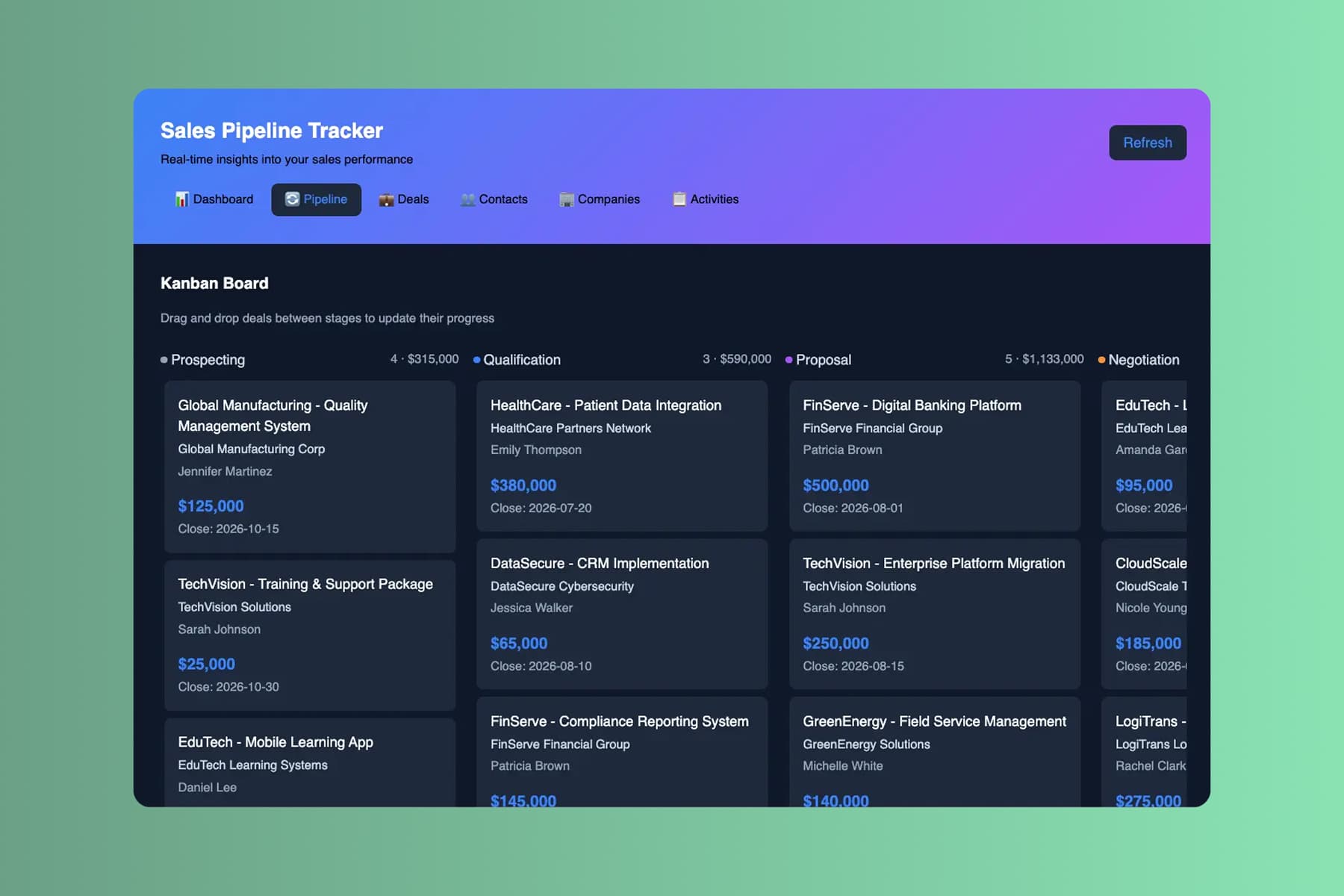
From prompt to a live app. Before the end-of-quarter rush.
Start with the deal-stage spreadsheet you run the number off of. End the day on a live pipeline your team actually works from.
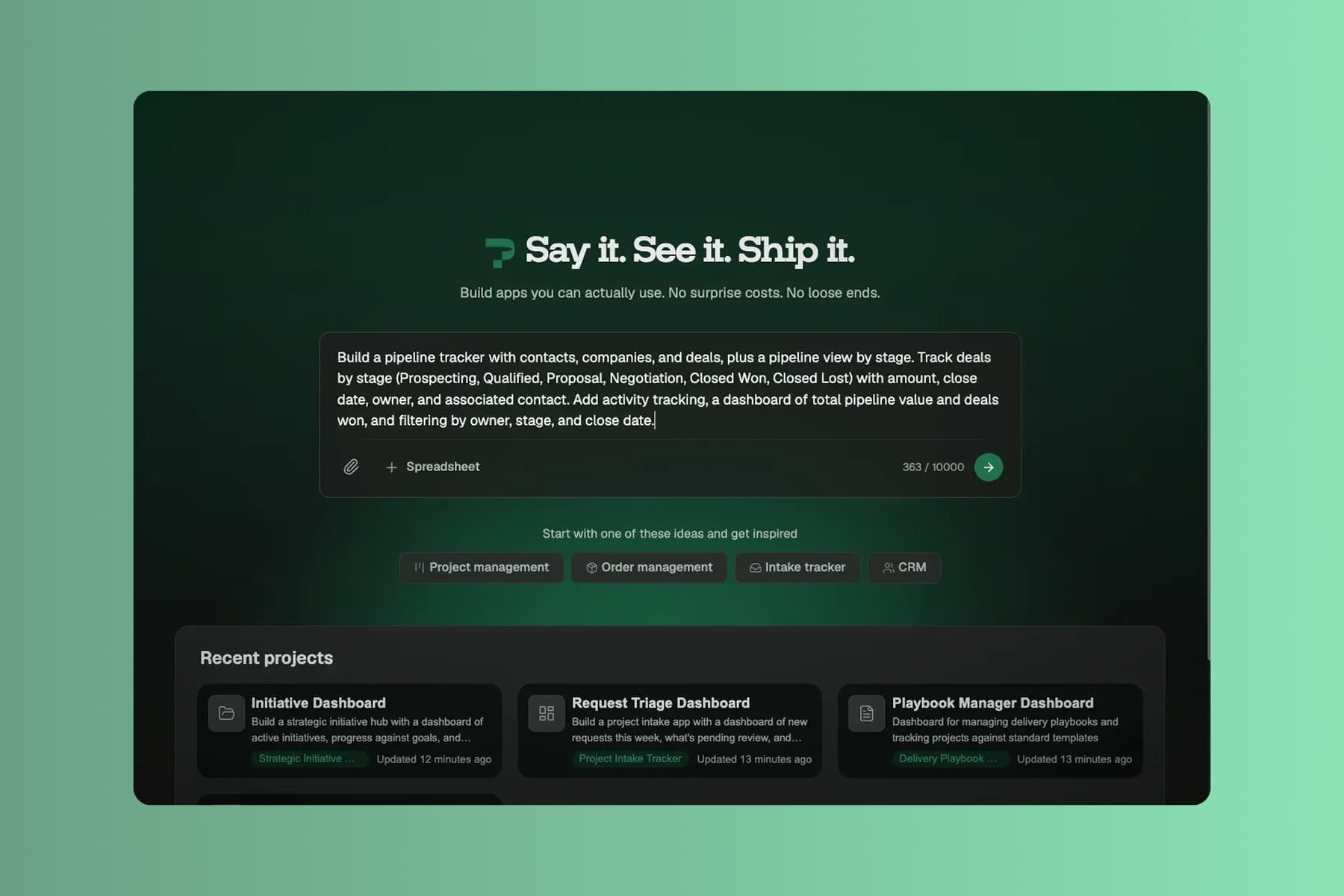
Describe your pipeline
Tell Pave what your revenue team needs in plain language. Describe what you track, upload supporting context, or start with the data you already keep.
Start with whatever you run the number off today:
- a text description of the pipeline or account view you want to manage
- a deal-stage spreadsheet or account list you already track
- a PDF account plan, renewal list, or intake form
- a process diagram of how a lead moves to a closed deal
Name your stages, your segments, and how you call the number. Pave drafts the app in minutes.
Shape it in your own words
Pave builds a custom revenue app in minutes with the core structure already in place. From there you shape it in your own words. Tell Pave what to change, like adding a deal stage or changing who an account belongs to, and it makes the edit. No code, no rebuild. If a change doesn't land, roll back to an earlier version.
Your app comes back with:
- linked records for contacts, companies, deals, and renewals, related the way they actually are
- a pipeline view by stage, activity tracking, and a revenue dashboard leadership can read
- stage flows, stalled-deal flags, and weighted pipeline that recalculates on its own
- alerts when a deal stalls in a stage, a renewal is due, or an account goes quiet
You're working in draft the whole time. Nothing reaches your team until you decide to publish.

Roll it out to the team
When you're ready, publish the app and roll it out to the team. Reps, managers, and ops all work from the same live pipeline data.
With the app live, your revenue team can:
- call the number off a live pipeline instead of a stale spreadsheet
- catch stalled deals and quiet accounts before the quarter is at risk
- see pipeline value and what's slipping without waiting on a data pull
Data, hosting, and deployment are already in place. No database to configure, no extra tools to stitch together, no infrastructure to manage. It's all backed by Quickbase, trusted by 5,000+ companies for more than 25 years.

What revenue teams run on Pave
Build apps to track pipeline, manage accounts, and report on revenue.

Track contacts, companies, and deals with a pipeline view by stage.

Flag accounts untouched in 30 days or up for renewal.

See pipeline value, conversion, and won deals at a glance.

Route discounts and non-standard deals to the right approver.
Scale it as the pipeline grows.
More reps, more accounts, more pipeline. The app scales without a rebuild.

Projects
Give each audience its own view of the app, from a rep's deal list to a leadership revenue dashboard. Every view rolls up from one pipeline, so the number always ties out.
-1.svg)
Spreadsheet Import
Running the number off a deal-stage spreadsheet? Upload it and Pave brings in the structure, the relationships, and the data, so the pipeline starts from what reps already track.

Notifications
Add email alerts in the builder, or just ask Pave. Notify a rep when a deal stalls in a stage, a manager on slipping forecast, or ops when a renewal is due.

Formulas
Let AI write the formulas and calculated fields, like weighted pipeline, conversion rate, or days in stage. Then tune them by hand.