Introducing Direct Edit in Pave: Some Changes Shouldn't Require an Explanation
.png&w=3840&q=75)
Nobody wants to write a paragraph to fix a label. Prompting through every small change gets old fast. The whole pitch of AI app building is speed, and "type a request, wait, watch the AI rebuild, check the form, try again" doesn't quite feel speedy when all you needed was to rename a header.
We've now introduced direct edit in Pave, available on all plans. Now, you can select what you want to change and make the update without involving the agent - saving you both credits and time.
How it works
.png&w=1920&q=75)
There's a new button below the prompt window. Click it, then click on whatever needs fixing, like a header or a label or a button color, and change it in place. Hit save. No chat involved, and no credits spent on a five-word ask. Dynamic content like charts still has to flow through the agent, but everything around them is fair game.
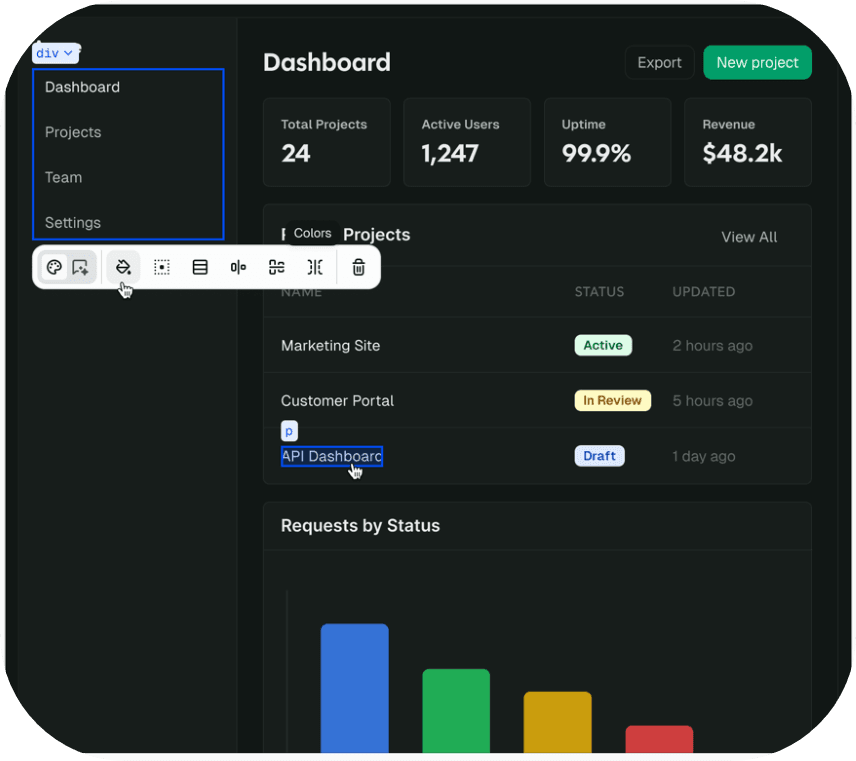
Make changes without extra explanation
A companion feature is shipping alongside it: Select Element. Click on something in your app, and it becomes the subject of your next prompt. Because honestly, the hardest part of working with an AI is describing what you want it to change. "Move that thing. No, the other thing. Yeah, that one." Now you can point.
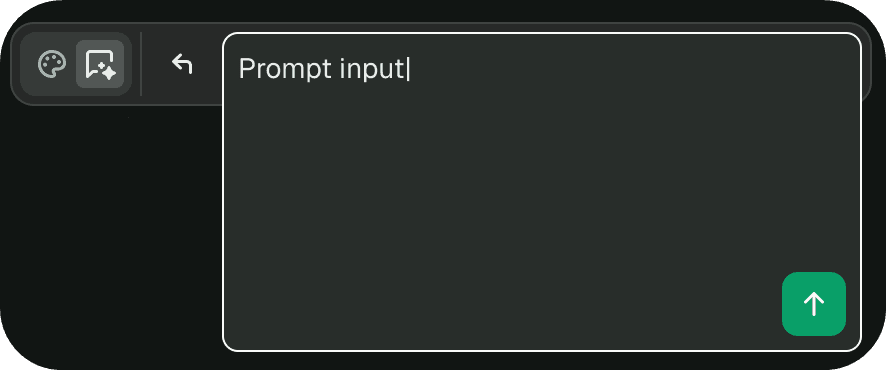
Every AI app builder falls into the same rut eventually. The first build is magic. The hundredth tweak is a chore. Builders start drafting prompts in their head for the same five-second changes that used to live in a spreadsheet, and that's not speed, that's friction. Direct edit takes friction out of the small stuff, so you can save your effort - and credits - for the big stuff.
Remember: prompting still has its place
Note that prompting is still the right tool when the change is structural or dynamic. A new table, a new workflow, building a chart or editing that chart's colors. The AI is good at that. For everything else, try Direct Edit.
A few notes:
- Available on all Pave plans. Admin access required to make edits.
- Edits live in draft mode until you're ready to publish.
- Restore is always an option on Scale and Enterprise plans if something goes sideways.
Try it
Direct Edit is available on all plans. Try it at quickbase.com/pave.

Written by:Michelle Hendley