13 Processes You Can Automate With a Single Sentence
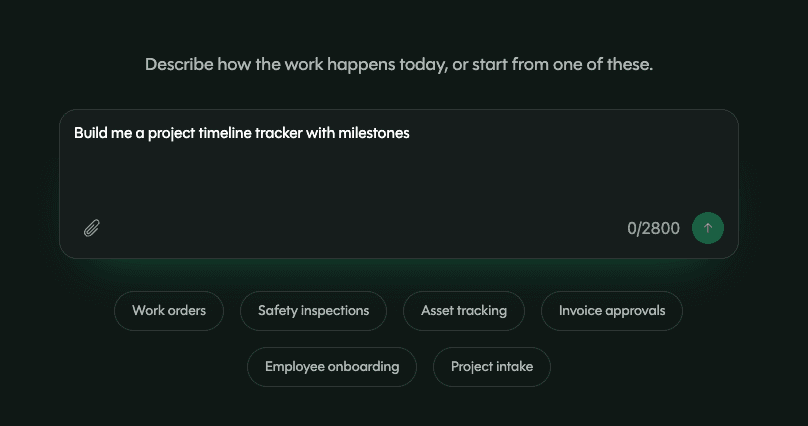
Your operations are built on processes, but many of them are still scattered across multiple tools with one person as the glue holding everything together. Pave helps you build custom software that runs on its own, connected to the systems you already use — no coding experience required. Just describe what type of app you need, upload your data, set up any connectors and workflows, and Pave will create a ready-to-run application in minutes.
Here are thirteen processes you can automate by typing a single sentence into Pave, plus example prompts and how you can use connectors to integrate with the rest of your stack.
The prompts below use popular apps as connector examples, but you can swap in whatever tools you already run. Pave connects to hundreds of systems with no separate connector fees or per-integration billing.
1. Work Orders and Service Requests
Whenever a service request comes in, someone has to review the work order, find the right tech, kick off the process, and keep the customer updated manually. With Pave, you can turn a service request into a scheduled job the moment it's received with a simple prompt:
"When a service request comes in via email, create the work order, assign it to the right tech, set it to Scheduled, and notify the tech."
The work order lives in your Pave app, so intake, assignment, and status all run in one place. You'll still make the calls that matter, like who's qualified for a job or what counts as urgent. Pave just stops the process from stalling between the request coming in and the work beginning.
2. Asset and Inventory Register
Inspection dates are famous for sneaking up on busy teams. With a custom app, you can set automated reminders that flag inspection deadlines several days ahead of time so they never catch you by surprise again. Here's an example of what you can ask Pave to do:
"Three days before an asset's inspection is due, flag it, notify the owner, and update its status in UpKeep."
This allows you to stop tracking inspection dates in spreadsheets or outdated calendars that can't send proactive notifications. Just import your spreadsheet with deadlines, then configure an email or Slack connector to send the alert. A connector to your asset system can even update your records so the flag and the fix happen in the same place.
3. Preventive Maintenance
Maintenance work often depends on someone remembering to check a service log or manually scheduling a reminder. When teams are busy (which is almost always), deadlines get missed and maintenance often only happens after something breaks. With Pave, you can put your equipment on a set schedule with a prompt like:
"When equipment hits its service interval, open a maintenance task, assign a tech, and put it on their calendar in Outlook."
A calendar connector can also put the task on the right person's schedule and send them a notification ahead of time. Teams across industries can use this one sentence to move from reactive repairs to proactive, scheduled upkeep.
4. Field-to-Finance Billing
When a job wraps up in the field, someone has to manually record the hours and materials before the invoice can go out. This handoff isn't just repetitive; it actively delays payment and impacts your bottom line. Here's an example prompt to help speed up field-to-finance billing:
"When a job closes in my job management app, push the billable hours and materials to QuickBooks to invoice."
An accounting connector carries the hours and materials straight from the field record to the invoice. Automating this process cuts down on busy work for your team, helps you provide faster customer service, and helps payday come sooner.
5. CRM-to-Delivery Handoff
Congrats — you closed a deal! But there's more work to do. Every time a deal closes, someone has to manually build a project, transfer data, communicate with the necessary teams, and ensure the handoff goes smoothly. With Pave, you can build a handoff process that happens automatically:
"When a deal is marked Closed Won, create the project, pull account details from HubSpot, assign the owner, and tell finance."
A CRM connector can import the account details and trigger an alert to finance with everything they need to know. This frees up sales to move on to the next deal without having to manage the handoff, and your customer management team can start onboarding with the right context already built in.
6. Approval Chains
We've all had to chase down an approval at some point, and it never feels good to repeatedly follow up with someone (or accidentally become the bottleneck yourself). Off-the-shelf tools cover the approvals they own, but the ones your team tracks in a spreadsheet have no system behind them. Here's an example prompt for an equipment request approval:
"When an equipment request over $5,000 comes in, route it to the department manager, then to finance for a second sign-off. If nothing happens in three days, send a Slack nudge and email the approver's manager."
The approval chain lives in your Pave app, so every request, sign-off, and timestamp can be found in one place. A Slack or email connector handles the nudges, and you can customize the message. The workflow runs as an event-driven relay, not a held-open request waiting on a human.
7. New Hire Onboarding
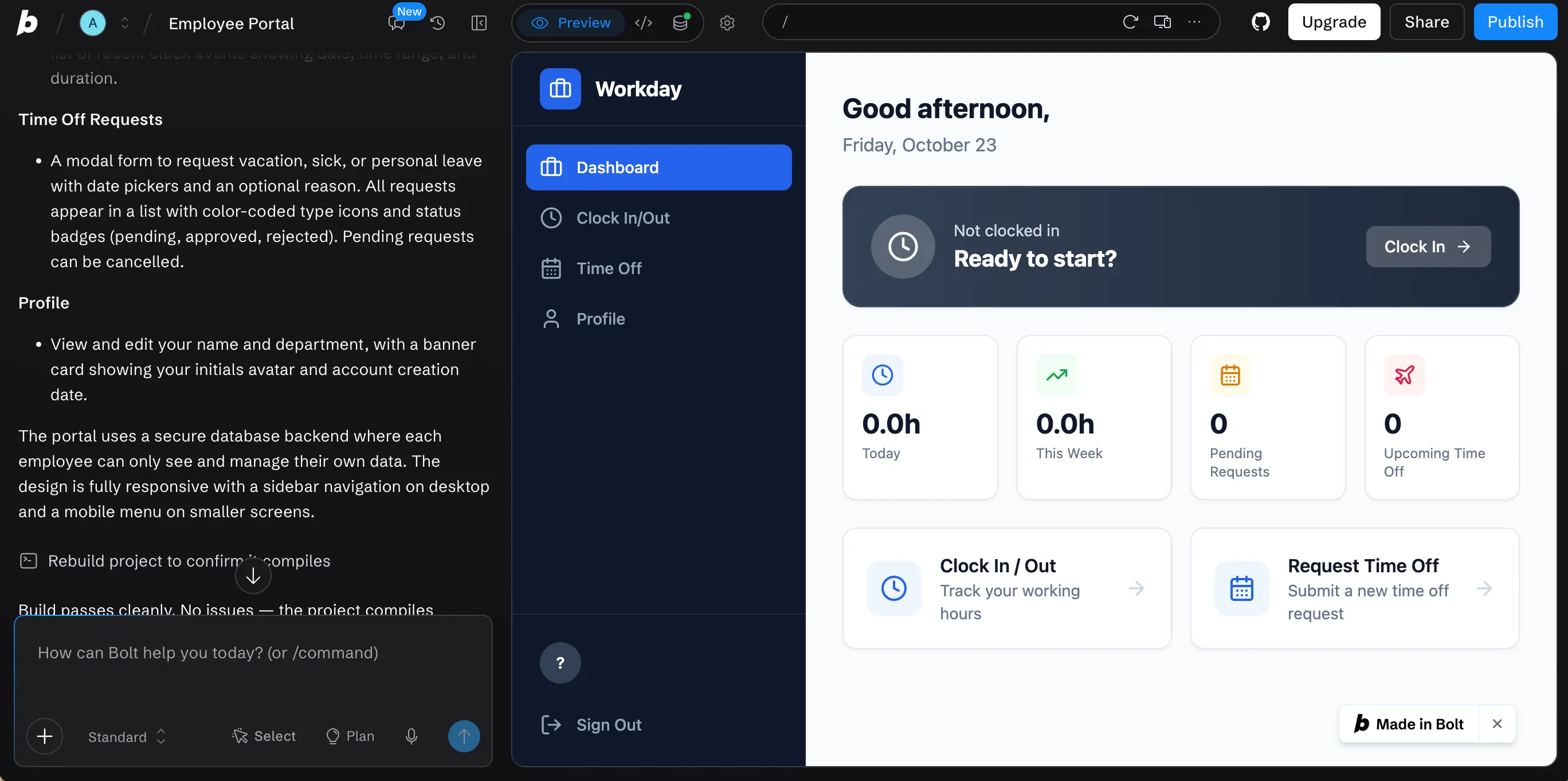
It's an exciting time when a new person starts — but it can also be a lot of work. Onboarding means pulling data from your HR platform, creating tasks and checklists, coordinating access, and more. This work usually happens across several tools, but with Pave, you can turn the entire onboarding process into a single workflow:
"When a new hire is added into the onboarding app, pull their details from Workday start the onboarding checklist, and kick off access requests."
An HR platform connector can pull in the employee's details, while email and Slack connectors can handle notifications and requests. Each person gets the right tasks automatically, and managers are freed up to support new hires better. We even used it in our own hiring process. See how our team built a hiring app that structures interviews around skills.
8. AP and Invoice Runs
Wouldn't it be nice if invoices paid themselves? With Pave, they can. Instead of manually posting and scheduling each invoice, set up a workflow that takes care of invoicing automatically. Here's an example prompt:
"When an invoice is approved, post it to Xero and schedule the payment."
An accounting connector posts the invoice and schedules the payment in minutes. When your team spends less time processing invoices, it can lead to fewer missed payment windows and happier vendors.
9. Intake and Triage
There's a lot going on in your business, but not every request requires the same urgency. However, when requests start piling up, it's easy for the important ones to get lost in the mix. With Pave's embedded AI, you can set up a workflow that checks incoming requests for you:
"Review incoming requests every 30 minutes, categorize them by urgency, and assign the urgent ones."
The workflow reviews, categorizes, and assigns on a fixed schedule, so the most urgent requests get priority. Nothing sits in the queue for longer than 30 minutes, which means your team can spend less time sorting through requests and more time working on them.
10. Purchase Order Approval
Is your purchase order intake and approval process still running on an inbox and one person's memory? Instead of chasing approvals and manually logging, you can speed up the process with a prompt like:
"When a purchase order is entered in my Pave app, route it to the manager for approval, and once it's approved, write the record to Quickbase."
The Quickbase connector writes the approved order straight back to the record your app already tracks, so the PO doesn't end up living in two places. Vendor management and finance teams get the order logged the moment it's approved, with no manual re-entry.
11. Dashboards and Reporting
Dashboards and reporting can help you turn raw numbers into a bigger-picture view of your operations, but keeping them accurate and up to date can take just as much work as building them in the first place. Build a dashboard and automated reporting with a prompt like:
"Build a dashboard using Quickbase data that tracks project status, deadlines, and open tasks, then send me a weekly report every Monday with the latest updates."
The Quickbase connector pulls the data straight in so the dashboard stays current, while a Slack or email connector can automatically send updates. Teams get a reliable view of their work without someone having to spend their Monday morning gathering data and building a report manually.
12. Vendor Spend Analysis and Tracking
If your vendor spend is still in a forty-tab spreadsheet, you know how hard it is to see where the money is going or which vendors are costing more than expected. With Pave, the analysis can run itself:
"Every Friday, pull vendor spend data from Ramp, compare it against our budget, and flag anything over target."
A finance or accounting connector keeps the numbers current, so you don't have to re-export data every time something changes. What used to take hours in Excel now runs quietly in the background instead.
13. Data Migration
Still keeping your data in a spreadsheet because you don't have time to transfer everything over to a new system? Pave can read the sheet and build your app around it, all in a matter of minutes. Here's an example of a data migration prompt:
"Pull the data from my project tabs in Google Sheets, build me a dashboard around it, and refresh it every morning."
A Google Sheets connector reads each tab and maps to your Pave app, so everything you've already built comes with you. Except now, it works better. You get an interactive, birds eye view of your projects and the dashboard updates on a schedule. Learn more about how to convert your spreadsheet to an app.
Run Your Operations With Pave
Businesses don't run on apps — they run on operations across people and systems. Pave connects to the systems you already use and runs the process between them, so your people can focus on what they do best. Just describe the work, add your connectors, and run it. The apps you used to work in now work for you.
Want more ideas on how you can use automation? Check out our Paveathon winners for examples of what teams are building with Pave.
Don't just build an app. Run an operation. Try Pave for yourself, and start building for free.
FAQs
What is Pave?
Pave by Quickbase is a full-stack AI app builder that creates production-ready apps without any coding experience required. The platform is built on the same secure infrastructure as Quickbase, which has been trusted by thousands of organizations for more than 20 years. Pave gives individuals and teams the governance, IT oversight, and flexibility they need to scale custom apps. Learn more about how Pave works.
Do I need to know how to code to build an app?
No. You can describe the process in plain language and upload resources, then Pave builds the app for you. This is referred to as vibe coding. If you find the idea of a blank prompt box overwhelming, check out the Pave App Gallery for operational applications you can deploy in under a minute.
What's the difference between a connector and a workflow?
A connector is a reusable link between your Pave app and another system, set up once and shared across every workflow. A workflow is the process itself: the logic that runs when triggered by an event or on a set schedule.
How does Pave keep my workflows and connections secure?
Every Pave app runs on an integrated data layer with version history and rollback so you can track changes and revert when needed. Credentials stay encrypted, and everything runs server-side, giving your IT team full visibility into runs and the systems they touch. Learn more about Pave's security and compliance.
How is Pave different from other app building tools?
Pave doesn't just connect your apps. It also builds the operational logic underneath. Things like multi-step approvals, branching, and nested conditions hold up in production, backed by hundreds of connections from day one. Plus, governance runs on the same platform thousands of enterprises have trusted for 25 years. Pave lets you build, run, connect, and govern from one place instead of stitching a stack together yourself. See for yourself how Pave compares.

Written by:Mikala Holmgreen
.jpg&w=1920&q=75)