Workflows and Connectors: From an App You Built to an Operation That Runs

Building an app on Pave is easy — describe what you're looking to do, and Pave gives you a working piece of software in minutes. Your app can solve for a ton of your business operational problems, but there are still two roadblocks you may encounter.
First, the initial app keeps you as the engine. A request comes in, so you assign it, update the record, tell the requester, and set a reminder to chase it if nobody moves. Do that a few dozen times and half your day is gone because you're running down approvals. Second, the app can't reach anything else you use. The CRM, the scheduling software, the file sitting in your inbox — you still need to copy the data across tools by hand.
Pave's Workflows and Connectors fix both. Workflows are the processes your software runs without you. Connectors are how it reaches the systems where the work already lives.
Workflows: The Process Runs Itself
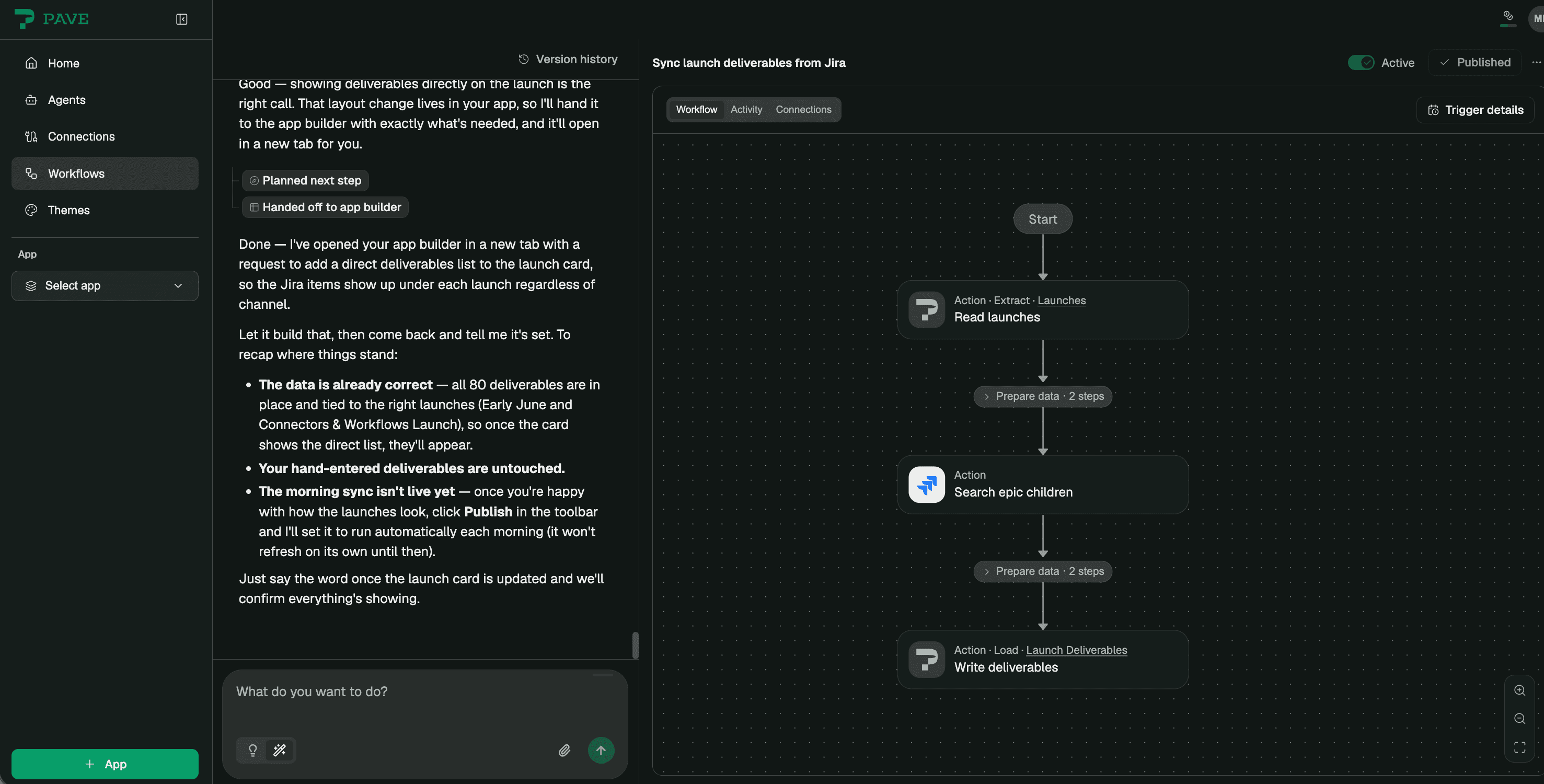
Describe the process you want to automate the way you'd tell a coworker. "When a request comes in, assign it, update the record, and let them know where it stands." Pave builds the logic, lets you visualize it on a canvas, and runs it, whether on a schedule or triggered when something changes. Change your mind, and the agent redraws the flow for you.
Most of what eats your day is a process you could say in one sentence:
- Work orders: a service request comes in, the work order opens, the right tech gets it, and the status moves to scheduled.
- Approvals: an expense over $100 comes in, it routes to the manager, and if three days pass with no answer, it nudges, then escalates.
- Onboarding: a new hire gets added, the checklist starts, and the access requests go out.
- Roll-ups: 6am Monday, project status gets summarized and posted to the team.
None of it is hard, but it's the tedious kind of work that piles up until it becomes the job. Now it runs on its own.
Connectors: Now It Reaches Everything
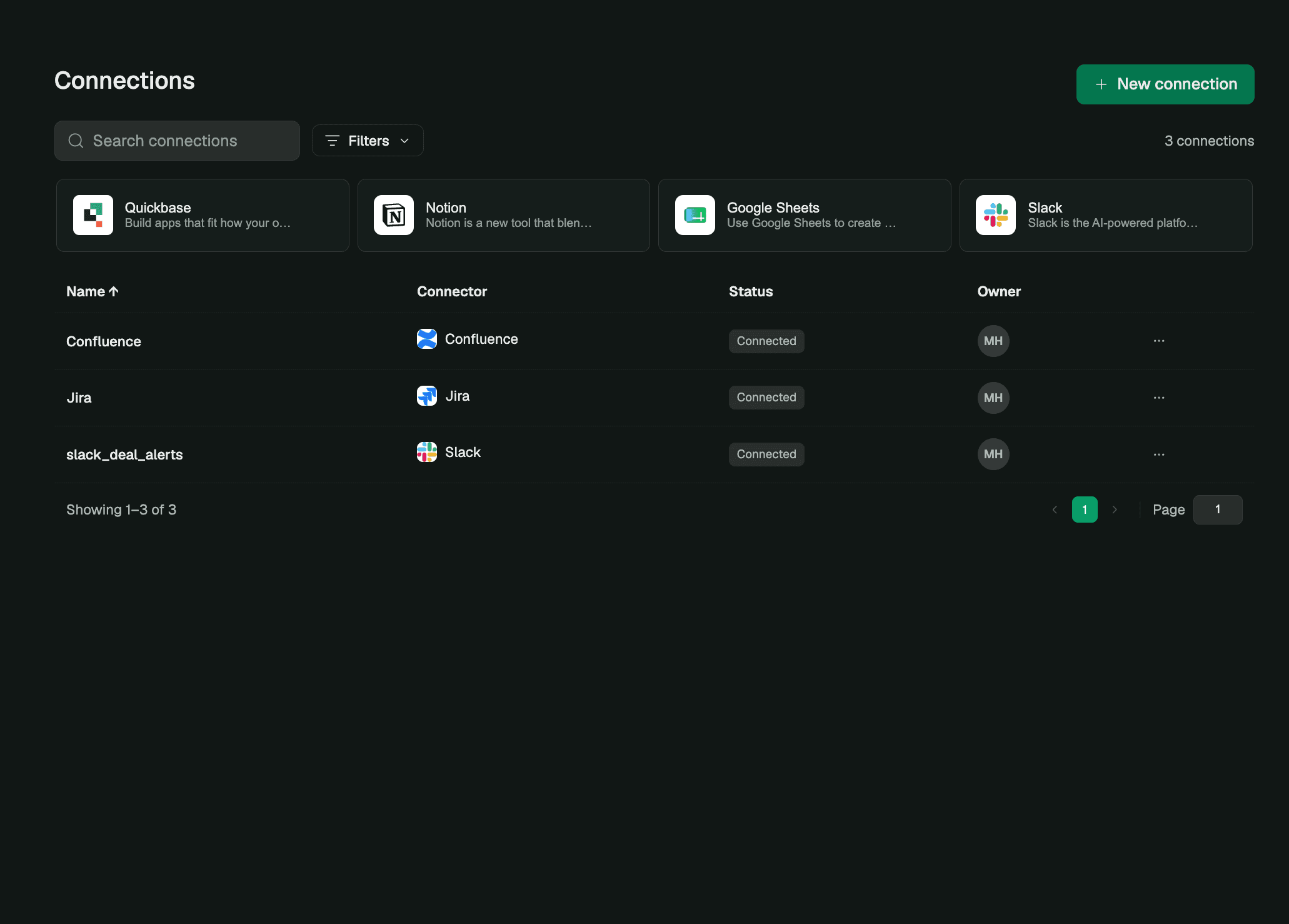
Your workflows automate your processes. Connectors allow them to touch other core systems of record. Pave now has hundreds of connectors, close to whatever your team runs on.
You set it up once. After that, every workflow you build can read and write through it. Some of our team's favorites:
- Quickbase, to build on the platform your team already runs on.
- Project management tools like Jira and ClickUp, so you can manage tasks.
- Tools like MaintainX or OnFleet, to keep the field connected.
- Support and help desk software, like Zendesk and ServiceNow, to maintain your SLAs.
- CRMs like Salesforce and HubSpot, to read a deal and start the delivery.
- Storage like Google Drive or Dropbox, to pull and file documents.
- Accounting tools, like QuickBooks and Zoho, to push billable hours or sync invoices.
- Email and chat tools like Slack and Microsoft Teams, to send a notice and keep your team in the loop.
Connections are visible, credentials stay encrypted, calls run server-side, and per-workspace limits keep your data safe and costs in check — so you don't need to worry about getting IT on board.
One Description, One Connection

The workflow is what happens; the connection is where. Put them together and the work moves across your systems while you sit out of the middle. A deal closes in your CRM and the kickoff project spins up, owner assigned, finance told. New invoices hit your accounting tool Monday morning and each one is a record before you're at your desk. An inspection fails in the field and a ticket opens in your service desk with the safety lead already pinged.
You Can Watch It Run
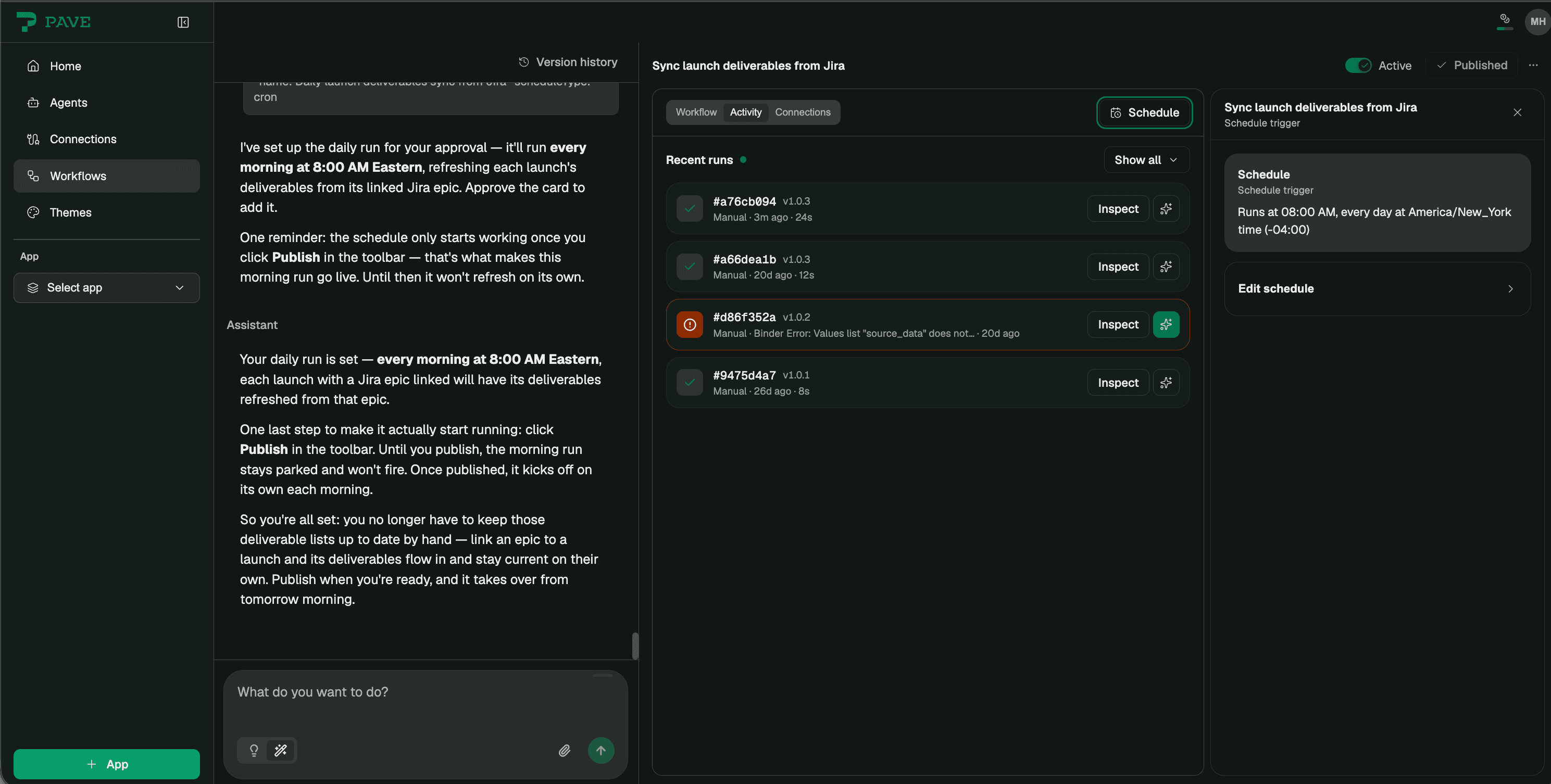
Most automation is a black box you hope is doing the right thing. This one you can visualize before you set it live. A canvas shows every step, every system it touches, every person it passes through. Nothing goes live until you publish it, and you can open any run to see what happened. IT sees what's connected and what's running and sets who can do what — the features respect all your existing permissions. The governance isn't new either. Enterprises have run on the foundation Pave is built on for twenty-five years.
Before You Start
There are a few things to note before you get started. Each time a workflow is run , credits are consumed. The number of credits used are based on the complexity of the workflow, and users can view a run to see how many credits were consumed. When a workflow crosses people, it moves forward on the change someone makes in the app, a status flip or a closed task, instead of pausing to wait on an . That pause-and-resume step is coming. Finally, our connectors run on Pipedream, the platform behind the library, so you'll see its name in the popup when you link a tool.
Try It
Pick the one process you babysit every week, hook up the system you're forever copying in and out of, and hand the rest to Pave.
Start at quickbase.com/pave.

Written by:Michelle Hendley
.jpg&w=1920&q=75)