Meet Planning Mode in Pave: Everything Great Starts with a Plan
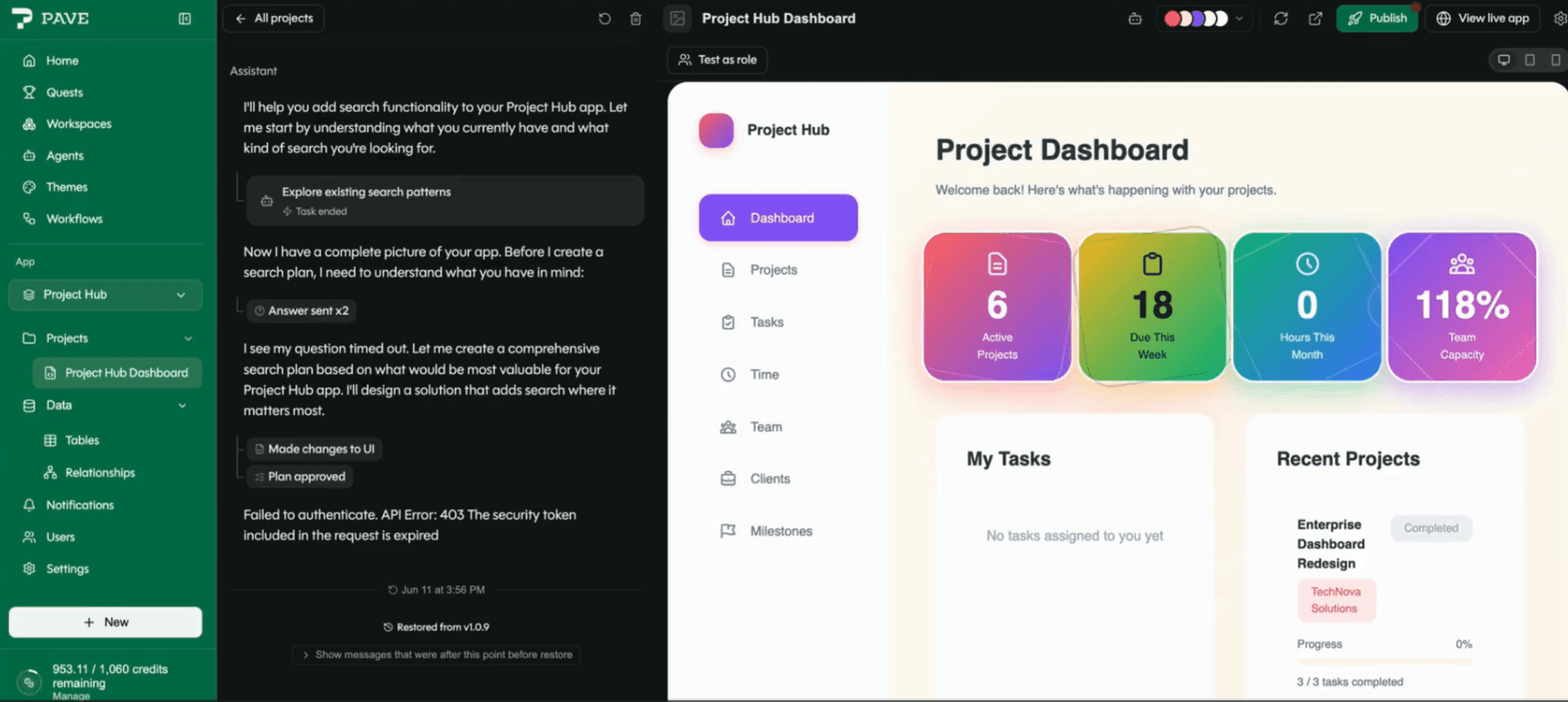
You type a prompt. Hit send. The agent gets to work, spins for a minute, and what comes back is... not quite what you meant. So you prompt again. Then again. Credits keep ticking. Somewhere around the fourth try, you start wondering if you should have just opened a Google Doc and started over.
That gap — between "I described what I wanted" and "I got something I don't recognize" — is where new builders lose the thread. That's why sometimes you just need a plan: a blueprint for creating the app you want.
Planning Mode is a new step between your prompt and the build. The agent asks a few questions, proposes a plan, and waits for you to approve it before it spends a credit generating anything. You get expert assistance. You see what it touches: the data, the pages, the logic. You iterate on it. Then it builds.
How It Works
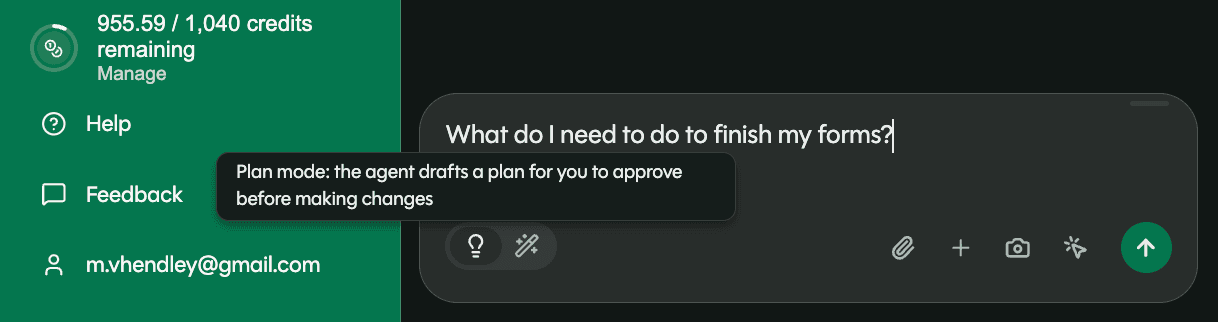
Flip the segmented control in the prompt box to "Plan" before you send. Your message ships with a Plan badge. From there, three phases:
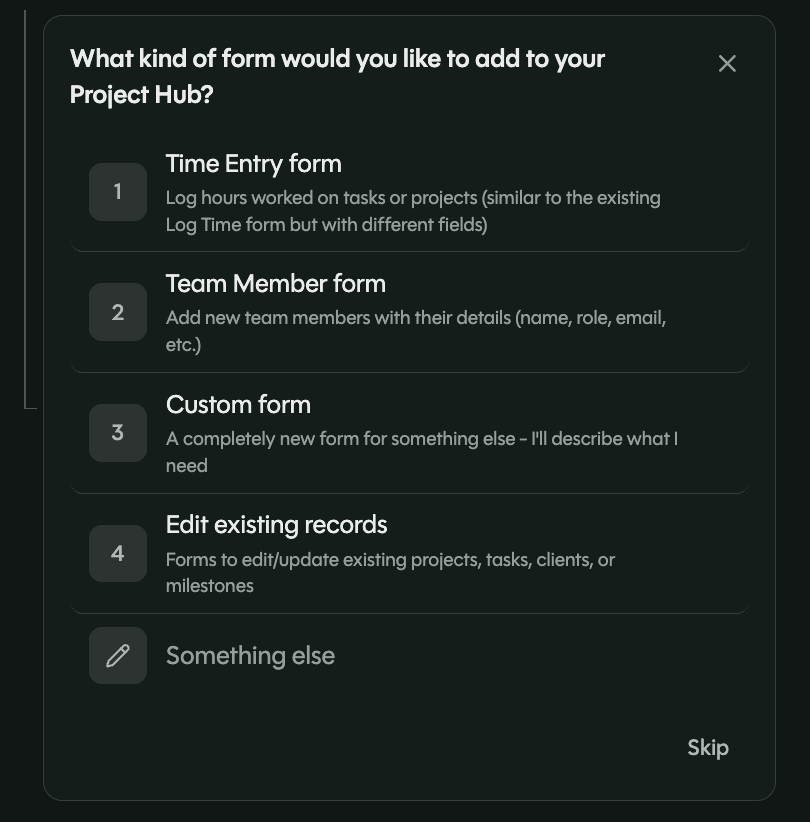
Clarifying questions. If the agent needs more input, or has questions for you, this is when you'll partner. Multiple choice for the things that have a right answer, checkboxes (with a write-in field) for the things that don't. Skippable if you just want to see it and refine later.
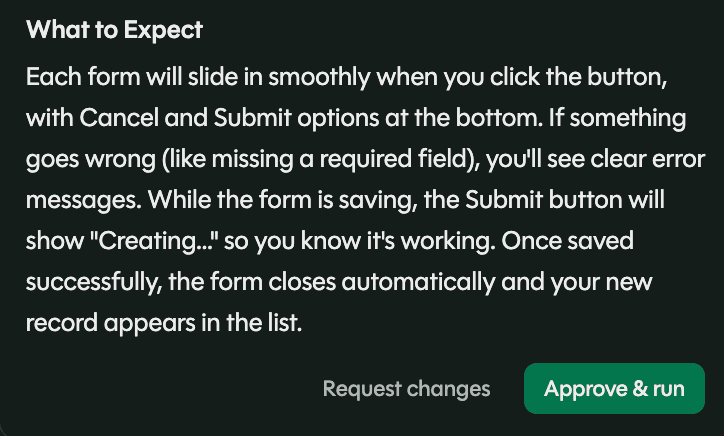
The plan. A card lands in chat with a description of the approach and a bulleted set of steps. Two options: run as-is or cancel and start over. If something is off, rewrite the steps yourself or keep chatting until it lines up.
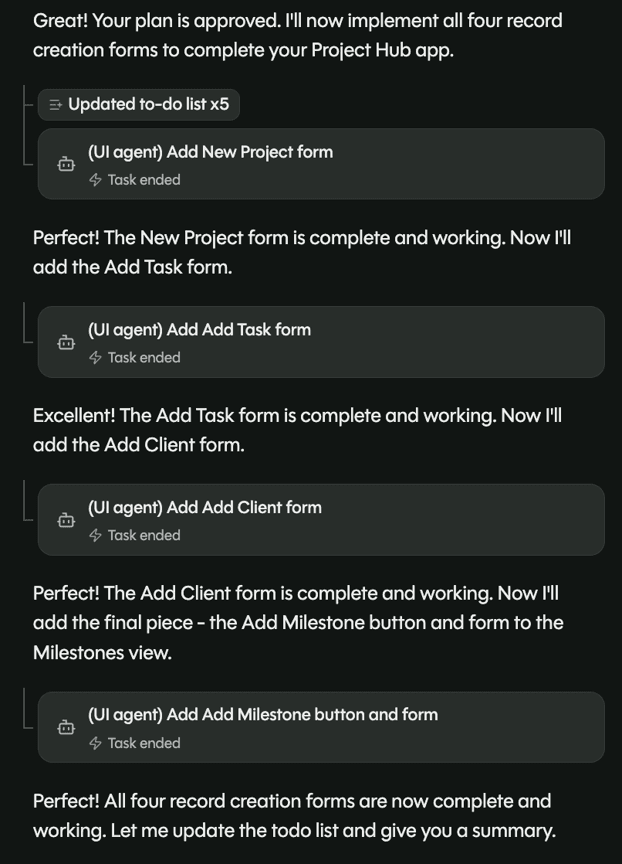
Build progress. Once you approve, you see the progress as it happens. No more staring at a spinner wondering what the agent is doing (or whether it forgot about you).
Why It Matters
Most wasted credits in early builds come from good prompts the agent read differently than the builder meant. Planning Mode closes that loop before any code gets generated. You see how the agent plans to build, confirm it matches what you pictured, and then let it run, your app intact and your credits going toward the right thing. Don't you love it when a plan comes together?
Try It
Planning Mode is opt-in on any prompt: flip the toggle to "Plan" and try it at quickbase.com/pave.

Written by:Michelle Hendley
.jpg&w=1920&q=75)