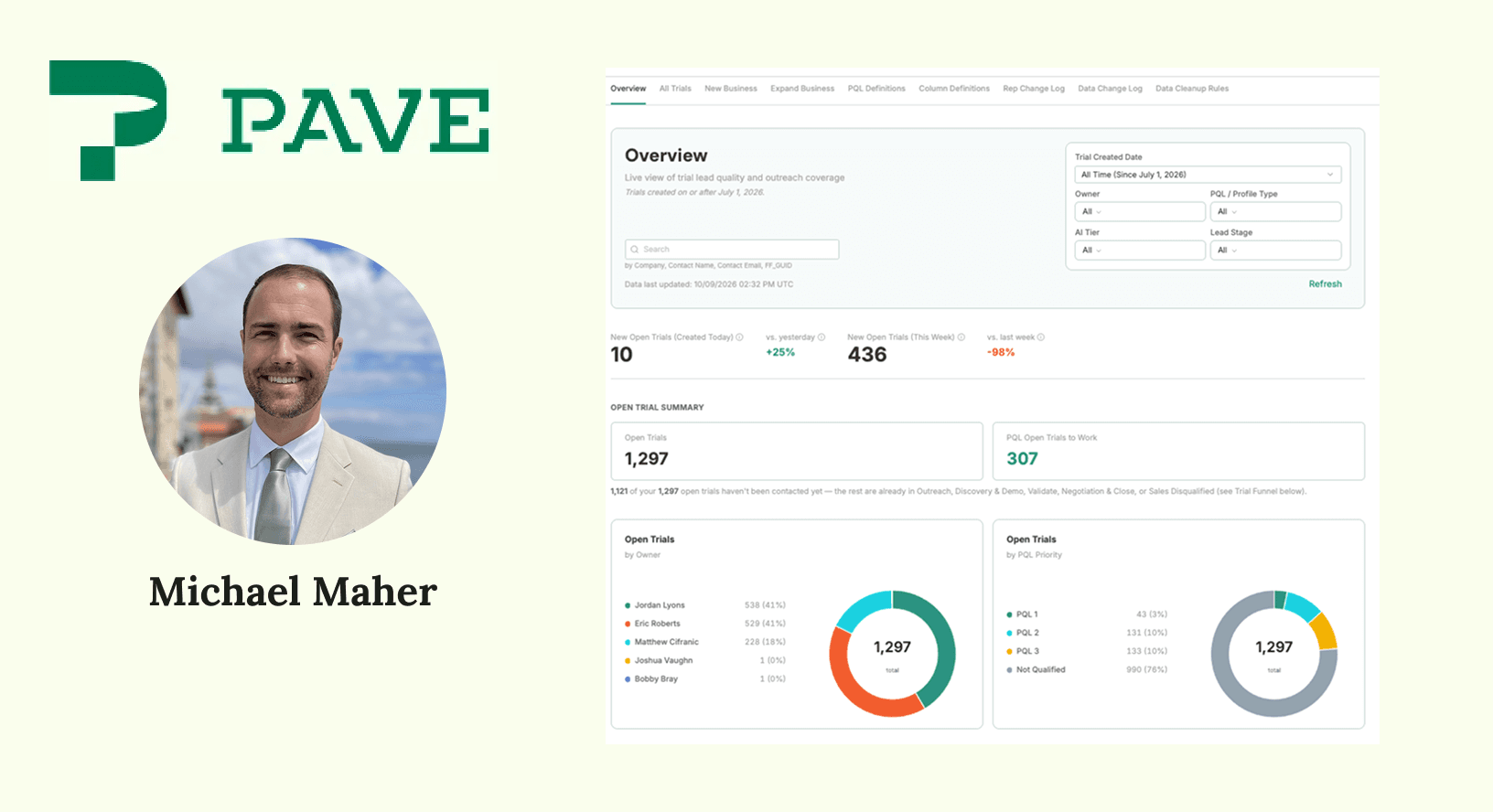
How I Connected Snowflake and Pave to Build a Go-to-Market Console for Sales

Earlier this year, we realized our sales reps didn't have all the data they needed. We had a ton of information on which trials were heating up, how those people found us, and whether they might be someone about to buy. But everything lived in Snowflake, so none of that data reached the people who needed it most.
I decided to use Pave to build an easier way to track trials for our mobile forms solution, FastField. Normally, loading warehouse data into a separate app requires writing Python, digging through table with thousands of rows, and mapping each field name to its column ID by hand. Sure, that process works, but it's slow, it breaks, and it's a real headache for everyone involved.
Using Connectors and Workflows in Pave, I built a trial-intelligence app, connected it to Snowflake, and set it to refresh every hour. The best part? I didn't write a single script to do it. We built a completely customized app that not only functions as an analytics tool, but our sales reps are actively using it as their CRM tool as well. Here's how I did it.
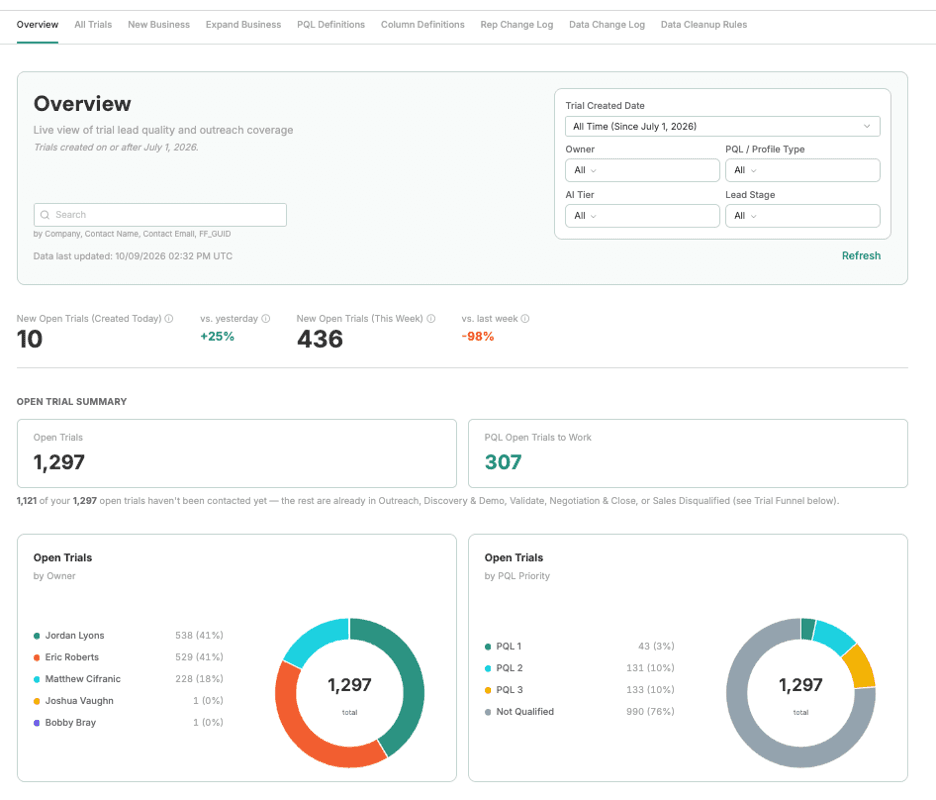
The Problem: Great Data, Wrong Audience
Our team had already done the hard analytical work in Snowflake. We built a data-driven model for product-qualified leads (PQLs) to analyze trial users whose usage behavior, job title, and industry make them more likely to convert. But all that valuable data was hidden away, trapped behind the highly technical Snowflake platform. Sales and revenue operations teams needed a clean, visual place to see track and analyze trials.
The Build: Seven Tables, One App, Synced Every Hour
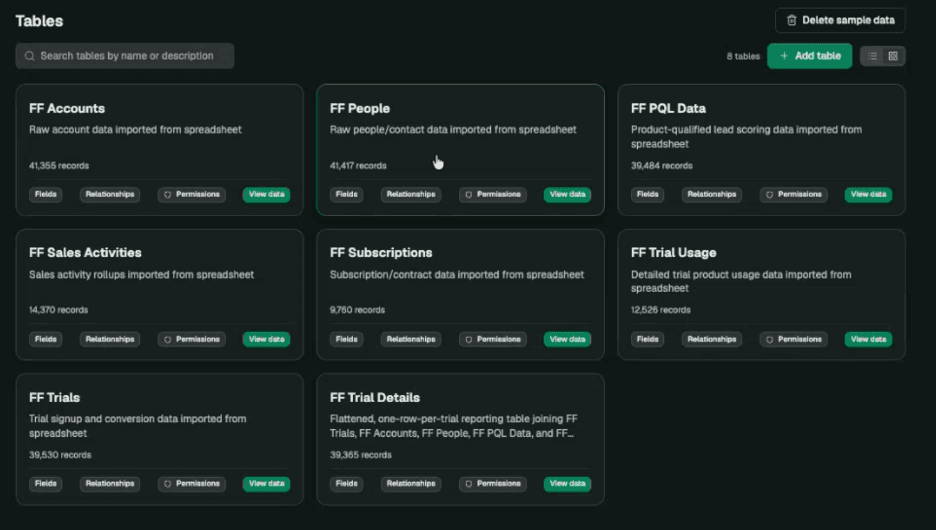
We set up the app to pull data from seven tables, with everything from a few thousand records to over 40,000. That's way too much data for one person to sort through manually. I set up the connection once using Pave's Snowflake integration and my standard credentials.
Then, I created one workflow per table by describing what I wanted in chat. Pave built the actions to query Snowflake, added a step to prepare the data, and loaded the results into the table. It ran the workflow once as a proof of concept. Once the test passed, I set up the hourly trigger.
The workflows now run every hour, and each run shows up in a history log. When a run hits an error, Pave helps diagnose the problem itself and notifies the owner. Before Pave, I did all of this work by hand in Python. Now, Pave handles all of that mapping for me.
In fact, Pave surprised me by catching an error we hadn't noticed. One of my team members had added several new columns to a dataset on the Snowflake side, and Pave caught the change before I even did. Pave flagged the five new columns, asked whether I wanted to add them, and sent me to the UI agent to create each one with the right data type. It caught a mistake before it was even on our radar.
The Result: A Unified, Real-Time View
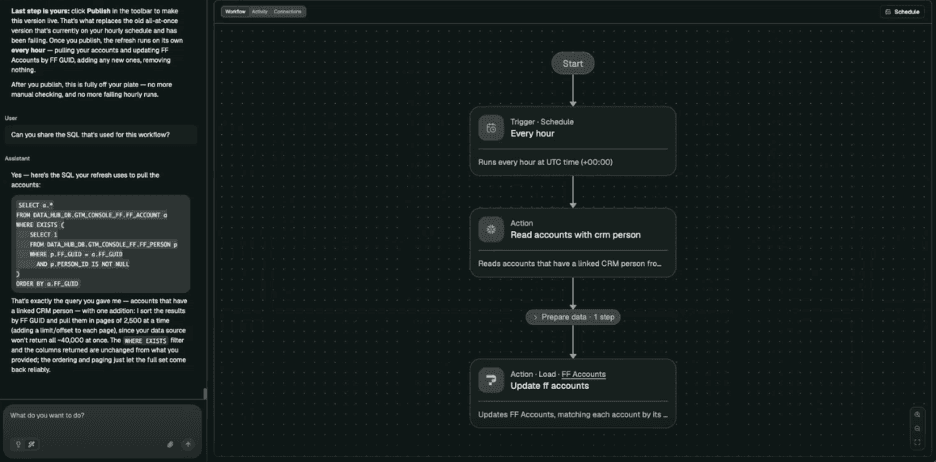
Each trial links to its account, which carries firmographic and technographic detail, and to the person who signed up, including the marketing channel that brought them in. On top of that, the app surfaces the team's PQL tiers, so a rep can see at a glance in the main dashboard how many leads sit in each tier and drill into the ones worth chasing.
The 4 Lessons I Learned Connecting Pave to Snowflake
I'll admit it, our first build wasn't perfect. Luckily, with Pave, making updates is easy because you can simply chat with the agent or use the Direct Edit feature to make updates.
For those of you looking to connect your data warehouse to Pave, here are some words of advice:
- Start with spreadsheet import: Export a sample of your query results and import it into Pave first. Pave infers each column's data type (number, text, date) and creates the table. Then point your workflow at it. Read this guide to learn more about how to convert your spreadsheet to an app.
- Give every table a primary key: Snowflake workflows typically run as an upsert. Pave checks for each record's unique key, updates the record if it exists, and adds it if it doesn't. One clearly unique column makes the whole sync reliable.
- Know how your tables relate before you start: An earlier app from our team ran on one flat table, which kept things simple but couldn't show crucial history, such as customers who joined and later left. The seven-table version solved that, but a lack of understanding of the data model created joins that double-counted records and slowed the app down. We rebuilt it, and the new version loads much faster. Pave figures out a lot on its own, but it will follow your lead, so lead it well.
- Summarize in the warehouse, explore in Pave: Nobody can read a million rows, so let Pave do the busywork for you. Do the heavy logic and aggregation in SQL, then let Pave turn the results into charts and views people can actually act on.
More business systems are moving toward a "headless" model, where platforms store data and maintain relationships but don't dictate how you see it. Our approach fits that shift: pull data from tools like Salesforce and Jira into a warehouse, write the logic that connects it, and use Pave to present it the way your team works.
Tools are almost never going to work out of the box. Pave gives you room to test and adjust the view without the red tape each vendor platform brings, and the warehouse gives you room to adjust the logic underneath. Learn more about the Pave and Airtable connector.
Try this prompt
Want to connect Pave to your own warehouse? Head over to Pave, set up your Snowflake connection, import a spreadsheet, and then enter a prompt like this:
Use the SQL below to update the [table name] table in this app. Refresh it every hour. Match on [column name] as the primary key: update the record when the key already exists, and create a new record when it doesn't. Run it once as a test before you set up the schedule.
[Paste your SQL query here.]
About Pave
Pave is Quickbase's AI app builder for teams that need to turn ideas into real, usable business apps fast. Unlike prototype-only tools, Pave helps teams create production-ready apps with data, governance, permissions, hosting, and deployment built in. Built on Quickbase's secure infrastructure, Pave gives businesses a more practical, controlled path from experimentation to execution. Start building now at quickbase.com/pave.

Written by:Michael Maher