The Airtable Connector: From Routing Requests to Running Operations
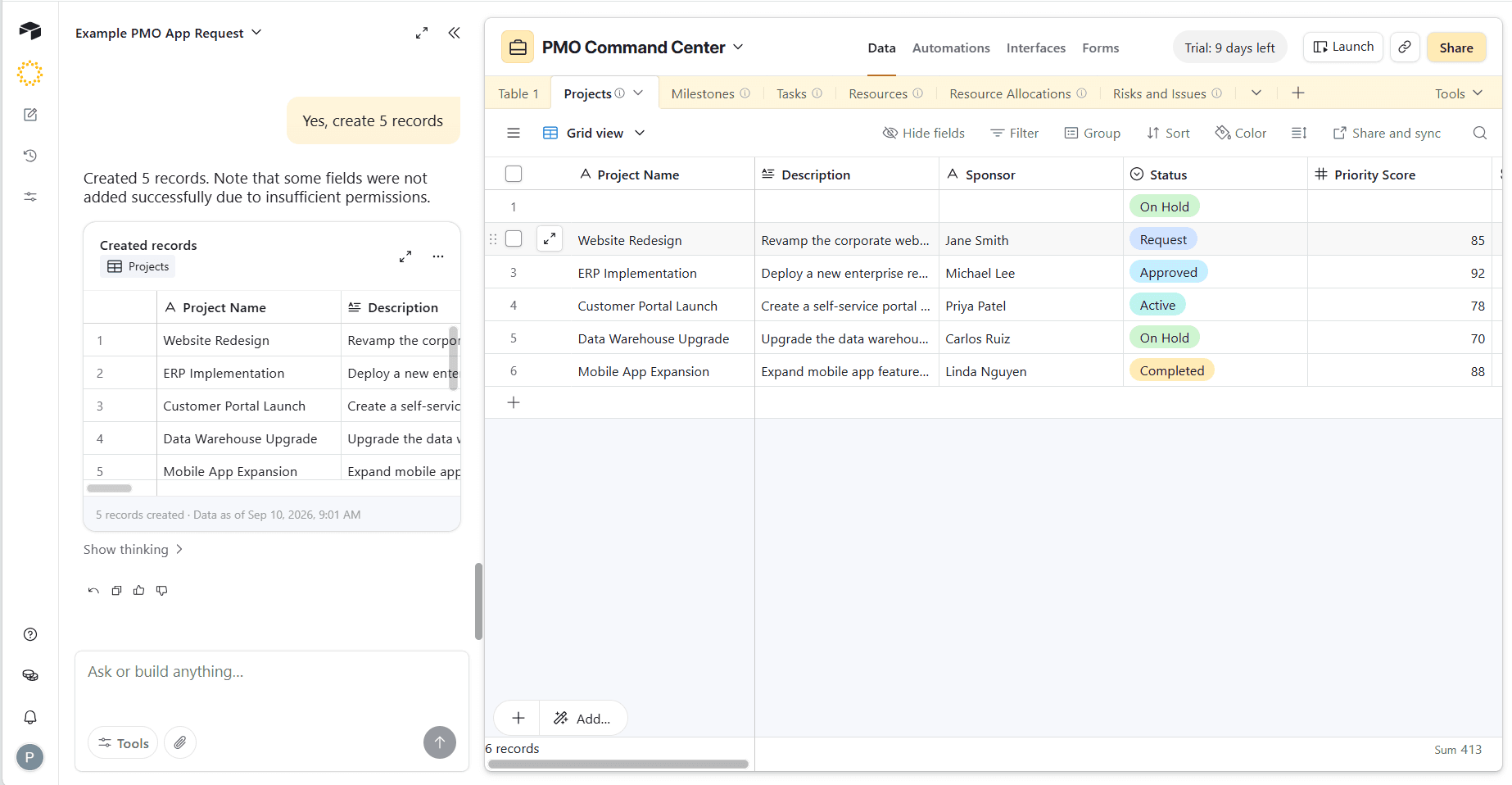
Sarah used to get requests from all kinds of channels, all the time. Emails cluttered up a shared inbox. Her director sent her a late-night Slack. Someone from finance would stop her in the hallway. And let's not forget that disorganized spreadsheet floating around that everyone forgot to update.
Sarah needed a new way to organize her work. She decided to try Airtable on a Saturday, built a request form, pointed it at a base, and sent the link out Monday morning. And it worked. Everything landed in a single queue — tagged, sorted, and timestamped. Sarah could open one tool and see the whole picture. People stopped asking her where to send things. Her CEO asked who set it up. For a while, Sarah was the operations hero of her company.
6 Months Later
The queue is working just as Sarah set it up, but it hasn't been saving her much time. Every morning, she opens the base and reads through all the new requests. She sorts them by urgency and decides who owns each one. Then she makes sure each person has what they need to proceed, often spending her days gathering resources into an email or explaining projects in the office break room.
Every week, the database runs perfectly. Yet every week, Sarah still spends all her time being the orchestrator, moving work from one person to the next.
How Sarah Built Beyond the Database
Sarah built an effective database that organized requests. But as the company grew, more requests came in and Sarah was getting stretched thin. The form was never the problem. The routing was.
The issue is that a database is just that: a place to organize information. A database can't run operations. But an integrated app can. With Pave's AI app builder, there's no migration required. Airtable is one of Pave's 350+ connectors, included on every plan with no connector fee and no upgrade required.
Sarah can simply connect to her existing Airtable base, describe her process the same way she'd explain it to a colleague, and build workflows that run automatically between Pave and Airtable. Here's how Sarah turned her database into a fully functional app.
Step 1: Connect the Base
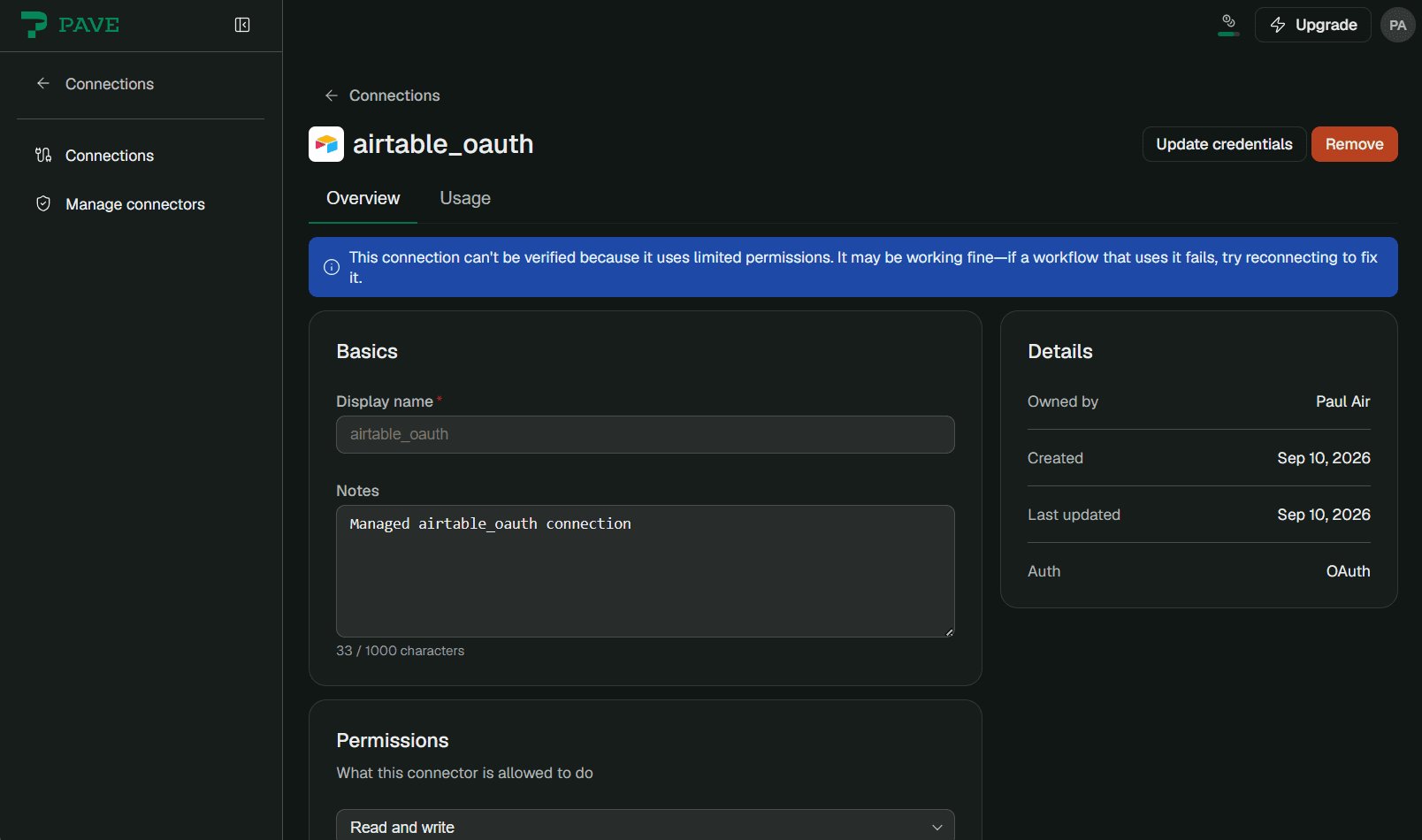
Sarah opens Connections in Pave, picks New connection, adds Airtable, and signs in. She can set up access so that Pave reads the requests and writes back to them. Her request form doesn't have to change and her queue keeps filling as it did before. She sets the connection up once, and every workflow she builds from here on out can use it.
Step 2: Describe the Process
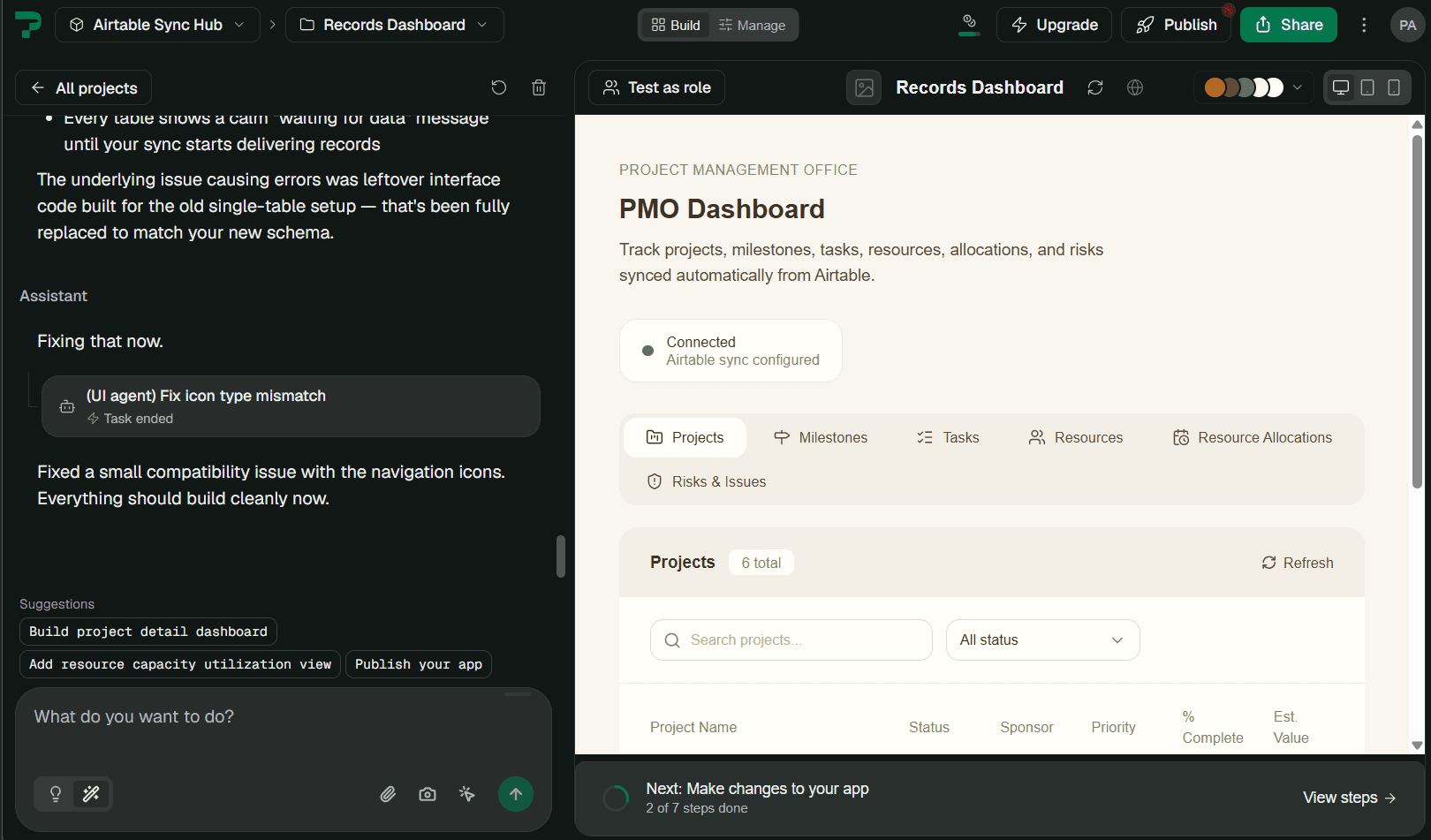
Pave turns plain-language prompts into functional apps in minutes. Sarah can start by describing the process she wants to connect into Pave. Pave builds the automated workflow so agents can manage the work behind the scenes. Pave will also prompt her to describe what sort of work she wants to manage in Pave and create an application that serves as the unified view of all her data.
Here's an example of Sarah's prompt:
"When a request comes into Airtable, sort it by urgency, give it an owner based on their job title, nudge the owner after three days on Slack, and escalate to me if no action has been taken after five days."
Sarah's base stays where it is. Anything living outside it in a spreadsheet can be uploaded to her Pave app using the Spreadsheet Import feature. If she needs to make a change, she just tells Pave what to update or she can edit the interface directly. For example, if she wants the nudge after two days instead of three, all she has to do is say so.
Step 3: Watch Pave Build
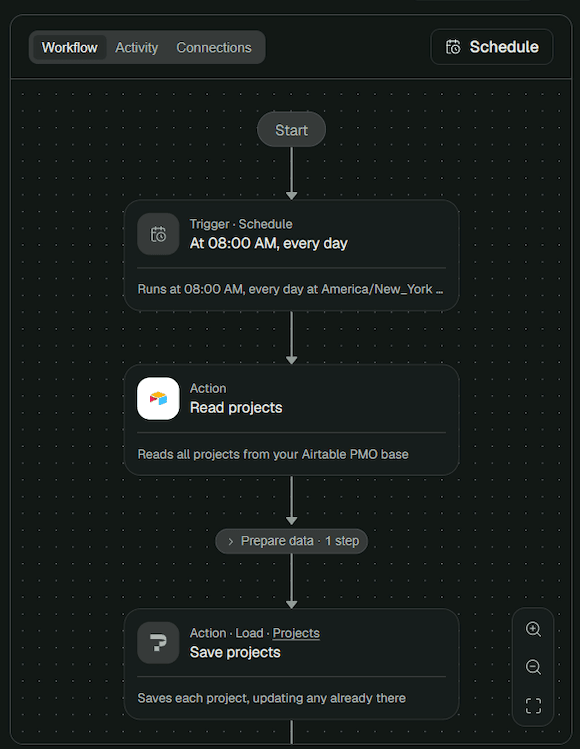
Pave builds the logic and draws the workflow on a canvas Sarah can easily understand: the trigger that checks for new requests, sorting logic, assignment flow, nudge requirements, and final escalation. She reads it the way she would read a checklist so she can see every step in the process.
Step 4: Publish and Share Access
The workflow and app stay in draft form until Sarah is ready to publish it, so nothing runs against her live queue until she decides it should. She can also add users and set permissions directly from the app.
After she publishes, she can set the workflow to check the base every 30 minutes or run the moment something changes. Her IT team is also happy because they can see every user, connection, and workflow in one admin view, governed on a 25-year-old platform trusted by thousands of enterprises. It's a win-win for everyone.
Step 5: Connect More Tools
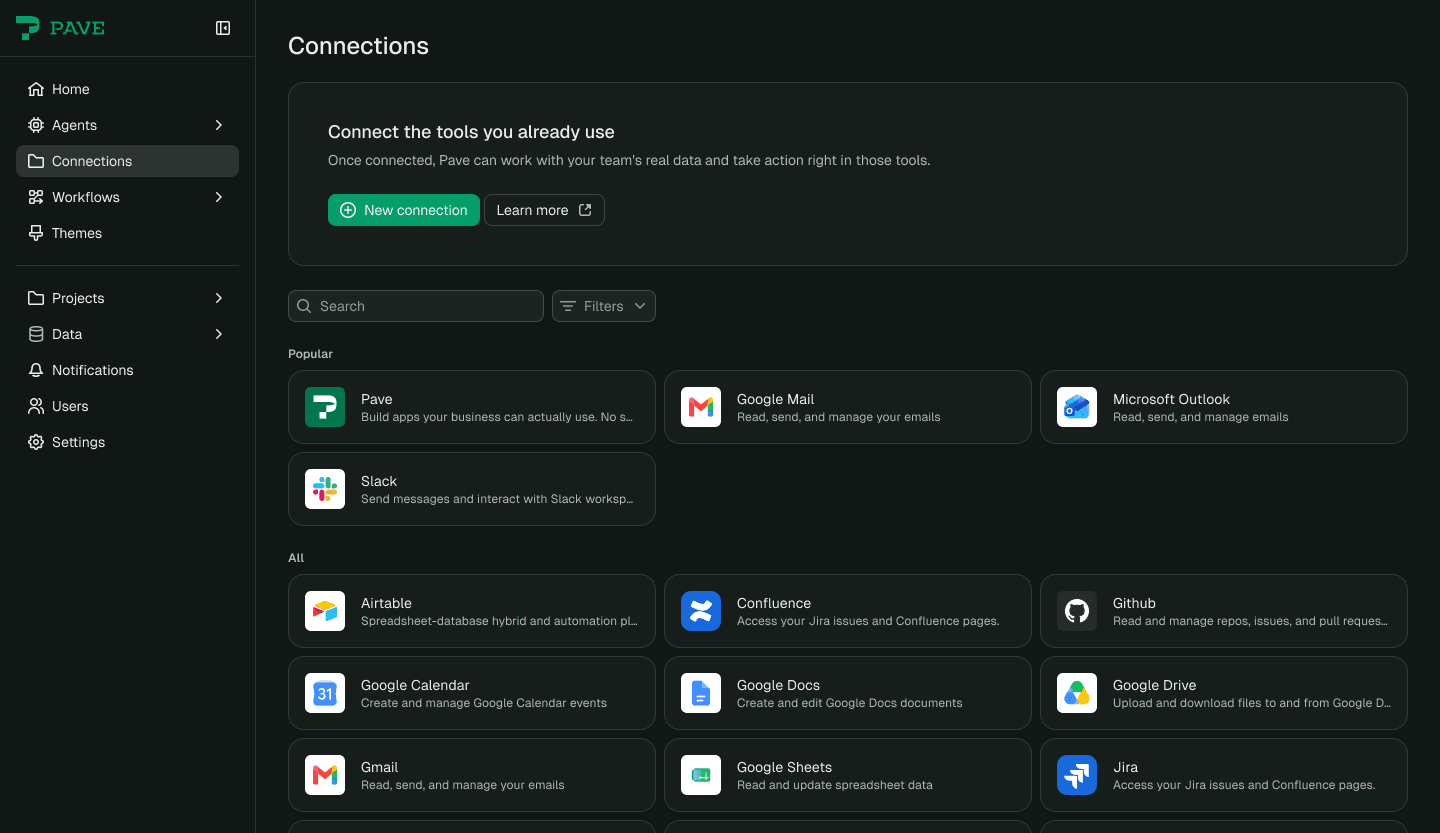
Sarah can connect to any system she needs to run her process. Pave provides a unified view of all of her data and tools, so she's no longer clicking between tabs and systems.
Your Work Doesn't Have to Stop at the Base
Sarah had the right instinct when she built her base. But what she really needed was a better way to run the work. By connecting Airtable to a custom app in Pave, Sarah was able to build beyond the database — no migration required. The base still holds the requests, the routing runs on its own, and any updates are just a sentence away.
Want to try it for yourself? Just connect your base, describe your process, and watch it run. Start building free at quickbase.com/pave.

Written by:Michelle Hendley