8 Lovable Alternatives & How to Choose for Your Business
Lovable is great for non-technical people who want to build apps fast, but what about when your needs evolve? If you're looking for apps that can handle automated workflows, connect your data, and scale securely with your business, it may be time to explore Lovable alternatives.
Popular alternatives to Lovable include Pave, Replit, Bolt.new, Base44, Bubble, v0, Cursor, and Retool. The best one for your business depends on why you are switching: Pave fits business teams that need the app to run daily work, Replit and Cursor give you more control of the code, Bolt.new builds fast prototypes, Base44 builds quick all-in-one apps but requires more tech expertise, Bubble handles complex visual apps, v0 fits design-led front ends, and Retool serves internal tools built by engineers.
We tested eight affordable alternatives to Lovable that take different approaches to building so you can find the one that fits your needs. We gave all of the Lovable competitors the same prompt and recorded whether it asked questions first, built right away, or needed setup before it could start.
Key takeaways
- Best for internal business apps: Pave suits teams that need an internal app with roles, approvals, and IT oversight from the start, and it connects to the tools your team already uses.
- Best for developer-led builds: Replit, Cursor, and Bolt.new suit teams that want to shape or keep developing the code, with Cursor best for an existing codebase and Bolt.new best for quick browser prototypes.
- Best for customer-facing and all-in-one apps: Lovable and Base44 suit people who want a working app with a backend included, with Base44 bundling its own database and logins.
- Best for visual and full-stack builds: Bubble suits complex apps built visually, and v0 suits full-stack Next.js apps hosted on Vercel.
- Best for data-first internal tools: Retool suits internal tools built on the databases a company already runs, and it's aimed at teams with developers.
From Prompt to App: First Impressions
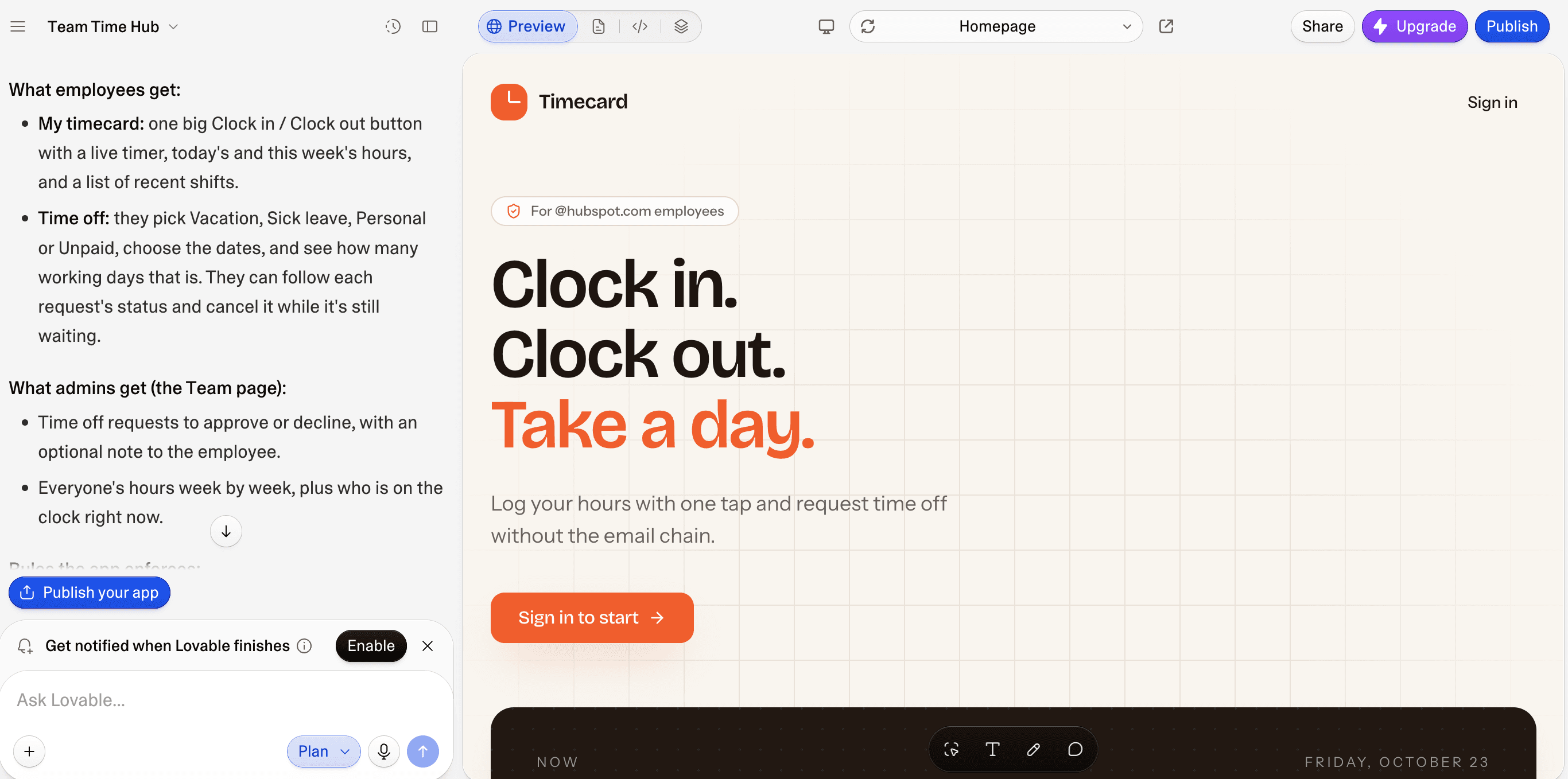
We gave each tool the same task: build an internal app where employees clock in and out and request time off. We also ran the task in Lovable for comparison. Here's what happened:
Pave asked three questions before building: what the app is for, who will use it, and who can make changes. That focus on roles and permissions suits an internal tool well, and no technical setup was needed. The screens were ready shortly after we answered the clarifying questions. Its free credits also went much further than Lovable's. Our Lovable credits ran out after the first generation, though Lovable put more effort into design.
Replit went straight from prompt to app, with no questions or setup. The result worked and even came with some witty copy. The app was simple, which made it easy to refine with small edits rather than rebuilding. Code was always within reach.
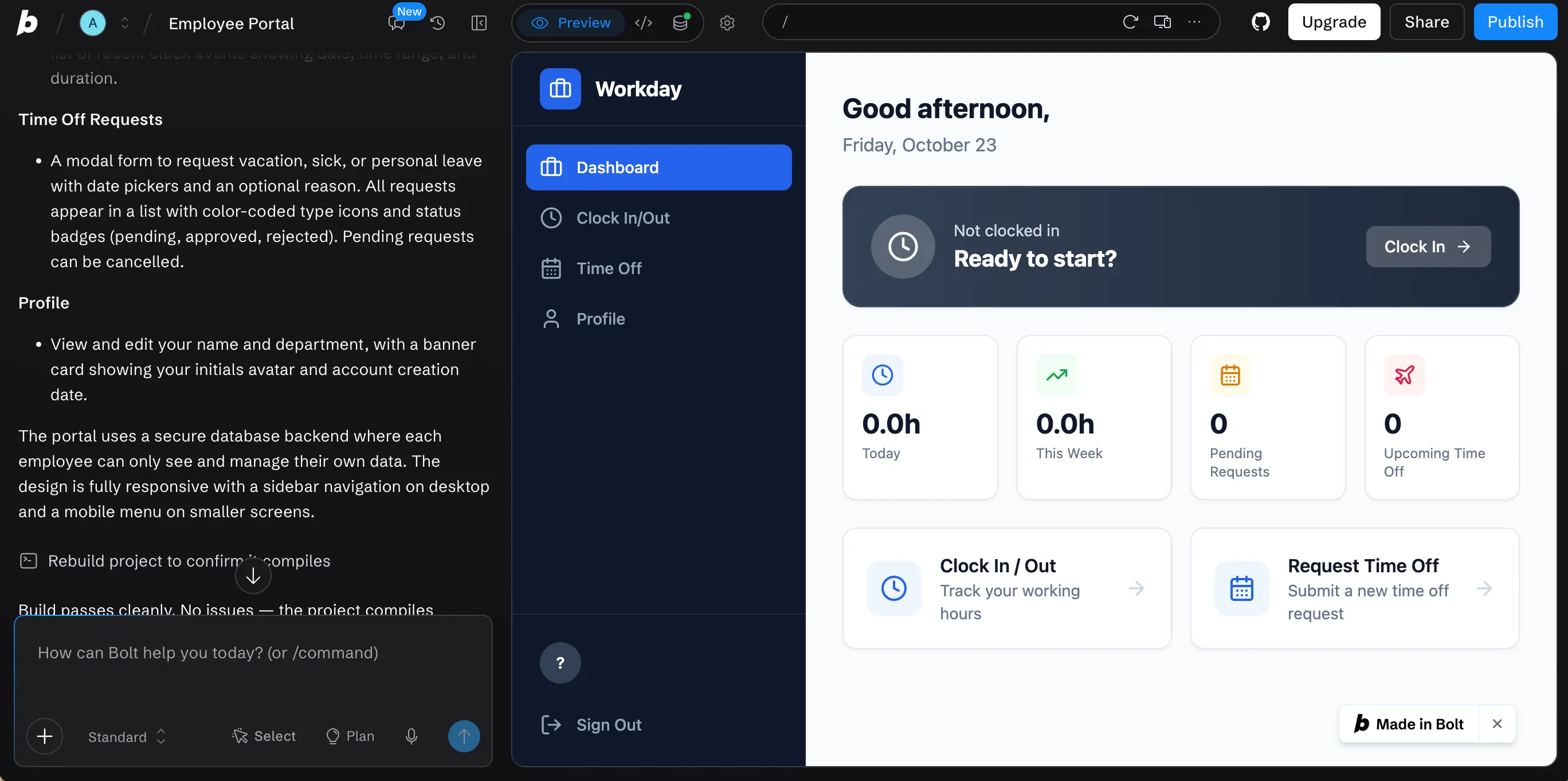
Bolt.new had a rocky start: the session cut out after the first prompt, and the app took a while to arrive. The Git and code buttons sit next to the preview, which gives it a more developer-oriented feel than most AI builders. The finished app was very basic, more a starting point than a product. Compared with Lovable's polished apps, Bolt.new's output requires more rounds of editing.
Base44 skipped the clarifying questions and built the app right away, so the first version rested on its own assumptions. Asking questions in discuss mode cost 0.3 credits per request. The settings are packed with extras, including marketing tools similar to Lovable's, and access controls are a simple toggle. Code editing exists but isn't available on the free plan.
Bubble gave us the most say before anything was built. We chose web or mobile, answered questions about the audience and design, then approved a plan. After that, everything happened in a drag-and-drop editor with so many options it could feel overwhelming to some. Bubble is no-code, so there is no code to edit, and publishing requires a paid plan.
v0 checked our setup before it wrote any code. It decided the app needed a database and a sign-in service, then looked for both in the project. In our test, that check failed with a temporary system error, and v0 stopped instead of falling back to a prototype. It aims for production-ready apps, especially on Vercel, though asking for mock data got it building right away.
Cursor is a developer's tool, and it made that clear from the start by offering to connect GitHub. On the web, it kept nudging us toward its desktop app or the terminal. The prompt-to-app agent requires a paid plan, so free users write the code themselves.
Retool asked for a setup before it would build anything. Its first reply requested a Snowflake connection (a corporate data warehouse) plus an account ID, database name, username, and warehouse setting. Most people need IT to supply those details, and nothing gets built until the connection is in place. Retool is probably best for companies whose data already lives in enterprise systems.
To see what each tool produced, check the screenshot in each tool's overview below.
Lovable Alternatives at a Glance
Tool | Best For | Free Plan | Paid Plans | Lovable Comparison |
Pave | Internal portals, connected workflows | Up to 3 users, one builder | From $20/month | Leads with roles, approvals, and managed infrastructure |
Replit | Custom apps with code access | 1 app, free daily usage | From $20/month | Full workspace with file tree, Git, and console |
Bolt.new | Full-stack web prototypes built in the browser | 1M tokens a month, 300K daily limit | From $25/month | Token-based pricing and developer-leaning |
Base44 | All-in-one apps with a database and logins | 25 message and 100 integration credits a month | From $20/month | Its own database and two credit types |
Bubble | Complex web and mobile apps built visually | Free to build, no publishing | From $32/month (web) | Visual logic with no code export |
V0 by Vercel | Full-stack Next.js web apps hosted on Vercel | $5 in one-time credits | From $30/user/month | Next.js and shadcn/ui output; per-user pricing on paid plans |
Cursor | Code changes in an existing codebase | Limited AI credits | From $8/month | A local code editor for a project you already have, not a prompt-to-app builder |
Retool | Internal tools built on existing databases | Up to 5 users, 250 shared AI credits | From $12/month per builder, $7/month per internal user | Built on your existing data; per-person pricing |
Product and pricing information: vendor product and pricing pages, October 2026.
Why Businesses Look for Lovable Alternatives
Businesses start researching more apps like Lovable when a project outgrows its first version. Lovable turns an idea into a good-looking app that is ready to test with your audience, but reviewers describe three common constraints as projects grow:
- Unpredictable credit use: Multiple G2 reviewers say the credit system limits larger projects and makes it hard to estimate what a prompt will cost over a long build.
- Limited control over code structure: Reviewers on larger production projects want more control over how the project is structured, and one reviewer notes that AI-generated code doesn't always follow best practices for large-scale production.
- Changes that break working features: Reviewers across G2 and Trustpilot report that the AI sometimes alters features that already worked and introduces new bugs.
The right alternative depends on which of these constraints you're facing. So, what are some alternatives to Lovable? Luckily, there are plenty of great options to choose from.
8 Best Lovable Alternatives
We compared eight Lovable alternatives on three points: how much control you keep over the code, what each tool builds, and how its costs grow with your project.
1. Pave: The Best Lovable Alternative for Business Teams
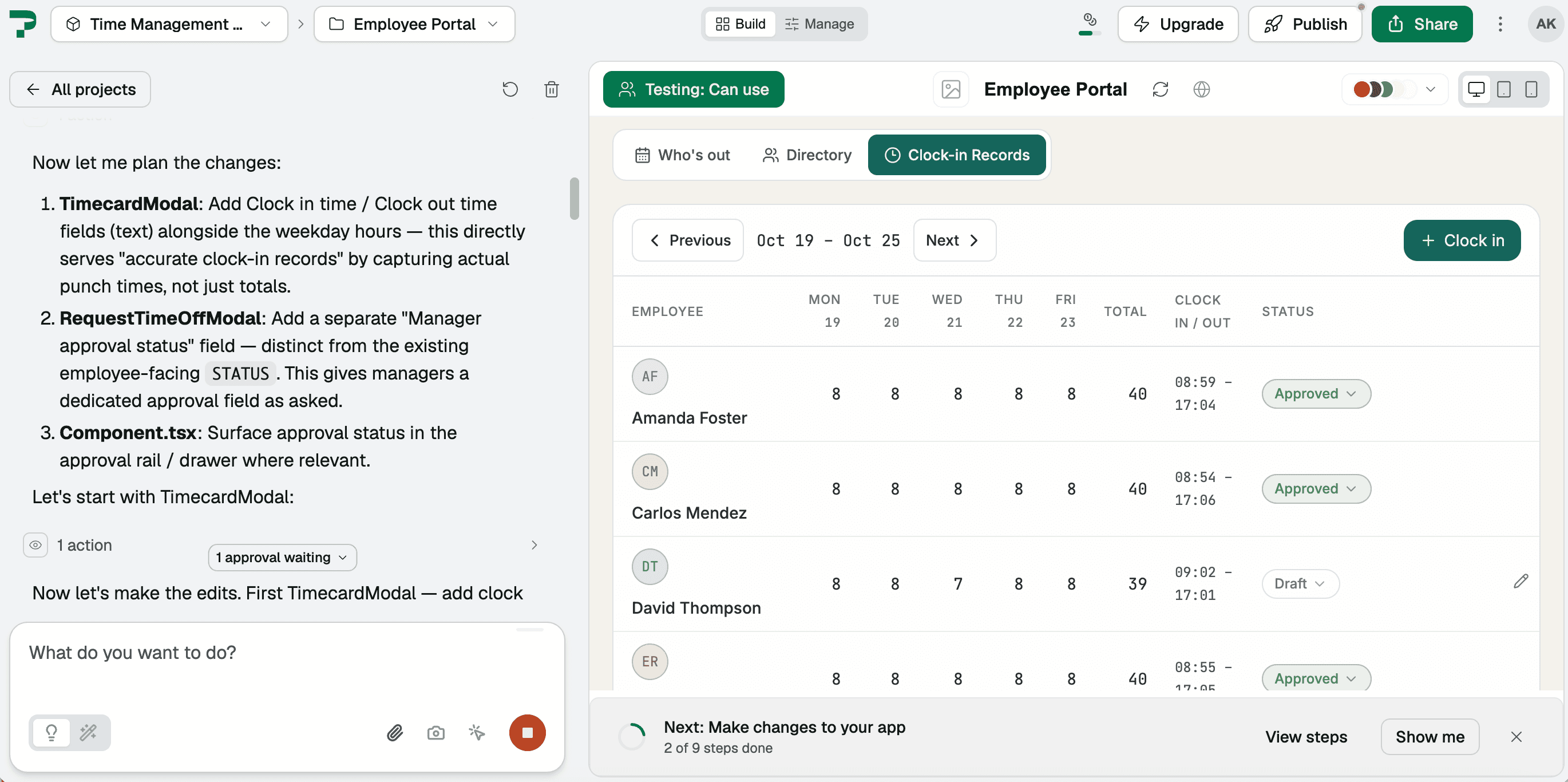
Pave is one of the simplest AI app builders for businesses. Pave and Lovable both let builders describe an app in plain language. Lovable leans toward design and public-facing interfaces, while Pave focuses on automating manual workflows with roles, permissions, and governance built in.
Features
- Plain-language app building: Pave builds the app's data, forms, and logic from a description of the workflow you need.
- Data import: You can also import data directly from a spreadsheet or PDF to jumpstart your app.
- Flexible editing: Make changes by chatting with Pave in natural language or by editing the app directly in Pave's visual canvas.
- Roles and permissions: You control who can view and change each part of the app, down to the field level. Enterprise adds single sign-on and multi-factor authentication, with the ability to integrate with your existing identity management systems.
- Workflows and connectors: Workflows connect to more than 350 tools, including Salesforce, QuickBooks, Slack, Workday, and more. Automate processes end-to-end by syncing data across systems or triggering actions in Pave based on events in other tools.
- Draft and publish with version history: Nothing goes live until you publish, with a formal approval step to ensure changes are reviewed. You can also roll back to an earlier version at any time.
- Hosting and deployment: Pave hosts the app, so you don't need a separate hosting setup.
- Governance and security: Built on a 25-year-old platform trusted by thousands of enterprises, Pave offers role-based access, an activity feed, connectors that respect permissions, the ability to inspect runs, and an admin console governing it all.
Pricing
As of this writing, Pave's free plan includes one builder and up to three users. The paid plans start at $20/month. Enterprise pricing is custom. Credits cover the AI building or changing an app and running workflows. Everyday use, such as adding data or inviting users, uses none. Check out Pave pricing.
Pros | Cons |
|
|
Pave vs Lovable
- Focus: Lovable builds fast, polished apps and websites, including landing pages. Pave builds operational apps that a business team runs after launch.
- Governance: Lovable adds role-based access at Pro, single sign-on at Business, and audit logs at Enterprise. Pave includes roles and governed publishing in every plan, with single sign-on at Enterprise.
- Code ownership: Lovable exports code and syncs with GitHub, which helps teams with developers. Pave keeps the app on the platform, so your business maintains it without a developer.
- Pricing: Both tools use credits for AI building. Lovable adds a subscription and bills Lovable Cloud hosting separately by usage. Pave includes hosting and users in each plan.
Our findings: In our testing, Pave delivered an app interface on its free plan and still had credits left after several change requests. In Lovable, our credits ran out at the authentication page, before we reached the rest of the app.
Choose Pave if the app will run a team process, connect to your other tools, and needs fast IT approval. See the full Pave vs Lovable comparison for more detail.
2. Replit: Best for Building With AI and Code Together
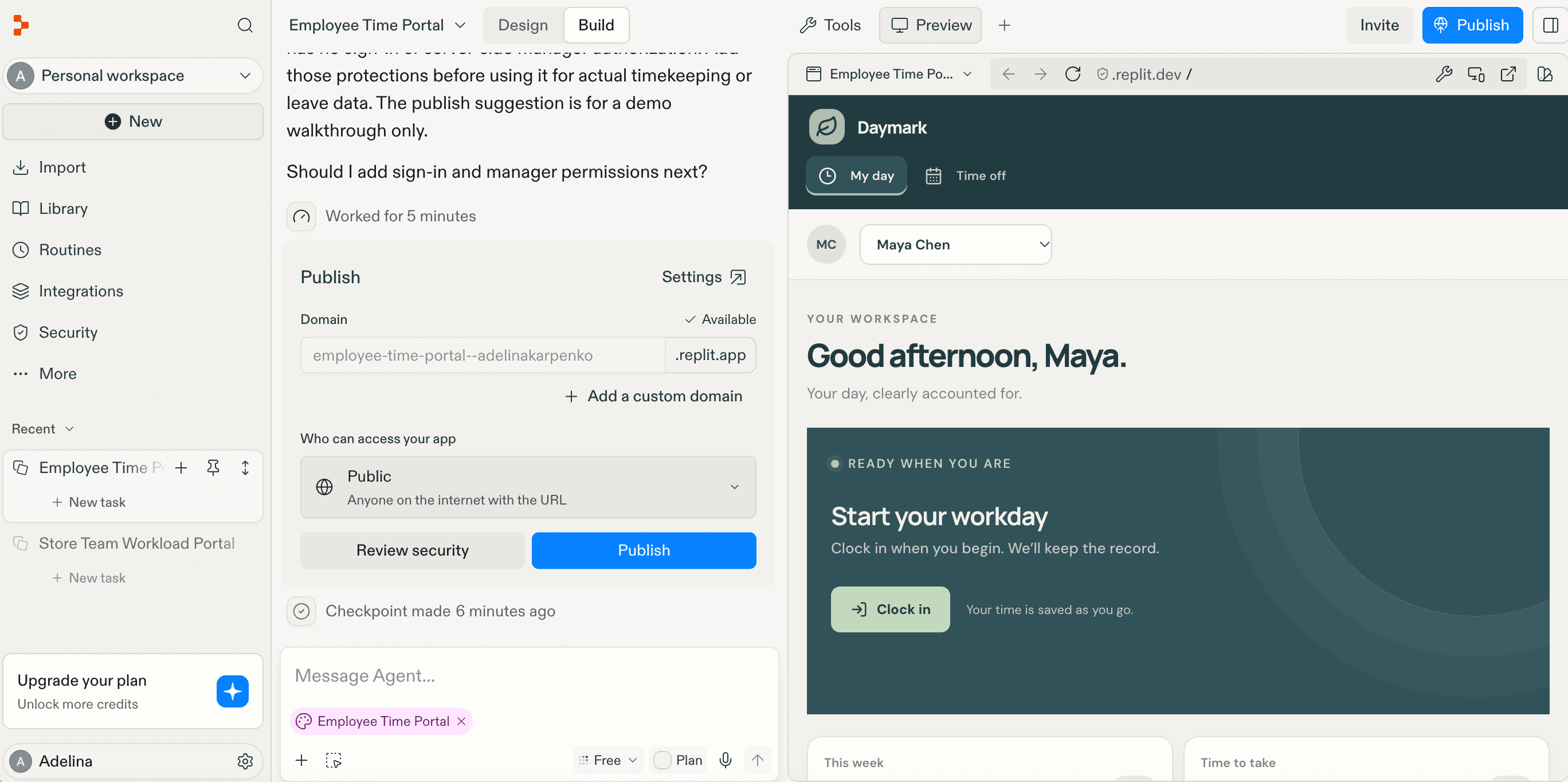
Replit is best for people comfortable with code who want an AI Agent and a full coding workspace in the browser. The Agent writes, runs, and deploys an app from your description, and you can open and edit every file in the project.
Features
- AI Agent: The Agent writes, runs, and deploys an app from your description.
- File tree and code editor: The file tree shows every file in the project, and the editor lets you change them directly.
- Console: The console shows the app's output and errors as it runs.
- Git panel: The Git panel tracks changes and keeps the project in sync with a GitHub repository.
- Free Mode: Tasks like planning and chat don't use your usage credits.
- Code export: Developers can export projects as ZIP files or push them to GitHub.
- Deployment: Each deployed app gets its own web address and a production database.
Pricing
As of this writing, Replit has a free plan with one published app and the published link automatically goes down after 30 days. Paid plans start at $20/month, and usage is measured in effort-based credits. Under Replit's effort-based pricing, the Agent is charged based on how much time and computation a request takes, rather than a flat fee per checkpoint. Check Replit pricing for current costs.
Pros | Cons |
|
|
Replit vs Lovable
- Focus: Replit centers on the code and keeps the full workspace in view. Lovable centers on building from prompts, with the code available behind it.
- Code access: Replit lets free users edit code in its full workspace. In Lovable, only paid users can work with code directly in the project editor.
- Pricing: Replit charges effort-based credits, and Lovable charges credits per message.
- Planning & credits: Replit's Free Mode keeps planning and chat off your usage credits. Lovable's Chat Mode doesn't use build credits either, but its Plan Mode, which is closer to Replit's Free Mode, costs 1 credit per message.
Choose Replit if you're building a custom app with its own logic, such as a scheduling system with custom rules. If you need a Lovable alternative that doesn't give you the code to manage, see the full Pave vs Replit comparison.
3. Bolt.new: Best for Fast Prototypes in the Browser
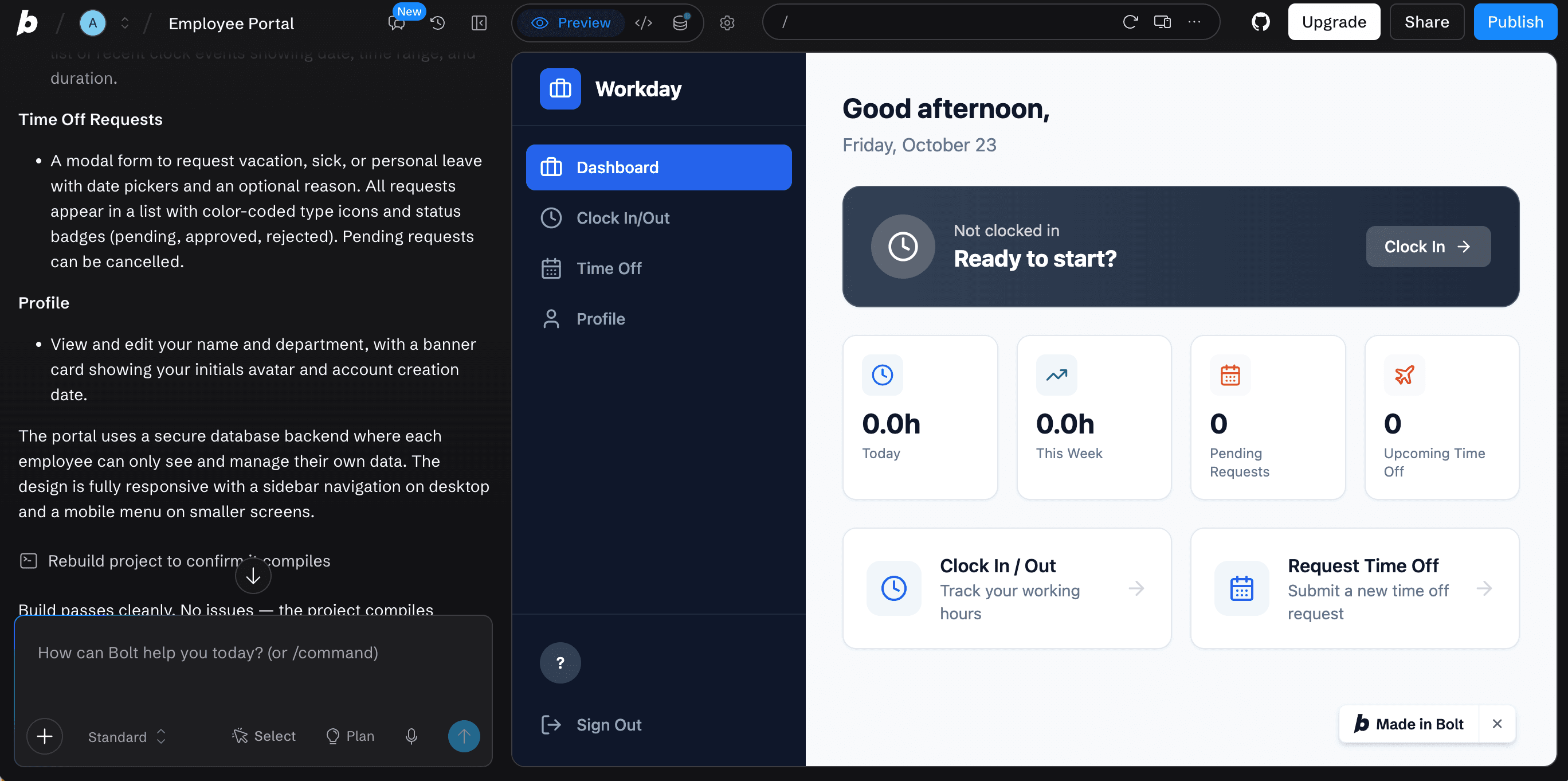
Bolt.new creates full-stack web apps from a plain-language prompt, right in your browser. It sets up a Supabase database by default, and you can choose the framework and read the code it generates. Unlike Lovable, it's designed for people who are comfortable working with code.
Features
- Prompt-to-app building: Bolt generates a full-stack web app in the browser from a plain-language prompt.
- Supabase backend: Bolt sets up a Supabase database and authentication by default, and you can connect your own project instead.
- Visual Edits: You can click an element in the preview and change its text, size, or color, and saved edits use tokens.
- Plan mode: Bolt drafts a plan before it builds, and planning uses tokens.
- GitHub sync and ZIP download: You can sync a project to GitHub or download it as a ZIP file.
- Framework choice: Bolt can generate apps in frameworks such as React, Vue, Svelte, and Expo.
- Mobile apps: It sets up an Expo project for a mobile build when your first prompt includes "mobile app."
Pricing
As of this writing, Bolt has a free plan with 1M tokens a month and a 300K daily limit. Free-plan tokens don't roll over. Paid plans start at $25/month for 10M tokens, and unused Pro tokens roll over for one extra month, so they stay valid for up to two months. Tokens are counted for the text the AI reads and writes, so each message costs more as your project grows. Check Bolt.new pricing for current costs.
Pros | Cons |
|
|
Bolt.new vs Lovable
- Focus: Bolt is built for developers who want speed, framework choice, and control in the browser. Lovable leans toward a prompt-to-app experience for non-technical builders.
- Code access: Bolt gives you the code in the browser and lets you download or sync it. Lovable gives paid users code editing in its project editor and syncs to GitHub on paid plans.
- Pricing: Bolt charges tokens that grow with project size. Lovable charges credits per message, based on complexity.
- Planning: Bolt's Plan mode uses tokens. Lovable's Plan Mode costs 1 credit per message.
Choose Bolt.new if you need a prototype or web app to test with users before a developer takes it further, such as a booking page or customer portal. If you want an app your team runs without managing code, check out these Bolt.new alternatives or read the full Pave vs Bolt.new comparison.
4. Base44: Best for Quick All-in-One Apps From a Prompt
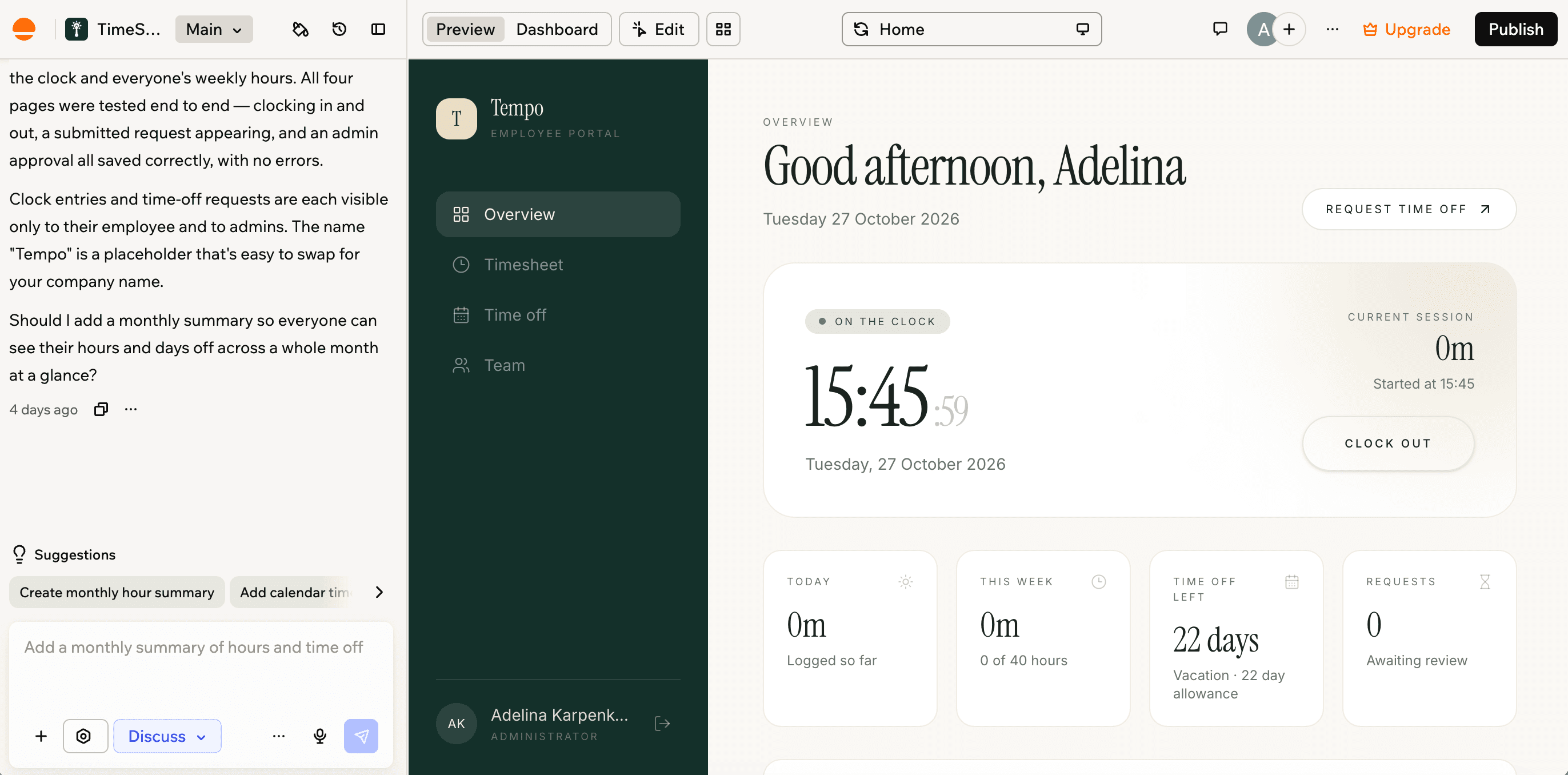
Base44 creates apps with a database, authentication, and access control included. It became part of Wix in June 2025, but it still runs as its own product.
Features
- Natural-language generation: Base44 generates app screens and logic from a plain-language description.
- Discussion mode: Builders can talk through an app idea or change before generating code.
- Built-in database and login: Every app includes a NoSQL database, authentication, access control, and real-time updates.
- Connectors: Apps can connect to popular tools such as Google Calendar, Slack, Stripe, Google Drive, and Salesforce.
- GitHub sync: On the Builder plan and above, changes sync both ways, but only for changes merged into a branch named main.
- Publishing: Every app gets a free yourapp.base44.app address, with custom domains on the Starter plan and above.
Pricing
As of this writing, Base44 has a free plan with 25 message credits and 100 integration credits a month, capped at 5 credits a day. Paid plans start at $20/month, with 100 message credits and 2,000 integration credits. Check Base44 pricing for current costs.
Message credits cover building, such as adding features with Base44's AI. Per Base44's credits documentation, a simple visual or text change uses about 0.5 message credits, a small feature is worth 1 credit, and a complex module costs around 2 credits. Integration credits cover automated actions in the live app, such as sending email.
Pros | Cons |
|
|
Base44 vs Lovable
- Database: Base44 includes its own NoSQL database, while Lovable runs its backend on Supabase through Lovable Cloud.
- Connectors: Base44 connects its live app to tools such as Slack, Google Calendar, Stripe, and Salesforce, with actions billed as integration credits. Lovable offers a larger connector library and integration actions don't use credits (but the app's backend and AI calls do).
- Credits: Base44 has separate message credits for building and integration credits for live-app actions. Lovable uses one credit balance for building, hosting, and AI calls from the app.
Choose Base44 if you need a self-contained app with its own database and logins included, such as a client portal or membership site. Read our Base44 guide to learn more about features, pricing, and limitations.
5. Bubble: Best for Complex Apps Built Visually
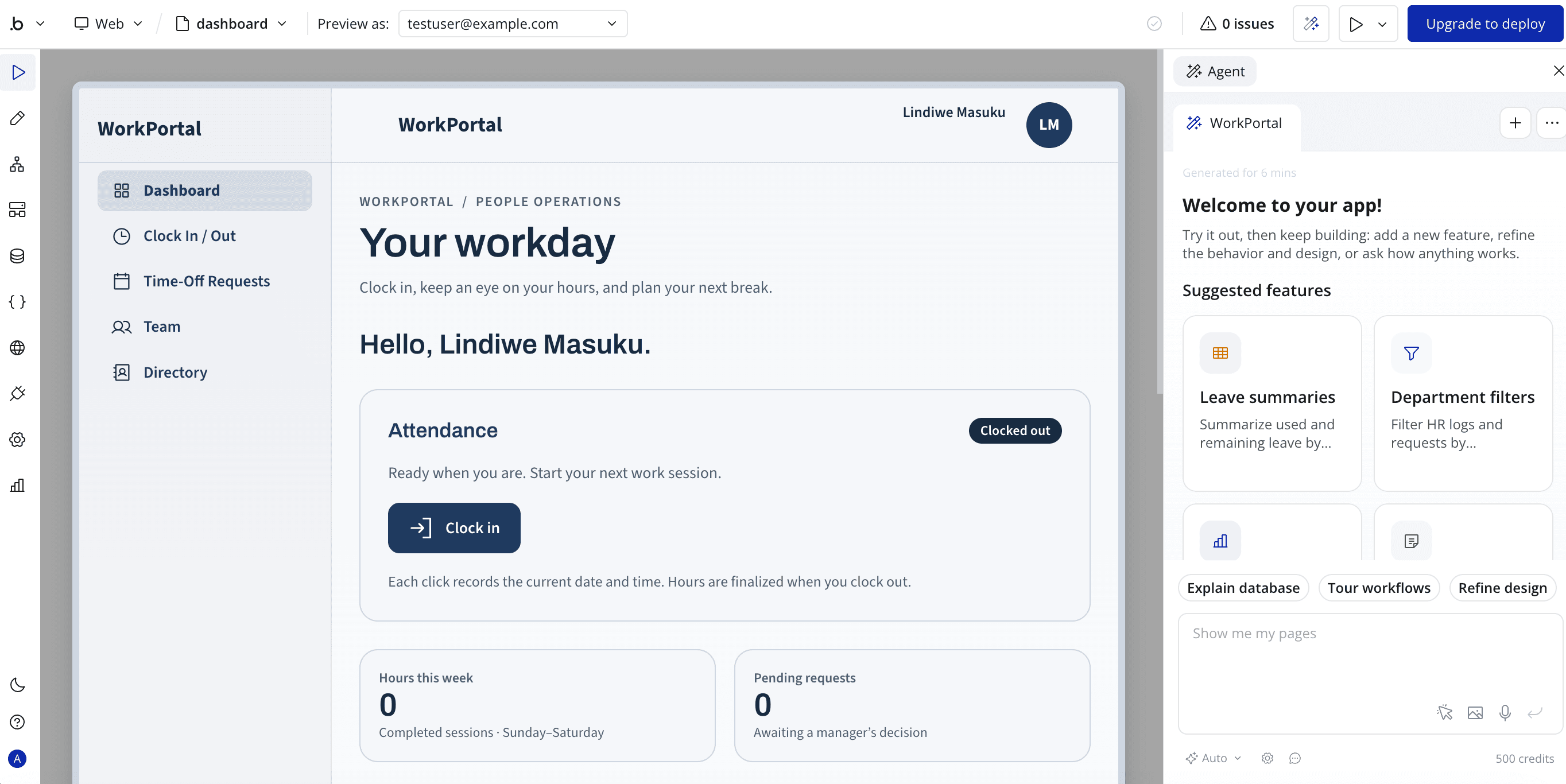
Bubble is a no-code platform that starts with an AI builder, which generates a first version from a plain-language prompt. Unlike Lovable, Bubble doesn't let you export the app's code. You can edit the app inside Bubble, but you can't take the code with you.
Features
- AI builder: You start an app from a plain-language prompt, and Bubble's AI generates a first version.
- Visual editor: You design layouts and screens with drag and drop.
- Visual logic: You define app behavior with workflows and if-then rules.
- Built-in database: Bubble stores and manages app data without a separate database.
- Plugins and API Connector: You connect outside services and add features without writing code.
- Custom JavaScript: Advanced users can extend apps with custom code through plugins.
- Native mobile apps: Bubble supports iOS and Android apps built on React Native.
- Version control: Basic version control with savepoints is available on paid plans.
Pricing
As of this writing, Bubble offers a free plan for one app without publishing. Paid web plans start at $32/month, and separate plans cover mobile apps or both web and mobile. Check Bubble pricing for current costs.
Bubble's costs come from workload units (WUs), which measure the server resources your app uses, meaning WUs grow as usage grows. Bubble also has AI credits, which are separate from WUs. At the time of writing, generating an app from the first prompt doesn't use AI credits.
Pros | Cons |
|
|
Bubble vs Lovable
- Code access: Bubble doesn't allow exporting source code, while Lovable gives you code you can own, edit in paid Dev Mode, and sync to GitHub on paid plans.
- Building style: Bubble's app lives in its visual logic and database, while Lovable's app is React code with a Supabase backend.
- Pricing: Bubble's costs are driven by workload units, plus plugins, while Lovable charges credits per message.
Choose Bubble if you need a complex web or mobile app that you can build visually with AI. If you need governance, roles, and permissions built in from the start, see the full Pave vs Bubble comparison.
6. v0 by Vercel: Best for Full-Stack Next.js Apps
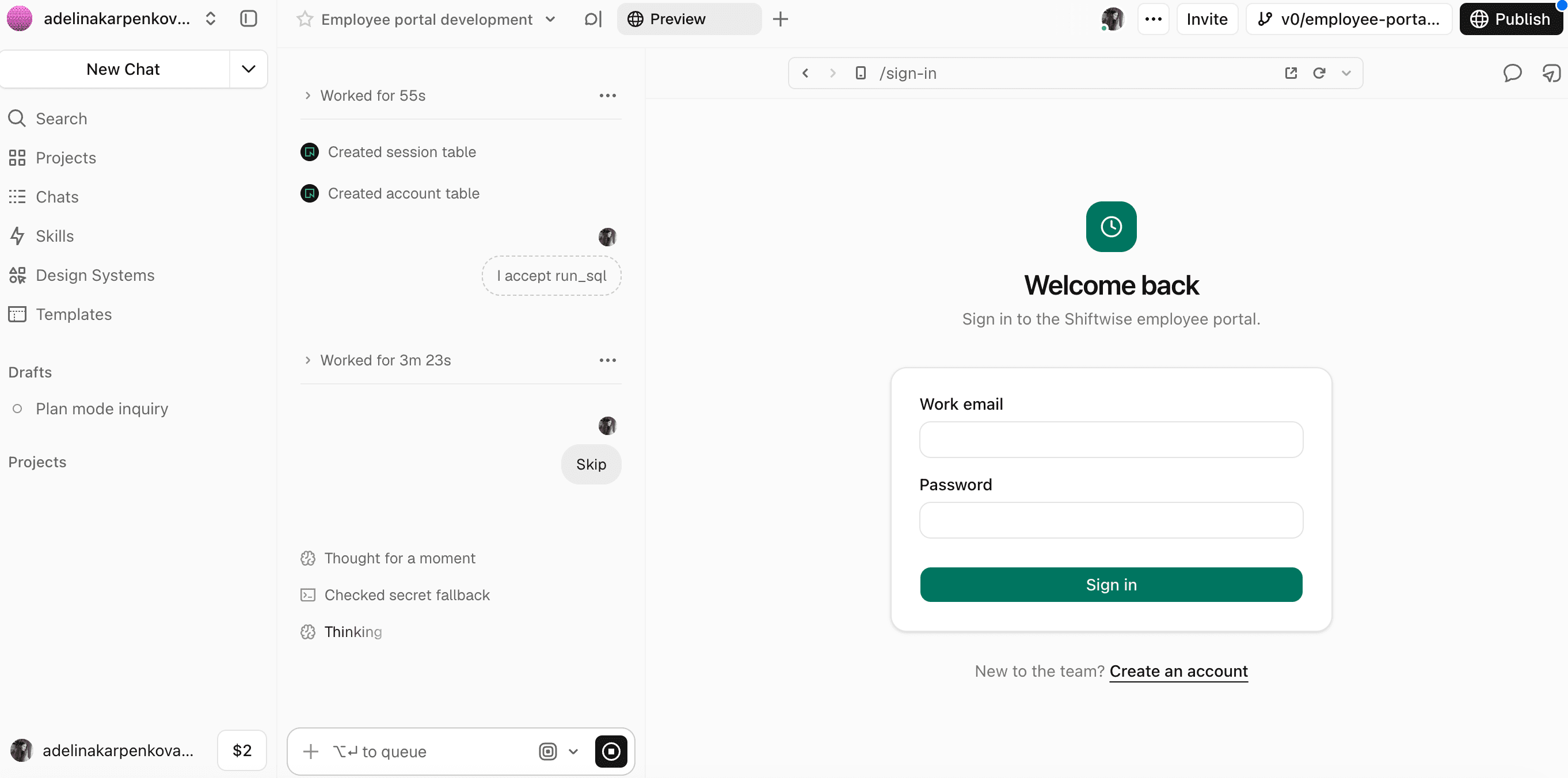
v0 tends to wire apps to real databases and authentication from the start, which is great for a production app, but adds friction when you just want to test an idea. It makes the most sense if you use v0 as part of Vercel's platform rather than a standalone app.
Features
- AI builder: v0 generates screens and code from a natural-language prompt.
- Design Mode: You can make visual edits to the interface without writing code.
- Next.js and shadcn/ui output: Generated code uses React, Tailwind CSS, and shadcn/ui components by default.
- Full-stack runtime: Previews handle server-side features such as API routes and database connections.
- GitHub integration: You can import existing repositories and create branches and pull requests from the chat.
- One-click deployment: Apps deploy to Vercel directly.
Pricing
As of this writing, v0 has a free plan with $5 in one-time credits. Paid plans start at $30/user for each month. Check v0 pricing for current costs.
Pros | Cons |
|
|
v0 vs Lovable
- Database setup: In our test, v0 returned an error asking for a database when we requested an employee clock-in app, while the other alternatives we tried built it without one. v0 is more technical from the start, so it suits teams that already have a database and a developer.
- Planning: You can get a plan from v0 before any code is written by creating a custom instruction called "Plan Mode" and turning it on for your prompts. Lovable has this as a toggle out of the box.
- Pricing: v0 charges per user on paid plans and meters AI usage in credits, which grow with chat history and source files. Lovable uses one credit balance for building, hosting, and AI calls from the app.
Choose v0 if you're building a web app on Next.js and you plan to host it on Vercel.
7. Cursor: Best for Developers Who Want Full Control of the Code
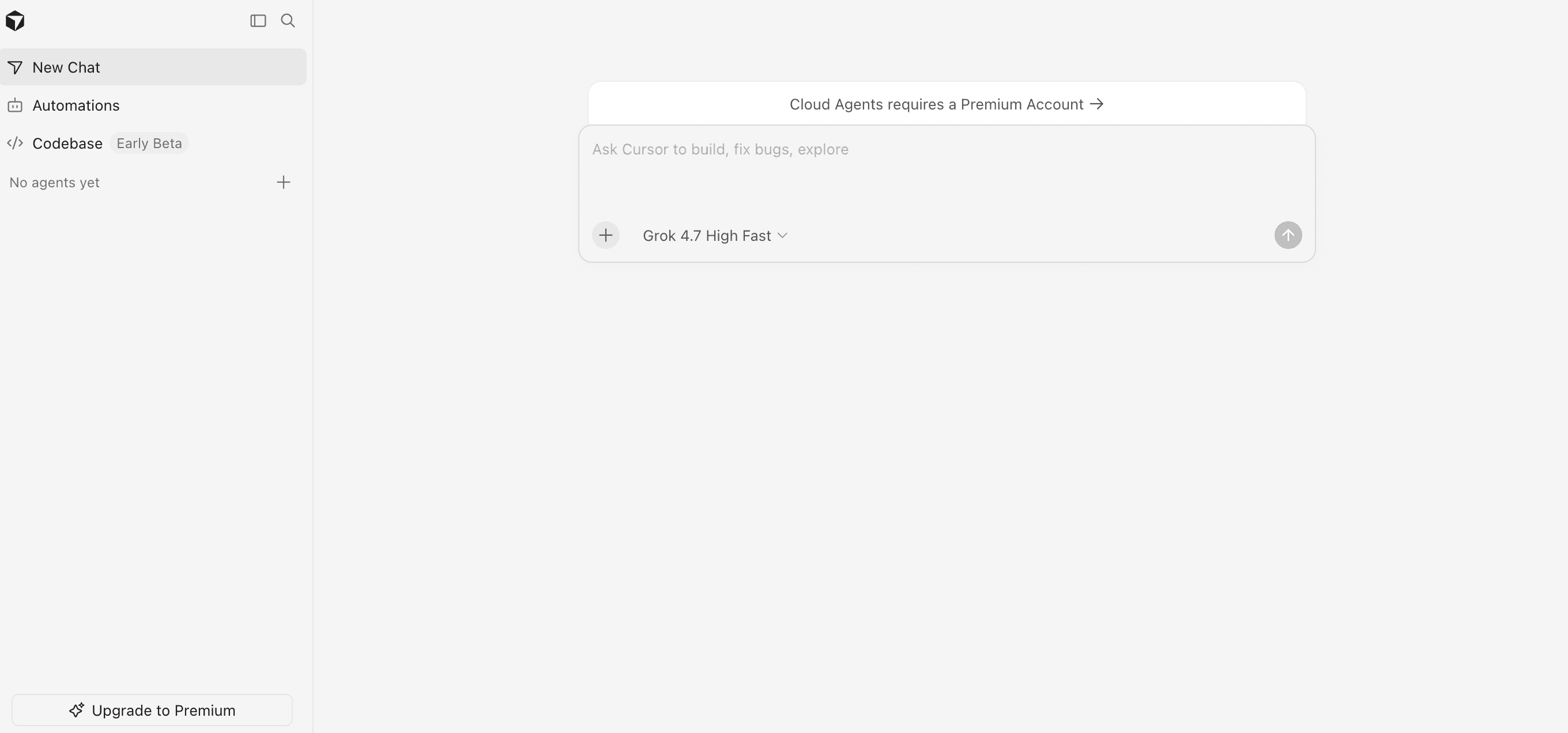
Cursor is an AI code editor built on VS Code. It works on code you already have, on your own computer, and its agents can edit several files at once.
Features
- Agent mode: The agent makes changes across multiple files based on your instructions.
- Tab autocomplete: Cursor suggests code as you type.
- Model choice: You can choose from several frontier AI models for different tasks.
- VS Code compatibility: Extensions, themes, settings, and keyboard shortcuts carry over from VS Code.
- Team controls: The Teams plan adds centralized billing, usage analytics, and SAML or OIDC single sign-on.
Pricing
As of this writing, Cursor has a free Hobby plan with limited AI credits. Paid plans start at $8 a month. Cursor doesn't publish a specific credit allowance for each plan. Check Cursor pricing for current costs.
Pros | Cons |
|
|
Cursor vs Lovable
- Focus: Cursor is an AI code editor where its agent writes and edits code inside a project you already have. Lovable turns a prompt into a running app with a built-in backend and growth tools.
- Code access: Cursor works on the code directly on your computer. Lovable's Dev Mode lets paid users edit code in its project editor.
- Pricing: Cursor starts at $8 a month, with costs tied to its credit pool and seat plans. Lovable uses one credit balance for building, hosting, and AI calls, and every workspace plan includes unlimited members.
Choose Cursor if you need to add features or fix bugs in an existing codebase, such as a web app your developers already maintain. No developer on the project? Check out this full Pave vs Cursor comparison.
8. Retool: Best for Internal Tools Built by Engineers
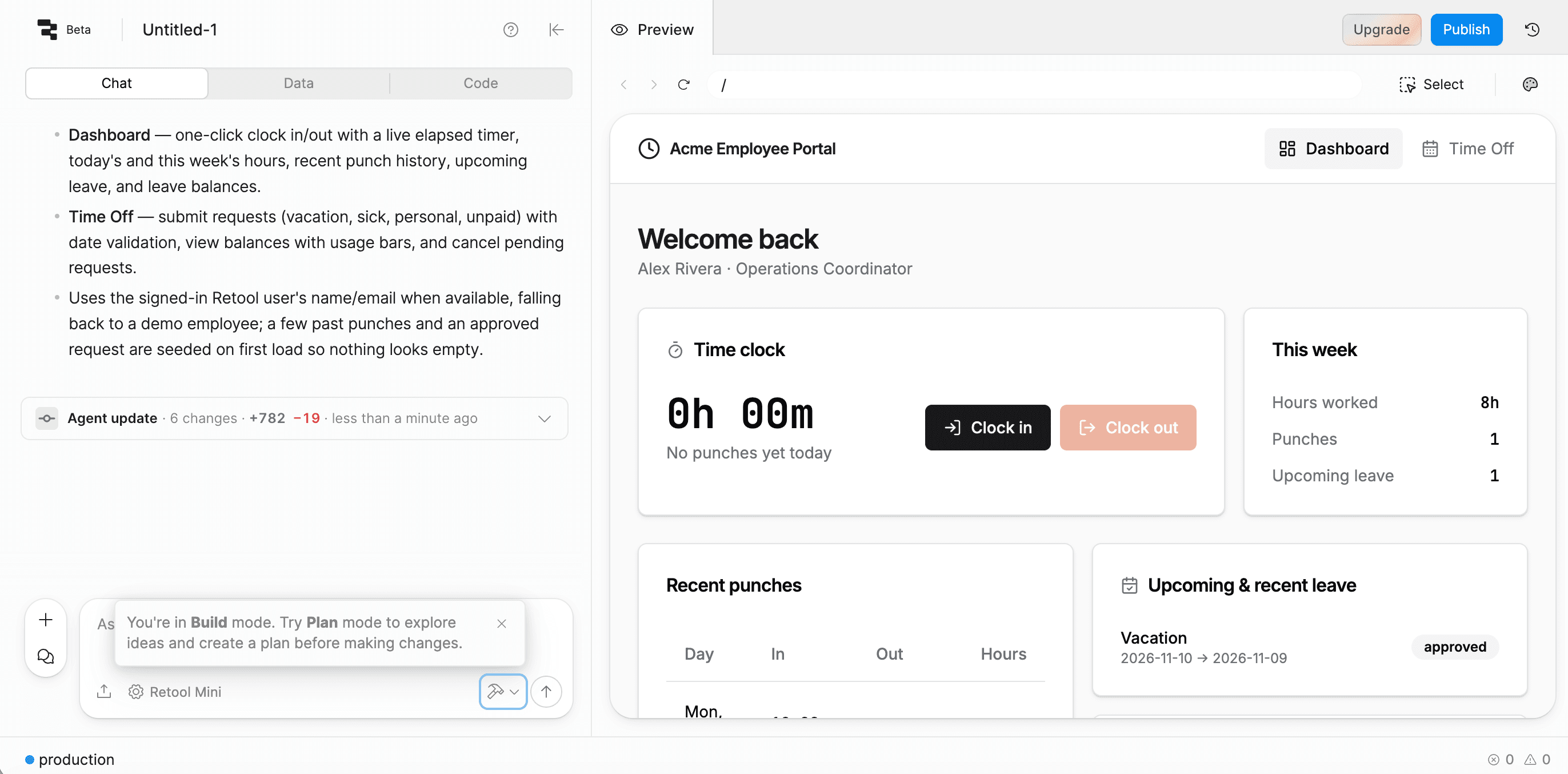
Retool is a low-code platform for internal tools. Its AI builder generates an app from a written prompt, and you refine it in chat, in a drag-and-drop editor, or with custom code. Apps connect to the databases and APIs your company already uses.
Features
- AI app building: Retool's AI generates the app from a plain-language description.
- Drag-and-drop editor: You can edit apps within a visual canvas.
- Data connections: Apps read and update the databases and APIs your company already uses.
- Workflows: Visual workflows connect database queries, code, and API calls to automate tasks.
- AI agents: Agents use connected business data and tools to carry out tasks.
- Permissions and security: Access controls set who can view, use, and edit apps, resources, workflows, and agents.
Pricing
As of this writing, Retool has a free plan for up to five users, with 250 shared AI credits a month. Paid plans start at $12/month per builder, which is anyone creating or editing an app, and $7/month per internal user, which is any visitor that interacts with a ready app. Check Retool pricing for current costs.
Pros | Cons |
|
|
Retool vs Lovable
- Focus: Retool builds internal tools on data a company already has. Lovable turns a prompt into a running app with its own backend.
- Data: Retool connects to your existing databases and APIs. Lovable provisions a built-in backend through Lovable Cloud.
- Pricing: Retool charges per builder and per internal user. Lovable charges credits and allows unlimited workspace members on every plan.
Choose Retool if your team needs an internal tool connected to the databases you already run, like an admin panel or approval screen.
Buyer's Checklist: What to Look for in a Lovable Alternative
Look at how your app will be used and who will work on it before you choose. Ask yourself the following questions:
- Who will build and change the app?
Business users who want to prompt and refine an app suit Pave or Base44, while developers who will own the code suit Replit or Cursor. - Is the app for customers or for your team?
Customer-facing apps suit Lovable, Base44, or Bubble, while internal processes suit Pave or Retool. - Who sets the guardrails?
Pave includes roles, approvals, and permissions from the start, while Lovable adds them when you ask. - How will credits add up?
Lovable and Base44 charge credits, Pave and Retool charge by plan or per user, and Cursor charges per seat plan with a credit pool. - Who needs access, and how is it controlled?
Pave includes single sign-on and audit trails, Retool's Business plan adds permissions and audit logs, and Cursor's Teams plan adds single sign-on. - Where should the data live?
Base44 includes its own database, Retool connects to the databases you already run, and Pave runs on Quickbase's secure infrastructure.
If you're not sure which need fits yours, the table below matches each one to the right tool.
Which Lovable Alternative is Right for You?
When You Need... | Choose... |
An internal workflow your whole team runs every day | Pave |
A prototype web app you'll test with users in the browser | Bolt.new |
A client portal or membership site with its own database and logins | Base44 |
A complex web or mobile app built visually | Bubble |
A full-stack Next.js app, such as a dashboard with an API and database, hosted on Vercel | v0 |
A custom app with its own logic that developers keep changing | Replit |
An existing codebase that developers need to extend or debug | Cursor |
An admin panel or dashboard over the databases you already run | Retool |
Build Your First App Free with Pave
Pave, the AI app builder from Quickbase, creates custom business apps from a plain-language description with governance built in from day one. Connect to the systems you already use and run the processes between them, so you can lead the operation instead of holding it together. The apps you used to work in now work for you.
FAQs
Is there a chat-based AI builder that can replace Lovable?
Yes. Pave, Base44, and Bubble all build apps from a chat-style prompt. Like Lovable, Pave is built for non-technical builders, so your team can create an internal app without developer input.
What is a free alternative to Lovable AI?
Pave's free plan is a strong Lovable AI alternative. When comparing Pave vs Lovable, we were able to build an internal app and keep making changes on Pave's free plan, while Lovable ran out of credits on the first run of the same prompt. If you're looking for a free Lovable alternative, give Pave a shot.
Is Replit better than Lovable?
Replit is better if you want to keep developing and maintaining the code yourself. Lovable is better if you want a working app from a prompt without managing code.
Which Lovable alternative is best for non-technical users?
Pave is the best fit for business teams that need an internal app with roles and approvals in place. Base44 and Bubble also suit people who don't code. Base44 gives you an all-in-one app, while Bubble is better for complex apps built visually.
Which AI app builder is best for your business?
Choosing the best alternative to Lovable depends on what you need. Pave is the right AI builder for the workflows your team runs daily. Developers working in an existing codebase or on Next.js should look at Cursor or v0. Learners who want AI help along the way can try Replit or Bolt.new, while Base44 and Bubble suit people who want a self-contained app without coding.

Written by:Adelina Karpenkova
.jpg&w=1920&q=75)