Merge documents without the manual work
Take files in any format from any Quickbase table and combine them into a single, polished PDF — automatically stored right where you need it.
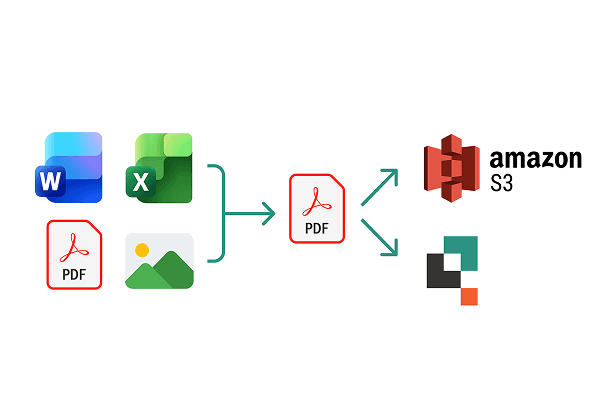
One click. One file. Done
Stop emailing attachments back and forth or stitching files together by hand. PDF Merger does it for you — from any table, any format, at scale.

Any table, any number of records
Pull file attachments from one or multiple Quickbase tables and merge them in any order you define.

Professional document packages
Add a branded cover page and divider pages between sections using a Word template, so every package looks polished and consistent.

Filtered report merges
Use a saved Quickbase report to define exactly which records contribute files, giving you precise control over what ends up in the final document.
The building blocks behind seamless merges
Designed to fit into how your team already works in Quickbase.

Cross-table merging
Combine PDFs from entirely separate Quickbase tables in a single merge run.

Multiple file types
Seamlessly include Word, Excel, PDF and images in your merged file

Batch Processor trigger
Automatically kick off a merge when a field value changes.

Auto-store in Quickbase
The merged PDF is saved directly back to the right record in Quickbase.

Amazon S3 and Dropbox storage
Ingest source files from S3 or Dropbox and store the finished PDF back to a bucket
Commonly Generated Documents
- Document Packages
- Consolidated Reports
- Proposal Packages
- New Hire Onboarding Kit

Where merged PDFs go next
PDF Merger is designed to slot into a complete Quickbase document workflow alongside other extensions.
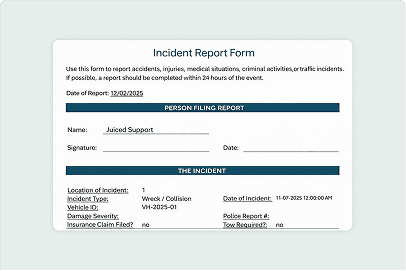
Exact Forms Plus
Create Word and PDF documents directly from your data. Ready to send for approval or signature.
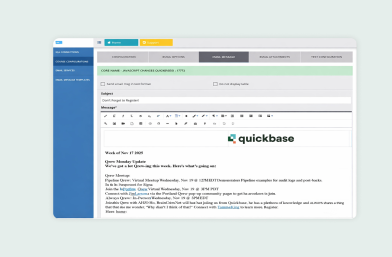
Courier
Send generated documents as email attachments directly from your app, so files reach customers and partners without manual downloads or forwarding.
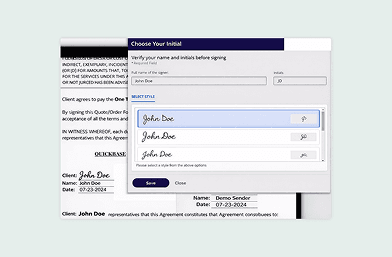
JuicedSign
Route documents for approval and signature with an e-signature solution designed specifically for Quickbase workflows.