How I Replaced an Event Platform with an App I Built in a Day

By Charlie Murawski, Solutions Consultant at Quickbase
Every year, Quickbase hosts Empower, our annual user conference. There's a lot to manage in just two days: hundreds of attendees, speakers, sponsors, and sessions happening across multiple rooms. Naturally, that kind of experience needs an app — one place where attendees can browse the agenda, choose sessions, find speaker details, and keep track of where they need to be. But once the event is over, the app's job is basically done. That makes it tough to justify building a fully custom event app. At the same time, off-the-shelf event platforms come with their own tradeoff: you're often giving a third-party vendor access to your attendee data. Neither path is perfect. I wanted to see if Pave could thread that needle, so I built a version of an Empower event app as a test.
A conference app with three completely different experiences
To pull off a conference like Empower, you need to accommodate the unique needs of three completely different types of users. The organizer needs to track speaker onboarding, room assignments, and scheduling conflicts. The attendee just wants the agenda on their phone. The sponsor needs to scan badges and capture leads. Three different needs, and no single off-the-shelf app does any of them particularly well. That is usually where conferences end up patching things together and hoping for the best.
The idea was to create a bespoke, time-bound event platform. Like a custom-tailored suit, built for one occasion, fits perfectly, does its job. Then in June, when nobody's logging in anymore, that's fine. The app already did what it was supposed to do.
One app, three views: organizer, attendee, sponsor
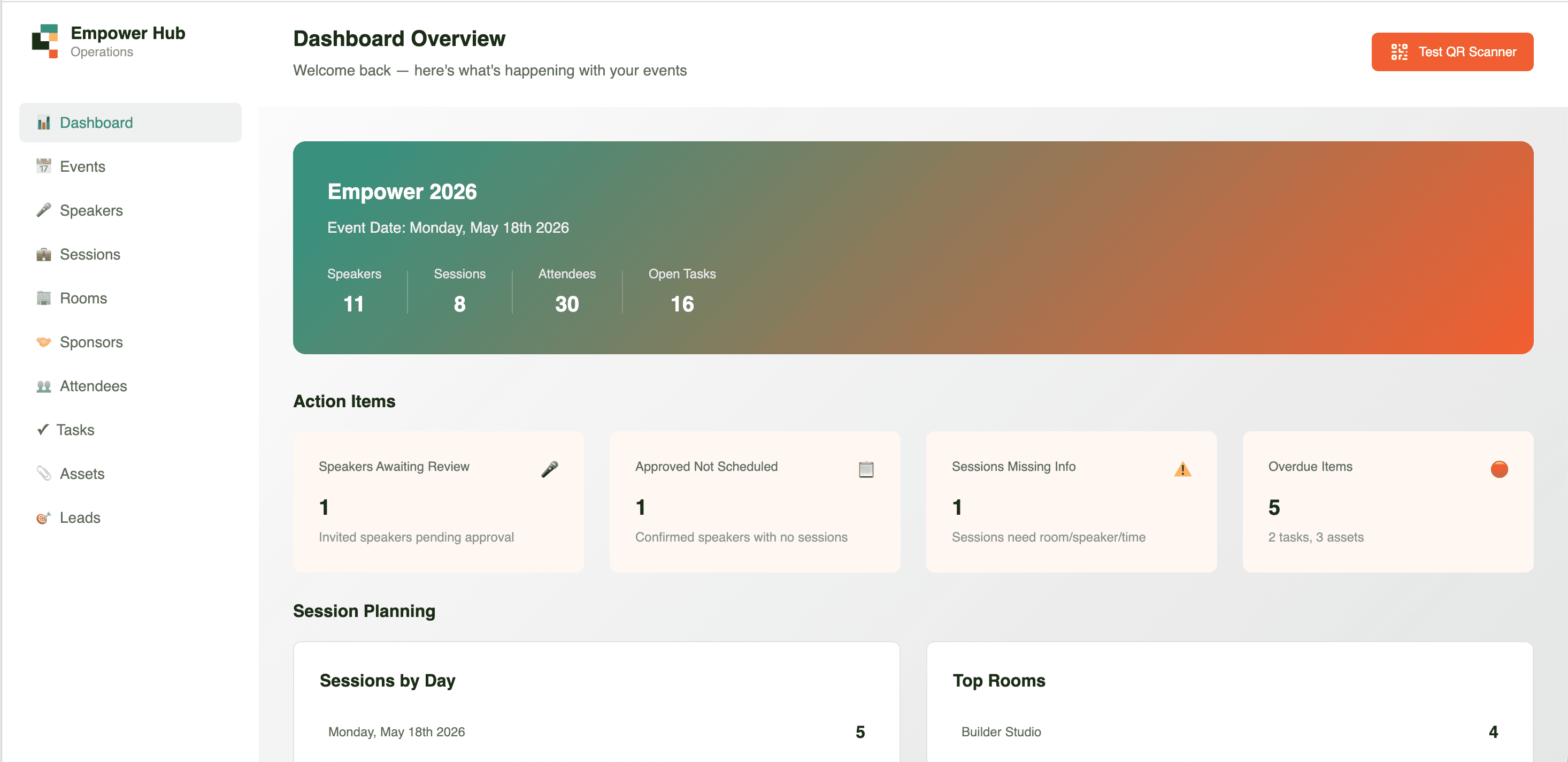
I built a lightweight event app called Empower Hub. It has three main projects, or views, each built around a different persona. They all pull from the same underlying data: speakers, sessions, rooms, attendees. But what each persona sees and does with that data is completely different.
Event organizer view: A command center for whoever is running the conference. Critical action items surface automatically: a speaker who submitted a profile that needs review, a session without a room assigned, overdue tasks. Speaker management with status tracking. An agenda builder that catches room conflicts in real time.
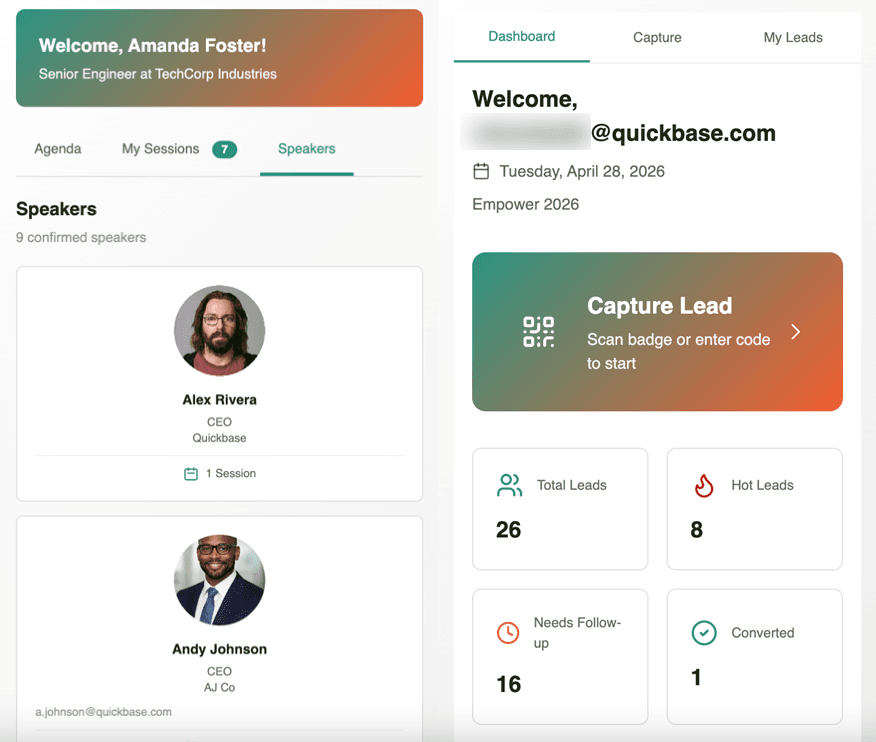
Attendee view: Mobile-first, because you're not walking around a conference with your laptop. Agenda by day, filterable by track and room. Drill into any session for the full details. I added a favorites feature so you can build your own personal schedule.
Sponsor view: Purely about lead capture. Scan a badge, the app pulls up the attendee's info, you log notes, set a status, follow up later. It's fairly simple and focused on just what sponsors need on the floor.
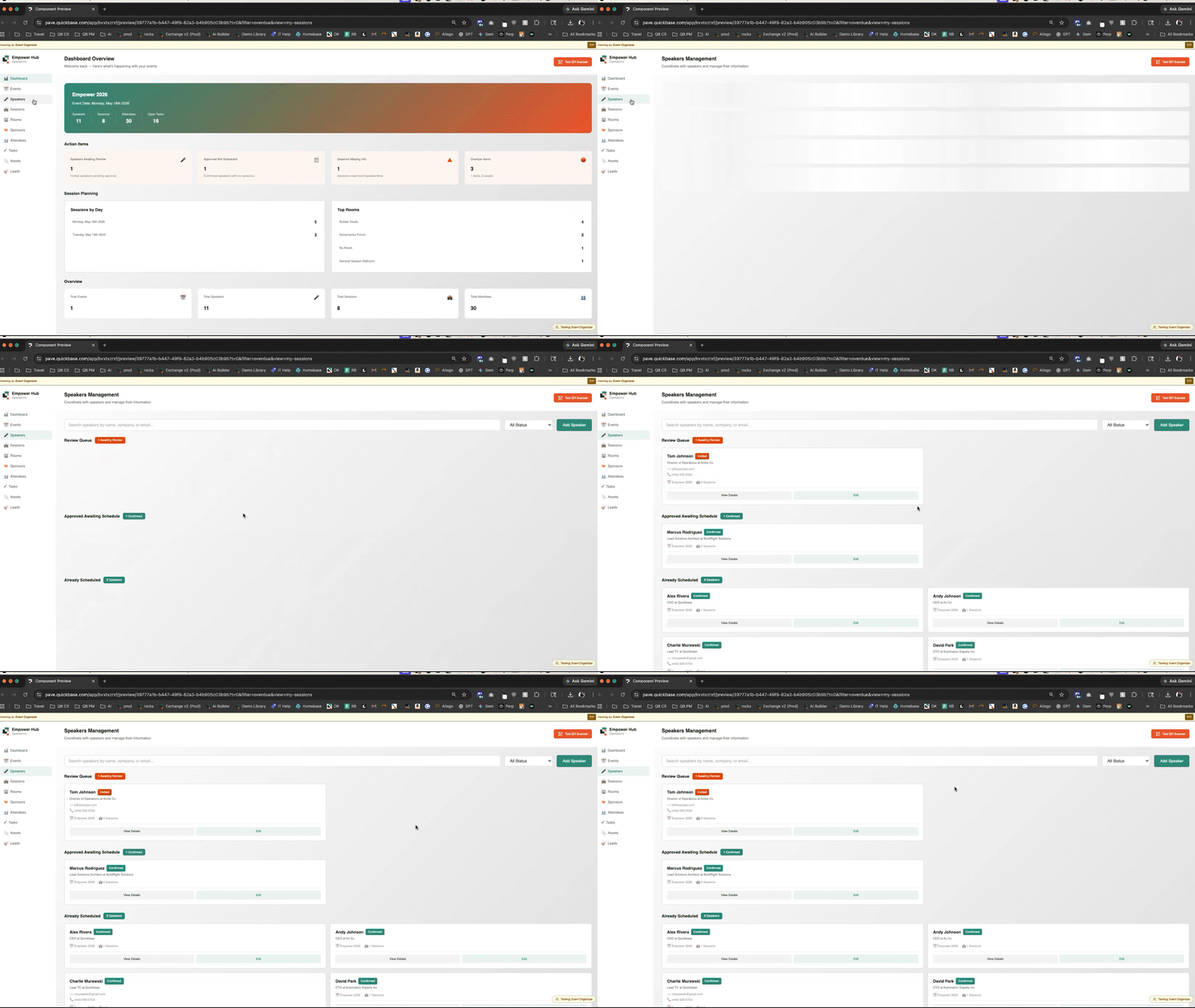
My approach to prompting was deliberate. I'm very much against the giant monolithic prompt: here's everything I want, go build it. So I broke the build into four sprints: scaffolding first, then organizer, then attendee, then sponsor. Each one built on what already existed. Total build time was around eight hours, stretched across a week. Write the prompt, hit enter, go do something else, come back, test, iterate.
Eight hours got me a custom-built event app we could own
Three different experiences for three different people, all on the same data: that's a significant project. The kind of thing you don't spend three weeks building for something that lasts two days. Due to these factors, apps like this just never get built. With Pave, eight hours got me there.
If we were to use this for next year's conference, it would admittedly need a little bit of polish, but that's nothing Pave couldn't handle over another hour or two.
Five things I learned building with pave
- Write your requirements out before you prompt. I drafted everything in Word first, then cleaned it up with ChatGPT. By the time I brought it into Pave, I knew exactly what I was asking for.
- Don't try to build everything in one prompt. Breaking it into sprints gave me much better output at every stage.
- Start with scaffolding, then layer. Sprint one was just the basic structure, the core relationships. Everything else built is on top of that.
- One persona at a time. Organizer, attendees, and sponsor, each got their own sprint. It kept the prompts focused and the results a lot cleaner.
- Test as you go, not at the end. Validate each piece as you build it, so issues don't stack up later.
Try this prompt
Want to build something like this? Try Pave and enter this prompt:
Build a multi-role event operations app called Empower Hub for planning and running a corporate user conference. Roles: Organizer, Sponsor, Attendee. Core objects: Events, Speakers, Rooms, Sessions, Sponsors, Attendees, Tasks, Assets, Leads, Saved Sessions. Sessions belong to one Event, one Room, one Speaker. Prevent room double-booking. Keep all records scoped to the same Event. Seed with realistic agenda data: 8 speakers, 12 sessions, 3 rooms, 2 sponsors, 30 attendees.
Sprint 1: Build all tables, fields, and relationships. Set up admin navigation, a dashboard with key metrics, list and detail views, forms, and fully cross-linked records. Focus on clean scaffolding, a strong data model, and intuitive navigation. No advanced workflows yet.
About Pave:
Pave is Quickbase's AI app builder for teams that need to turn ideas into real, usable business apps fast. Unlike prototype-only tools, Pave helps teams create production-ready apps with data, governance, permissions, hosting, and deployment built in. Built on Quickbase's secure infrastructure, Pave gives businesses a more practical, controlled path from experimentation to execution. Start building now at quickbase.com/pave.

Written by:Charlie Murawski
.jpg&w=1920&q=75)