What is a Work Order and How Does It Work?

A work order gives field teams and operations leadership a shared record for completing a job. It defines what needs to happen, who owns the work, and what evidence to capture during the task.
When work details are recorded across paper, spreadsheets, and email, information can become separated from the task itself. Passing jobs between disconnected tools can lead to missing notes, delayed status updates, and uncertainty about whether work finished as planned.
What Is a Work Order?
A work order is a record that authorizes, assigns, and tracks a job. It can cover maintenance, repair, inspection, installation, safety work, or other field tasks, depending on the organization and industry. Because the scope of the work and conditions of the job can change quickly, a work order should evolve as the work progresses, providing updates from the field to everyone responsible for the job.
For example, suppose that an equipment alarm indicates a circulation pump within the heating, ventilation, and air conditioning (HVAC) system has failed. When an operations lead or maintenance supervisor receives the alert, they create a work order to record the problem, specify the needed materials and equipment, and define next steps, including assigning a technician or team to the work.
What Is the Difference Between a Work Order and a Work Request?
A work request asks for work to be done. A work order authorizes and tracks that work, and it can also establish the schedule.
In our circulation pump scenario, an operator might report an unusual noise and submit a work request. An equipment alarm or a scheduled inspection can also flag the failure directly. A supervisor reviews the report, checks priorities, and decides whether to approve the job.
Once the request is approved, the supervisor creates a work order. That record names the assigned technician, lists required parts, outlines safety steps, and tracks field evidence through completion. Approval workflows vary by company, but the request identifies the need and the work order authorizes the work.
Why Work Orders Matter
Stating the scope of work and naming an assigned owner helps supervisors dispatch the right technician for the job. Field notes and photos then give the supervisor specific evidence to check before signing off on the repair. These shared records establish accountability from initial dispatch through final review.
Inconsistent descriptions make recurring problems harder to identify across equipment history. When National Institute of Standards and Technology (NIST) researchers examined maintenance records at one automotive parts plant, they found more than 40 hydraulic leaks in three months that leadership had not recognized as a pattern.
A second NIST study noted that missing or inaccurate fields can distort maintenance metrics and trend analysis. Consistent descriptions help teams compare recurring faults and decide which assets need review.
What Should a Work Order Include?
A work order updates as the job moves forward, documenting changes in scope, findings from the field, and final sign-offs.
A complete and useful work order includes information before, during, and after the work. Grouping details into these three stages is an organizing model for understanding the work order lifecycle rather than an industry-standard classification.
In our failed pump example, the "before" stage lasts from the initial alarm until the work begins. The "during" stage is the active repair process, and the "after" stage is everything that happens after the work has been completed.
Work Stage | What to Capture | Why it Matters |
Before |
| Before work begins, the work order should capture the needs of the job. After reading the work order at this stage, the field team should know everything they need to understand the issue and begin working. |
During |
| The work order provides a record of the field team's progress, keeping operations leadership updated in the office. The work order also documents changes in scope by sharing exceptions that require different parts or specialty labor and capturing approvals from leadership. |
After |
| Once work is complete, the work order preserves a record of the steps taken during the job. It shows that leadership confirmed project closure and provides documentation to support compliance reviews or guidance for future field work. |
Each stage of the process captures information that matters for safety, accountability, compliance, future maintenance, or clear record-keeping. Sharing information through email or spreadsheets risks losing details between handoffs. A digital workflow helps teams update the work order as work progresses, keeping records organized and accessible to authorized staff when devices connect.
What Is the Work Order Lifecycle?
There are five stages in a work order lifecycle: reporting the issue, reviewing the order, scheduling work, completing and recording the work, and reviewing and closing the order.
An HVAC circulation pump repair shows the cycle's progression.
1. Reporting the Issue
The process begins when someone, or an automated sensor, flags an equipment problem. For example, a sensor might detect that a circulation pump stopped running, or an on-site technician might spot a leak. Depending on company workflow, the report enters as an automated alert or as a submitted work request.
2. Reviewing and Creating the Order
A maintenance supervisor reviews the reported issue to decide if the job needs action. Once the request is approved, the supervisor creates the work order. This record specifies the planned scope, equipment location, asset identifier, safety steps, needed parts, and priority level. These upfront details give the technician clear instructions before traveling to the site.
3. Scheduling and Assigning Work
The supervisor schedules the job and assigns it to a qualified technician or crew. Timing depends on technician availability, site access, and how urgently the asset is needed. The assigned technician receives the work order with prefilled asset details, instructions, and due dates.
4. Completing and Recording Work
At the pump, the technician inspects the asset to see if the failure matches the planned scope. The problem might be a mechanical seal failure, impeller wear, or coupling misalignment. The technician logs diagnosis notes, photos, and parts used directly in the work order.
If the seal has failed and the technician has the replacement part, the technician completes the repair. If the job requires an unstocked part, extra labor, or a specialist, the technician documents the exception and routes the change for approval under company process. After finishing physical work, the technician tests the pump and records post-repair test readings to confirm it runs properly.
5. Reviewing and Closing the Order
The supervisor checks the work order notes, photos, and test readings, or inspects the pump in person, before approving the work and closing the order. If the technician noted secondary wear or uncompleted tasks, the supervisor can schedule follow-up work rather than leaving it untracked.
The completed record preserves details such as parts used, labor hours, and downtime. The order joins the pump's service record to inform future maintenance.
What Are the Most Common Types of Work Orders?
Work orders all share a common purpose, but there are many different types with unique functions and requirements that support a variety of projects.
- Corrective maintenance work order: Corrective maintenance work orders address identified equipment or asset problems through repair, adjustment, replacement, or other corrective action. A technician or project manager might find these problems during an inspection or when completing another work order.
- Preventive maintenance work order: These work orders cover scheduled routine maintenance tasks designed to keep assets running and reduce breakdowns. Organizations use them to support equipment longevity, reduce downtime, and lower repair expenses.
- Safety work order: Safety work orders focus on repairs that protect workers and anyone else on premises from harm or exposure to hazards. These work orders resolve issues like damaged guards, blocked access routes, or unsafe equipment.
- Emergency work order: When an essential asset or piece of equipment unexpectedly fails, a lead issues an emergency work order, signaling that the work is high priority and requires immediate action.
- Inspection work order: An inspection work order schedules a proactive check of equipment and assets to evaluate condition and identify risks. The inspection may reveal issues that require a corrective maintenance work order, a safety work order to address hazards, or an emergency work order if the problem demands immediate action.
- General work order: General work orders cover non-urgent, non-routine tasks like painting, pest control, or equipment setup.
- Construction work order: Construction teams may use work orders to define and track specific work within a larger project. Because these workflows can involve complex scopes and project controls, optimizing construction work orders is important for maintaining visibility and schedule control.
Work Order Examples
This illustrative comparison shows an incomplete work order alongside a usable work order for the same failed HVAC circulation pump. Both columns describe the job at the pre-work assignment stage, after supervisor approval but before a technician arrives at the equipment.
Work-order field | Incomplete record | Usable record |
Asset identity and location | Circulation pump in basement | HVAC circulation pump, north mechanical room |
Scope of work | Fix circulation pump | Inspect failed pump, test cause of alarm, and replace mechanical seal only if confirmed and authorized |
Assigned owner and priority | Maintenance crew | Assigned HVAC technician recorded on the order, high priority to maintain building heat |
Access and safety reference | Follow safety rules | Follow site-specific safety procedure for north mechanical room, with facility access contact recorded on the order |
Evidence and scope-change instructions | Close when done | Attach as-found photos, seal condition notes, and post-repair test readings. Submit scope changes for supervisor approval before expanding work. |
A usable work order provides the assigned technician with specific location details, safety references, and boundaries for the repair. The record outlines the expected inspection steps and explains how to request approval if site conditions require different parts or extra labor. Detailed mechanical findings, such as internal seal wear or electrical faults, remain open until the technician completes the inspection on site.
Why Do Work Orders Break Down?
Work orders break down when information is logged incompletely or when ownership is mishandled. Possible failure points include:
- The organization relies on paper records: Paper forms are more susceptible to damage, delays, or separation from the latest job information. They also make it harder to attach photos or send real-time updates.
- The record is incomplete: Important scope details, field findings, photos, approvals, or closeout information might never make it into the work order.
- Work order elements live in disconnected systems: Ownership details, project notes, and approvals all live in different platforms, making it difficult for leadership or technicians to get a clear, timely answer on the status of the project.
- Required checks and approvals are hard to retrieve: When safety checks are documented late or scattered across systems, audits and reviews can take significant time and resources.
For practical steps to resolve these breakdowns and improve field handoffs, see our guide on why work orders break down and how to fix them.
Best Practices for Managing Work Orders
Effective work order management keeps your tasks organized, keeps teams accountable, and keeps maintenance work on schedule. Follow these best practices for managing work orders.
Define Minimum Useful Job Details
Give technicians the asset name, specific location, and initial symptom before they travel. Add access instructions and safety references that match the hazards of the specific job. These upfront details help field crews locate the equipment and plan site access before starting work.
Name an Owner and Explain the Priority
Assign each order to a specific technician or crew to establish direct accountability. Include the operational reason for the priority level. Technicians organize their schedule better when they understand whether an issue affects safety, customer commitments, or heating and cooling.
Capture Evidence While the Work Happens
Prompt technicians to record readings while the equipment is in front of them and attach the photos needed for review. Capturing details during the repair keeps measurements tied to the physical asset. A reading that is not captured on site is hard to reconstruct from memory later.
Establish Clear Paths for Scope Changes
Define what a technician should do when physical inspection reveals unexpected damage or requires unplanned parts. The order should state who approves extra labor and whether the worker should pause the task or request a follow-up job.
Review Completed Records Before Closeout
Have a supervisor check submitted records and test readings before closing the order. The supervisor should compare completion evidence with the expected result. If anything remains unresolved, the supervisor can request missing details or schedule follow-up work before approving closeout.
How Do Digital Work Orders Connect the Field and Office?
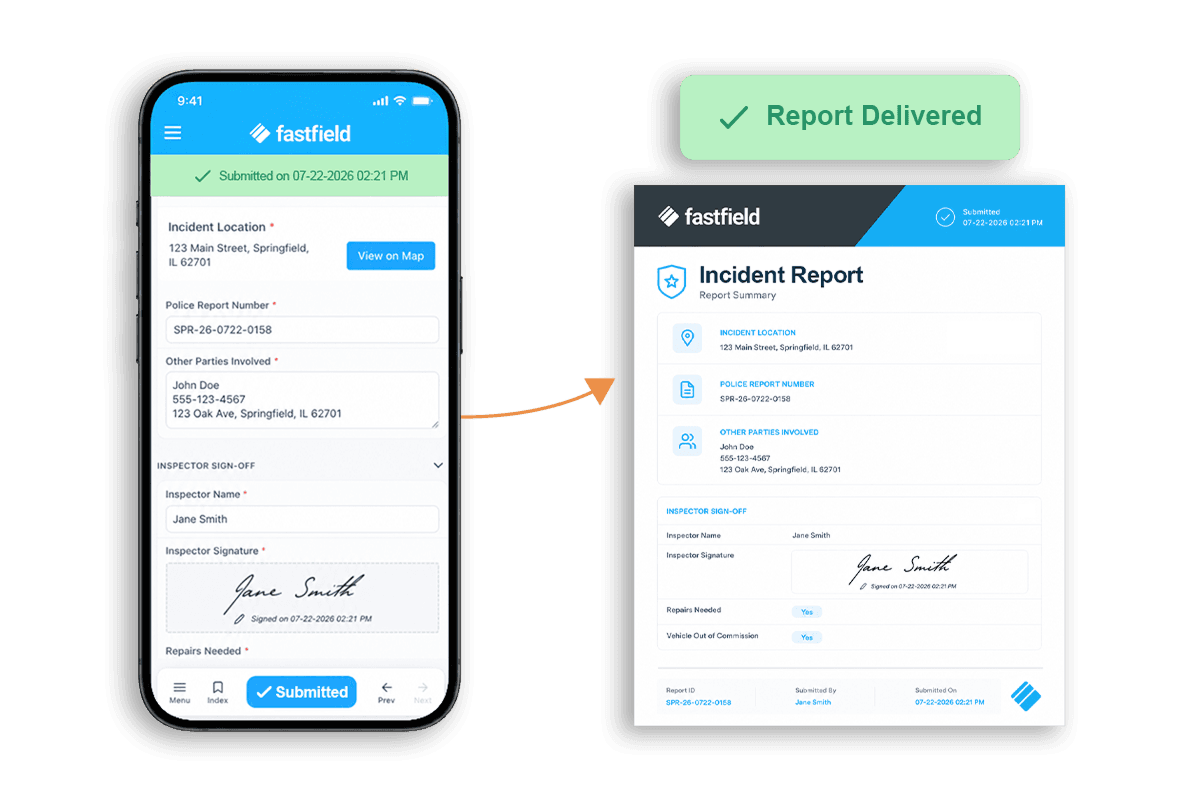
FastField is a mobile field-data capture app that technicians use to complete work orders and inspections and record evidence on site. Dispatchers can create and assign tasks through the FastField Portal, and technicians with enabled mobile actions can create tasks directly from mobile forms. Each task can carry instructions, prefilled equipment details, due dates, and configured custom statuses to track progress.
Technicians complete work orders on mobile devices, capturing notes, equipment readings, photos, and signatures at the job site. The app supports offline data entry on iOS and Android, allowing technicians to complete forms in remote areas or shielded plant rooms. Once the device reconnects to the internet, submitted data syncs to the portal.
Technicians access assigned tasks in the mobile app to review instructions, asset details, and due dates on site. For organizations that need wider tracking across departments, connecting FastField to work order management software in Quickbase is optional. That configured connection brings submitted field data into office records and reporting.
Explore the FastField Work Order App to see how teams can send assigned work to the field and capture completion evidence.
FAQs
Can a technician create a work order, or is a supervisor the only person who can?
A technician can create a work order only if authorized under the organization's specific process. In an approval-based workflow, a technician submits a work request to report an issue, while a supervisor reviews the request and creates the work order to authorize and assign the work.
What is the difference between an emergency work order and a safety work order?
An emergency work order is categorized based on priority, while a safety work order is categorized by its purpose. An emergency work order signals urgency, and the work should be completed as soon as possible. A safety work order designates the purpose of the job: to keep workers, occupants, or the public safe, like in the case of a routine repair of a guardrail.
Because an emergency work order can be created to address a safety issue, a safety work order can sometimes be an emergency work order if it must be completed immediately.
If an exception changes the scope or ownership of the work, does that merit a new work order or the same one?
Scope and ownership changes should follow the organization's approval process. Depending on the size of the change and internal procedures, teams may amend the existing work order or issue a linked follow-up order. In either case, the record should include handoff notes, an explanation of why the change occurred, and documentation of who approved the new scope.
Can technicians capture work order details in the field even without an internet connection?
Yes, FastField's field workflow lets technicians complete forms and work offline using the FastField Digital Forms app. When they reconnect to the internet, their changes sync to the shared digital record.
How is a work order different from a purchase order or invoice?
While the work order authorizes and tracks the work, purchase orders and invoices deal with payment. A purchase order authorizes the purchase of parts or equipment from a supplier, and an invoice requests payment for goods or services already provided.

Written by:Timothy Saari