Get Started: Three Ways to a Working Form with AI Form Builder
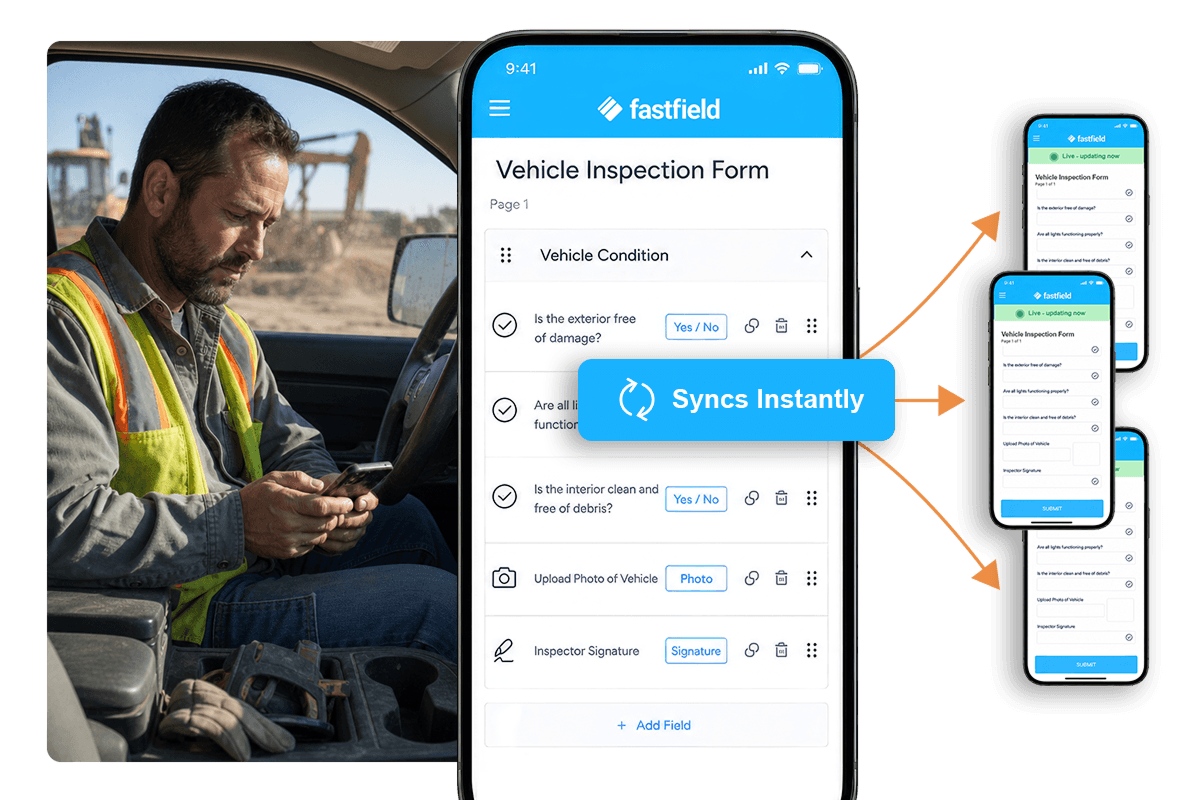
The new AI form builder makes it easy to build a form in FastField. Describe the form you need, photograph a paper one, or ask for a change to a form you already have. AI Form Builder drafts it. You review before it goes live.
Digital forms used to demand a second job before the first one: drag a field, name it, set the rule, test the logic, publish. Field teams stalled there. Many stayed on paper, because paper never asked them to learn paper.
The new builder starts from what you already have. Here's how each path works.
Type It: Describe (or Dictate) the Form You Need
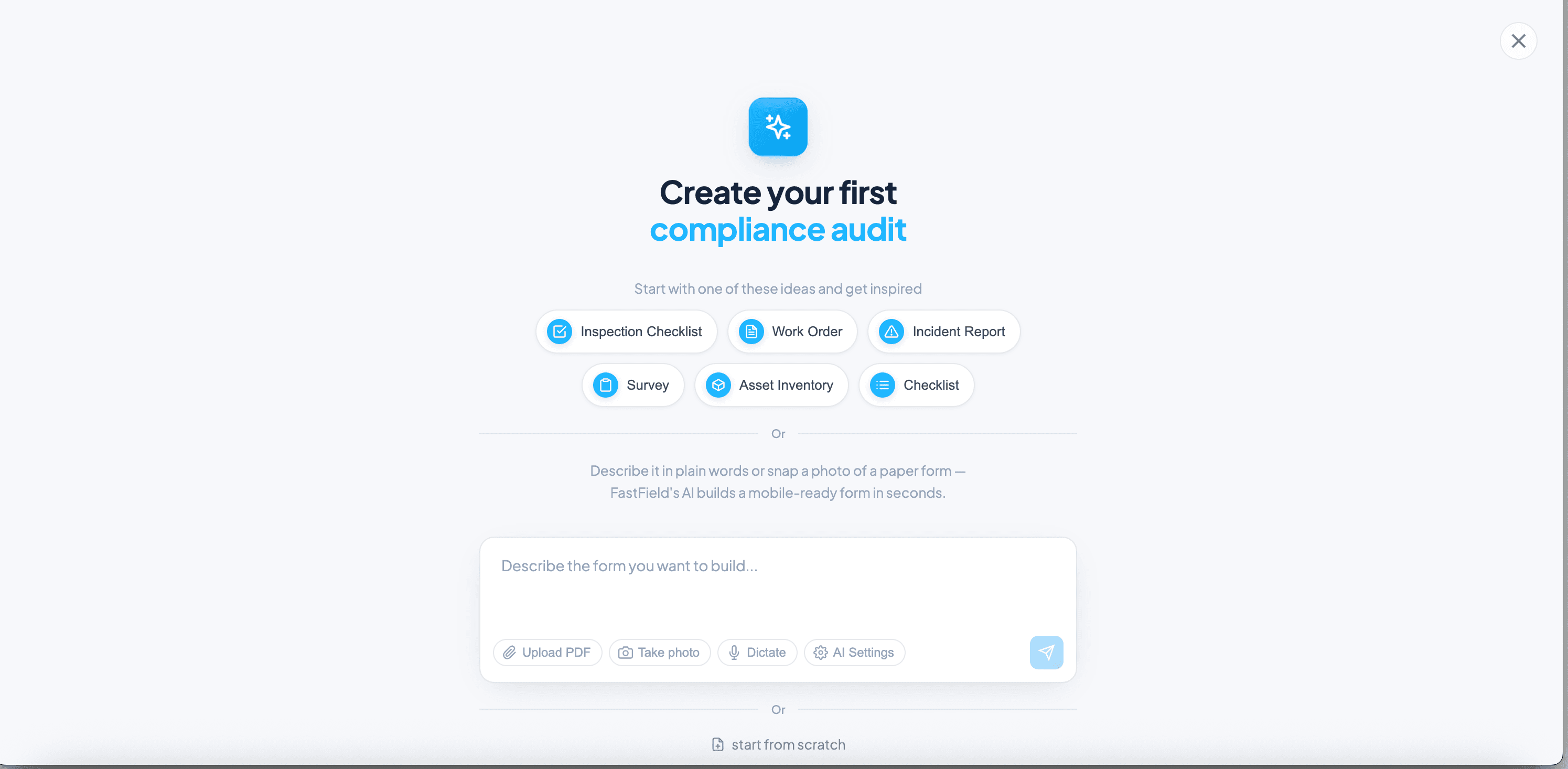
Describe the form in plain language, and AI Form Builder returns a working draft in seconds. Write what you need, such as a daily site safety inspection with a photo field, a pass or fail for each area, and a sign-off, and FastField builds it with the fields, sections, conditional rules, and calculations the work requires.
The assistant handles the rules and math most field forms depend on. Complex multi-table logic can still take a few rounds of prompting to get right, so treat the first draft as a strong starting point rather than a finished form.
Before: an hour at a desk placing fields one at a time. After: a working draft in a single session, ready to review.
Snap It: Turn a Paper Form Into a Digital One
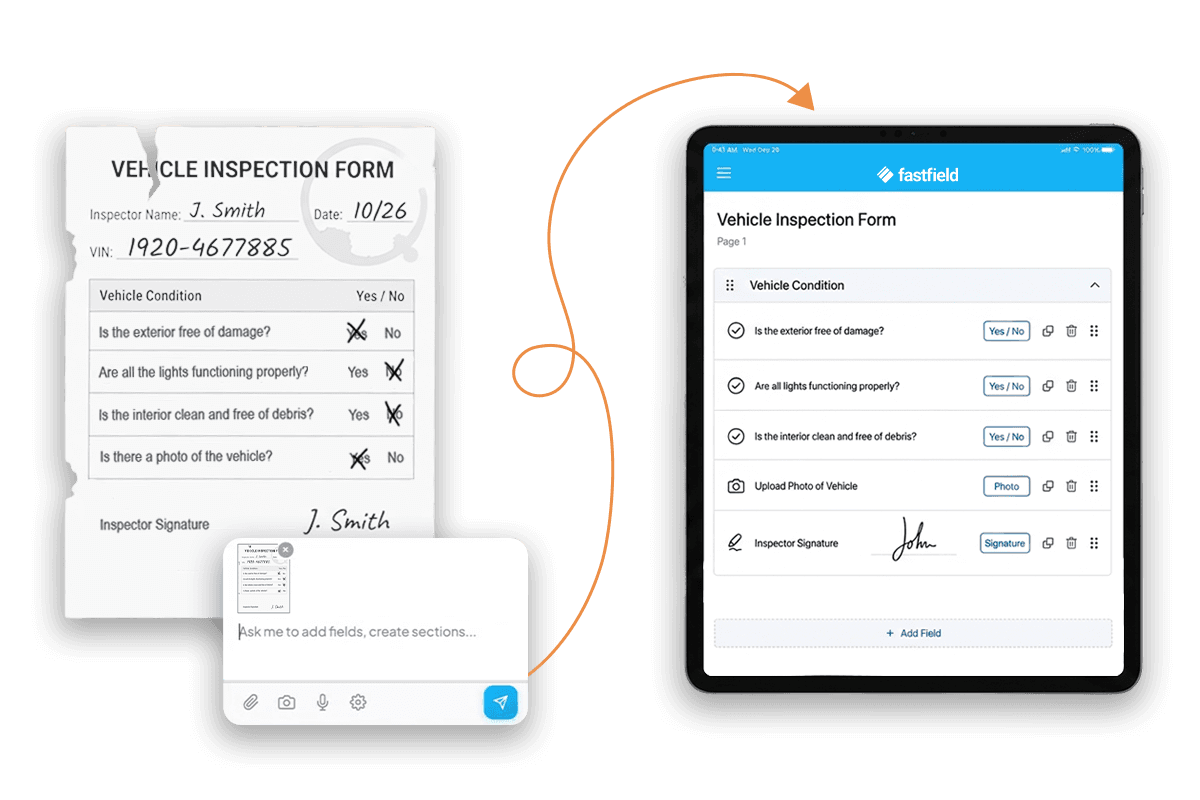
Photograph a paper form, and AI Form Builder rebuilds it as a mobile form. Upload a photo or screenshot of the form your team already uses, or upload it as a PDF or Excel sheet. FastField reads the structure, including fields, checkboxes, and signature lines, and maps each one into a digital version.
The photo gets you most of the way, fast. Review the draft, correct any field the AI placed wrong, and publish once it matches the original. A paper form on a clipboard becomes a mobile form without a rebuild project.
Before: a paper form retyped field by field, or never digitized at all. After: the form you carry today, working on a phone tomorrow.
Try it: photograph a form off a clipboard and upload it.
Fix It: Edit the Form by Asking
If you're already a FastField customer, you can open a form you already have and describe the change. The AI assistant makes it. Tell it what to adjust, such as adding a temperature field to the equipment section, or showing the follow-up questions only when an area fails, and it updates the fields, logic, and sections through conversation.
The assistant works on a phone or a laptop, so a form gets fixed where the problem shows up, not two days later at a desk. An admin who has not opened a form in months can change it in a minute without relearning the tool.
Before: a form change meant a trip back to the desk and a hunt through the builder for the right rule. After: describe the fix on-site and keep working.
You Review Before Anything Goes Live
AI Form Builder drafts the form. Your team decides what publishes. Nothing goes live without a human sign-off, the same as any form built by hand.
The assistant helps with structure. A person owns the form: they check the logic, approve the fields, and publish. For safety and compliance teams, that ownership is the point, and the safety manager still writes the protocol and owns the result. The assistant builds the form structure and works from it. It does not read what your team submits, share that data, or use it to train models.
Three Ways In, One Less Reason to Stay on Paper
The faster a team reaches a working form, the faster everything after it starts to pay off: cleaner data, clearer proof, and quicker action in the field. Type it, snap it, or fix it. Each path skips the learning curve and gets a real form into the field the same day. Read more about the AI Form Builder.


